Free AI mockup generator
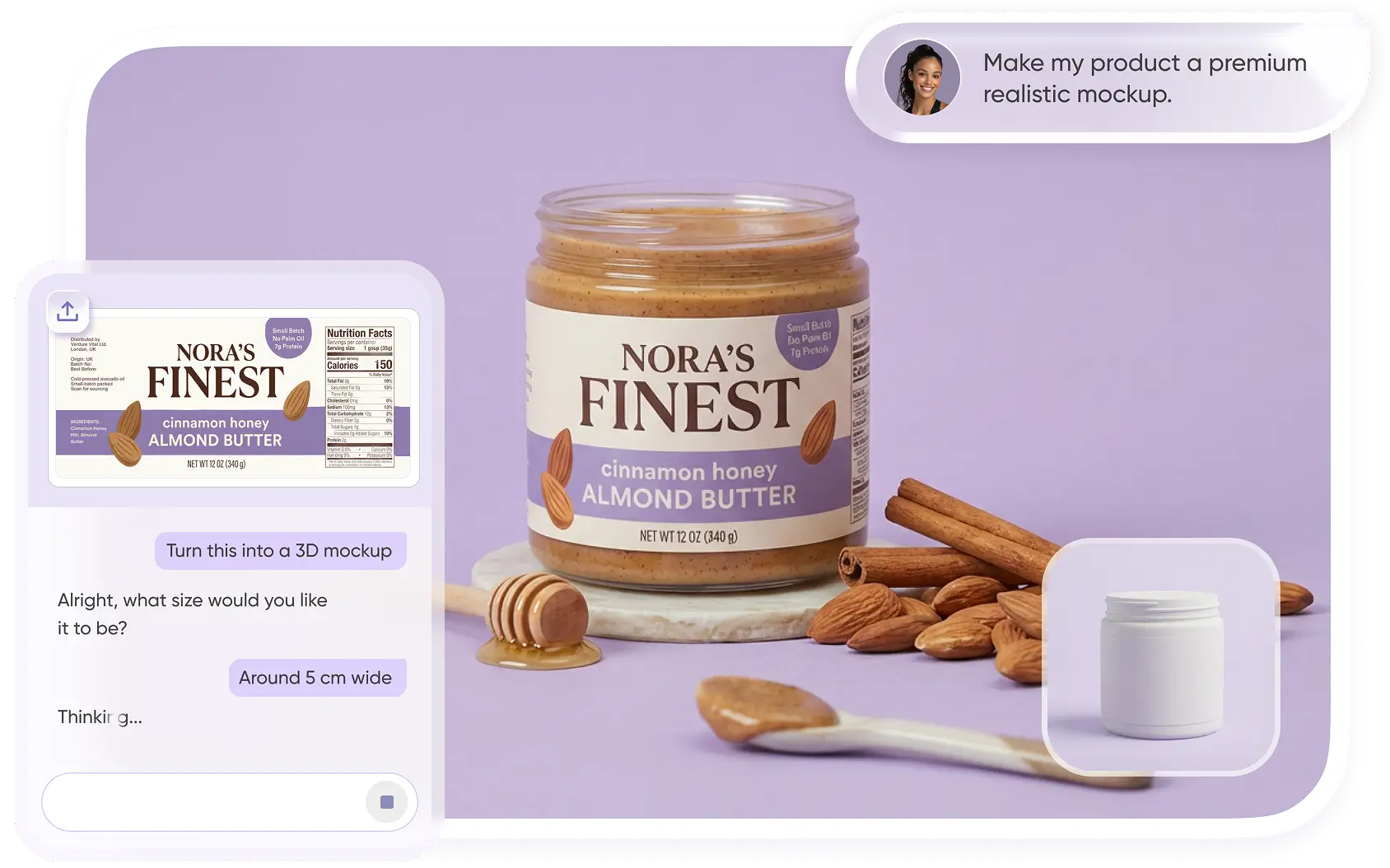
Packify's AI mockup generator offers you over 18,000 common packaging mockups. You can easily carry out various packaging designs using these 3D mockups. You just need to select a mockup, then upload your design drawing and edit the information on the packaging, and you will get a perfect and exportable packaging file.

Trusted by leading companies










Get brilliant designs with Packify free mockup generator
Does it have a beautiful design but lack an accurate packaging mockup? Contact us and you'll be right. At Packify, you can find an extensive collection of mockups, ranging from box mockups, pouch mockups to bottle mockups and more. Whether you are working on the design of food packaging, cosmetic packaging or electronic packaging, you can find the appropriate mockup here.
How to use our AI mockup generator?
Step 1: Choose a mockup
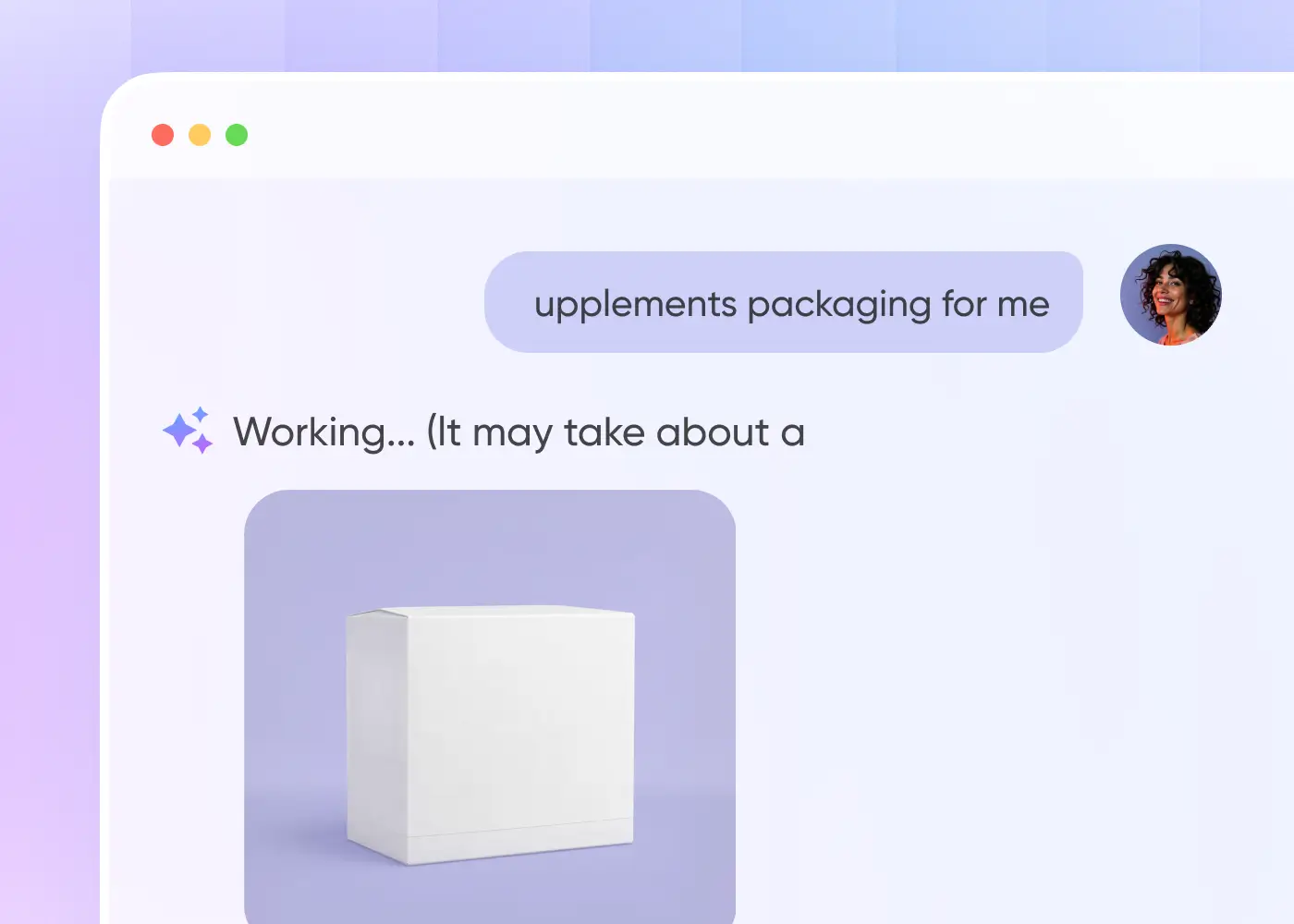
Enter the type of mockup you want to search for, such as length, width, height and shape, or upload a reference product image. The AI will recommend boxes based on your requirements for you.
Step 2: Upload your design
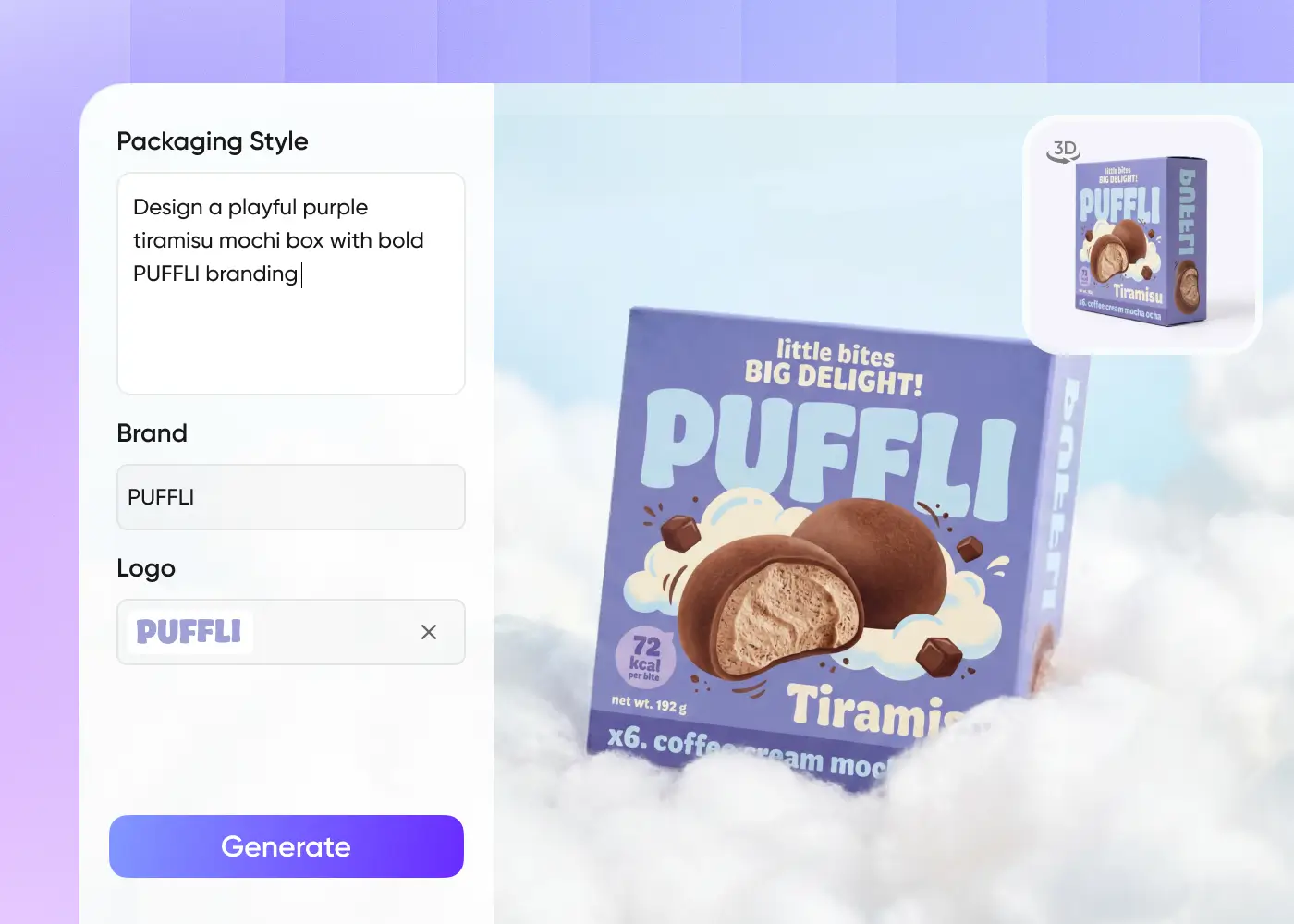
Upload your design, brand logo or directly describe the envisioned design. Your design will be displayed on the selected mockup, and you can also preview the 3D effect.
Step 3: Export the file
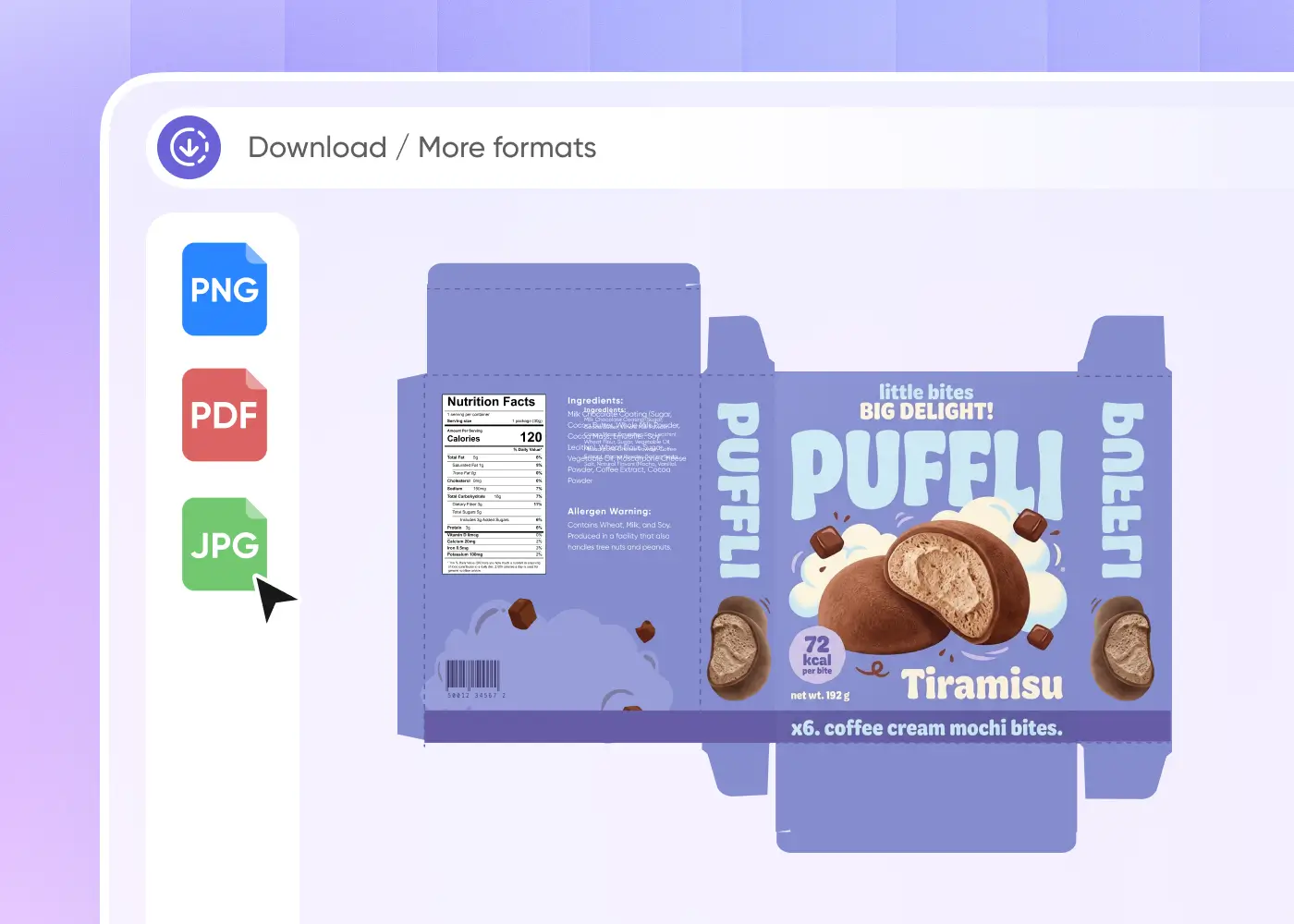
Finally, you can manually adjust the details of the exported file. You will receive a die-cutting template that can be directly used for printing production.

Step 1: Choose a mockup
Enter the type of mockup you want to search for, such as length, width, height and shape, or upload a reference product image. The AI will recommend boxes based on your requirements for you.
Step 2: Upload your design
Upload your design, brand logo or directly describe the envisioned design. Your design will be displayed on the selected mockup, and you can also preview the 3D effect.
Step 3: Export the file
Finally, you can manually adjust the details of the exported file. You will receive a die-cutting template that can be directly used for printing production.
Why choose our AI mockup generator?
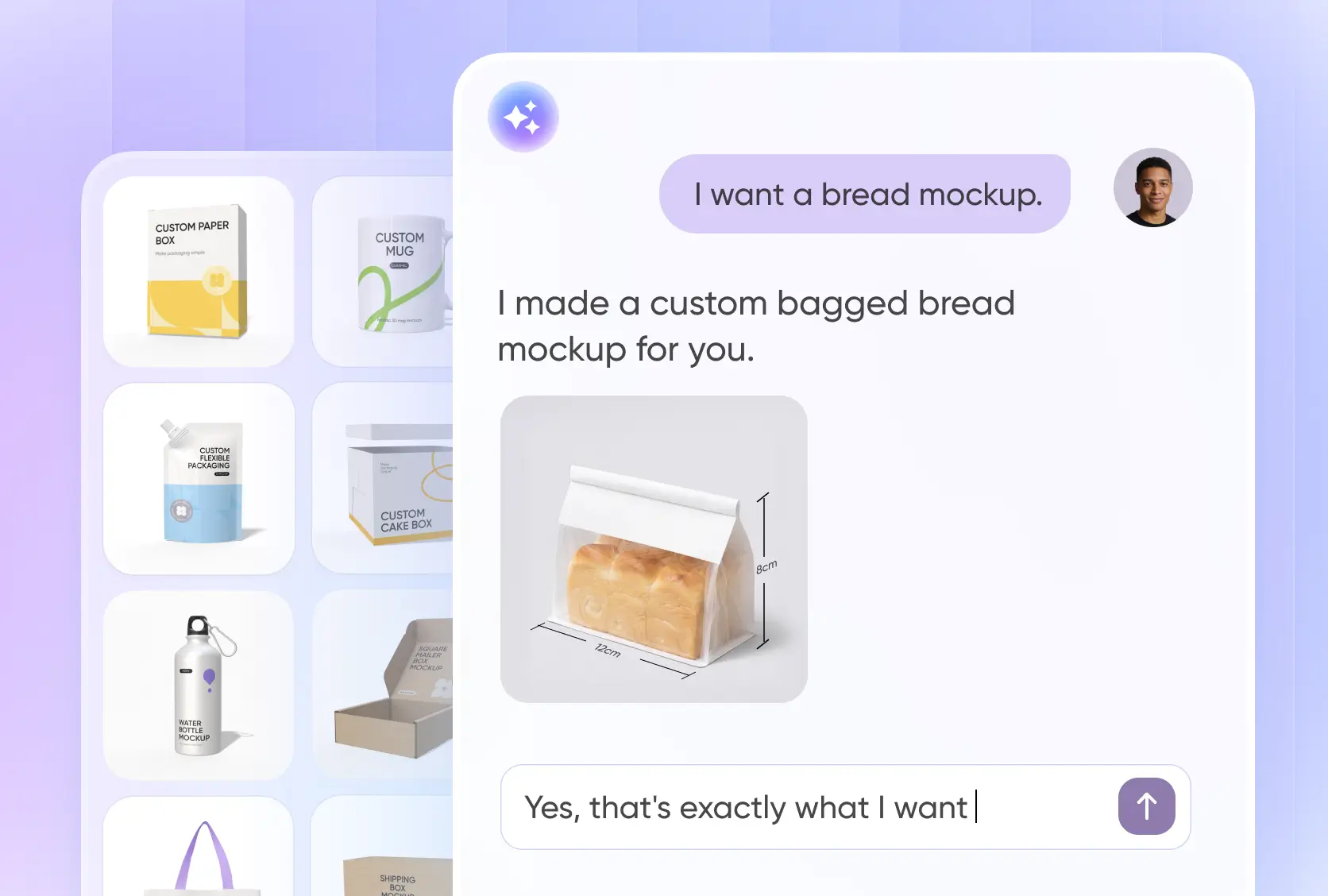
Chat to find the right mockup, fast
With Packify, you no longer need to go through a huge sample library to select a mockup for your product.
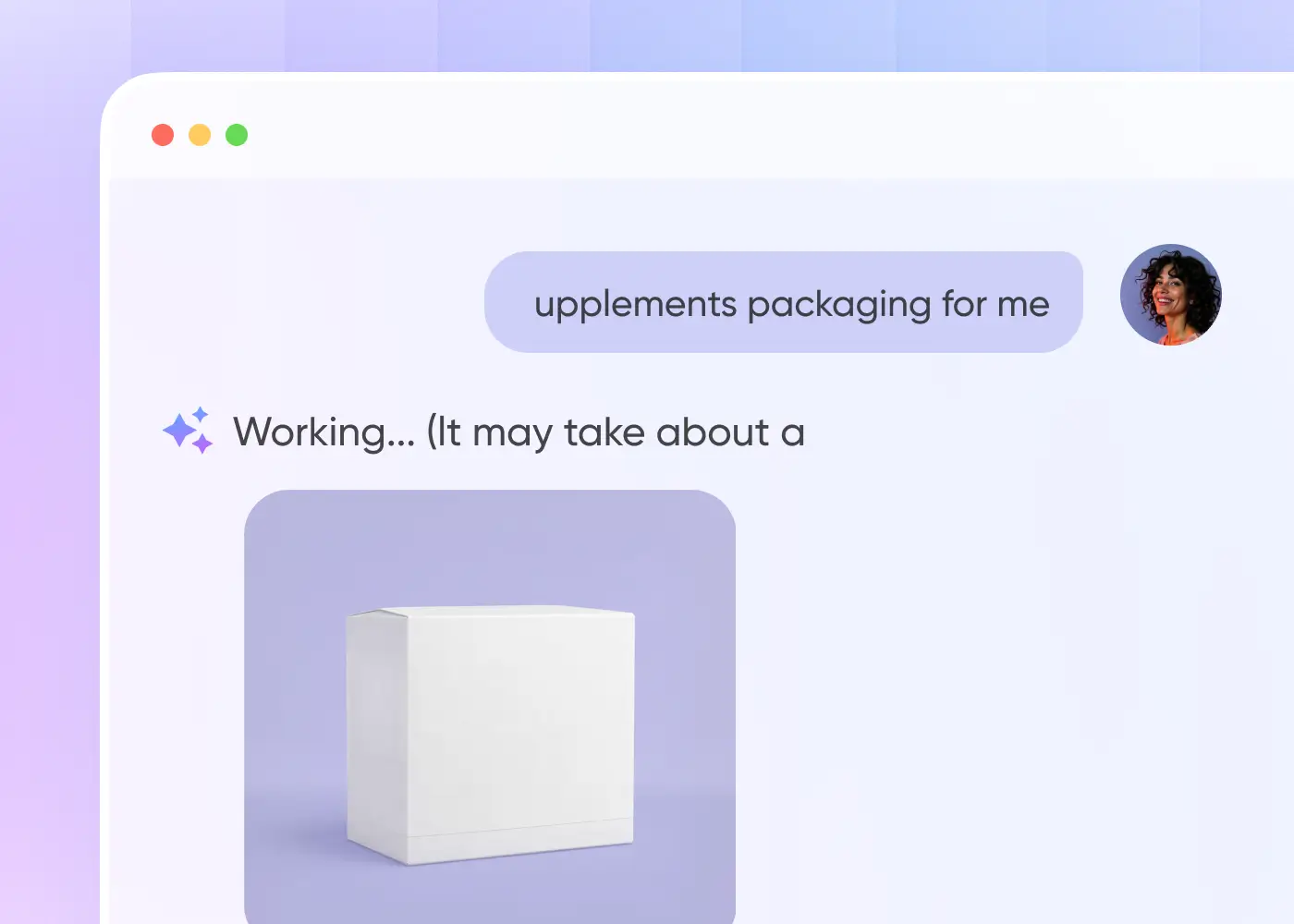
Instead, you simply describe your mockup requirements in a conversation with the AI, such as "I want a bread bag mockup", and the AI will provide professional guidance based on your requirements. After multiple detailed confirmations, such as length, width, height, shape, and purpose, an accurate matching mockup recommendation will be output.
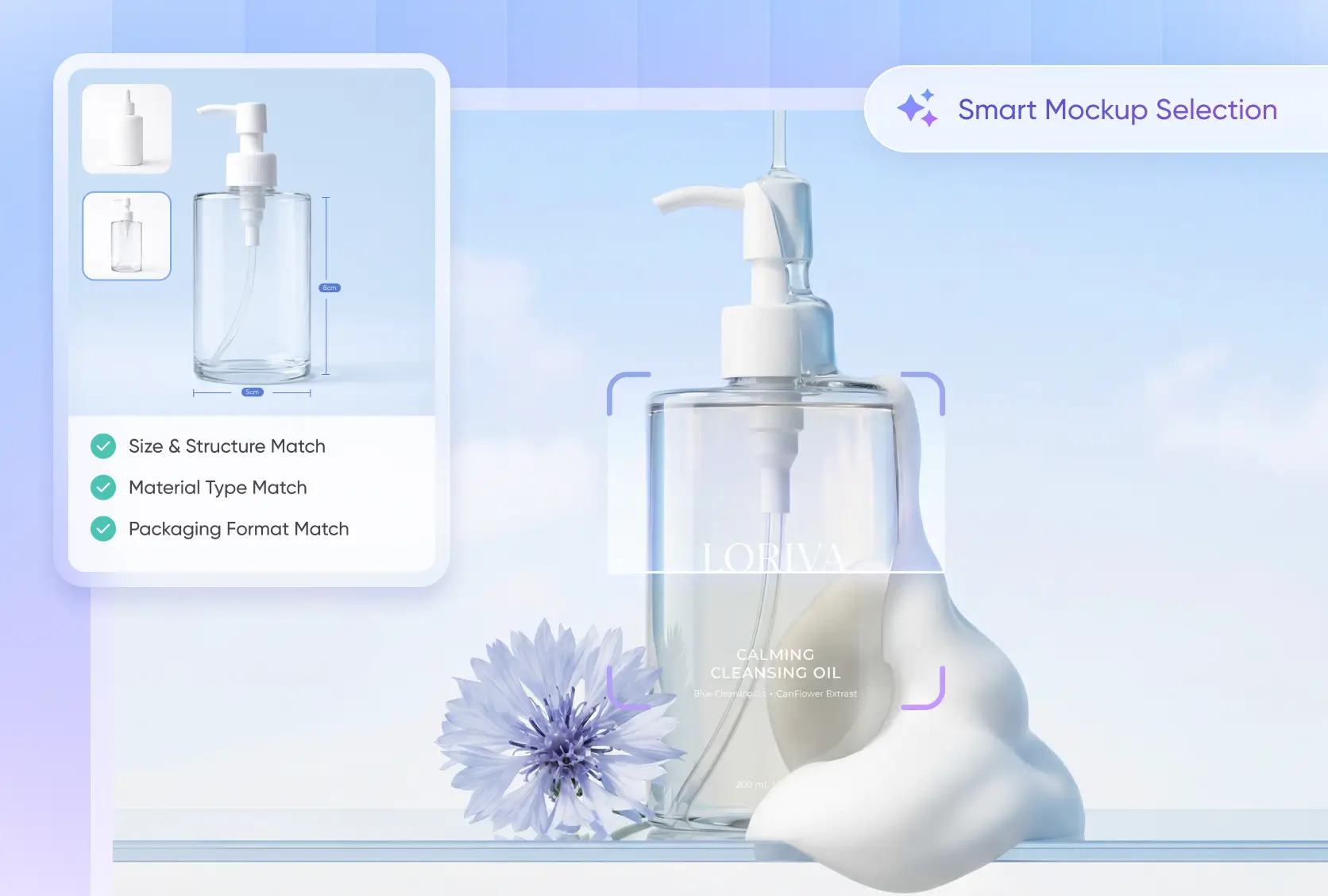
Packaging expertise built in for better mockups
We do more than suggest a box style. Our AI understands packaging structure, helps match the right mockup type, and can spot size mistakes like mixed-up length, width, and height before they cause problems.
This makes packaging design easier and more reliable. With smart recommendations and built-in packaging know-how, Packify can help you create better mockups and move toward production with more confidence.
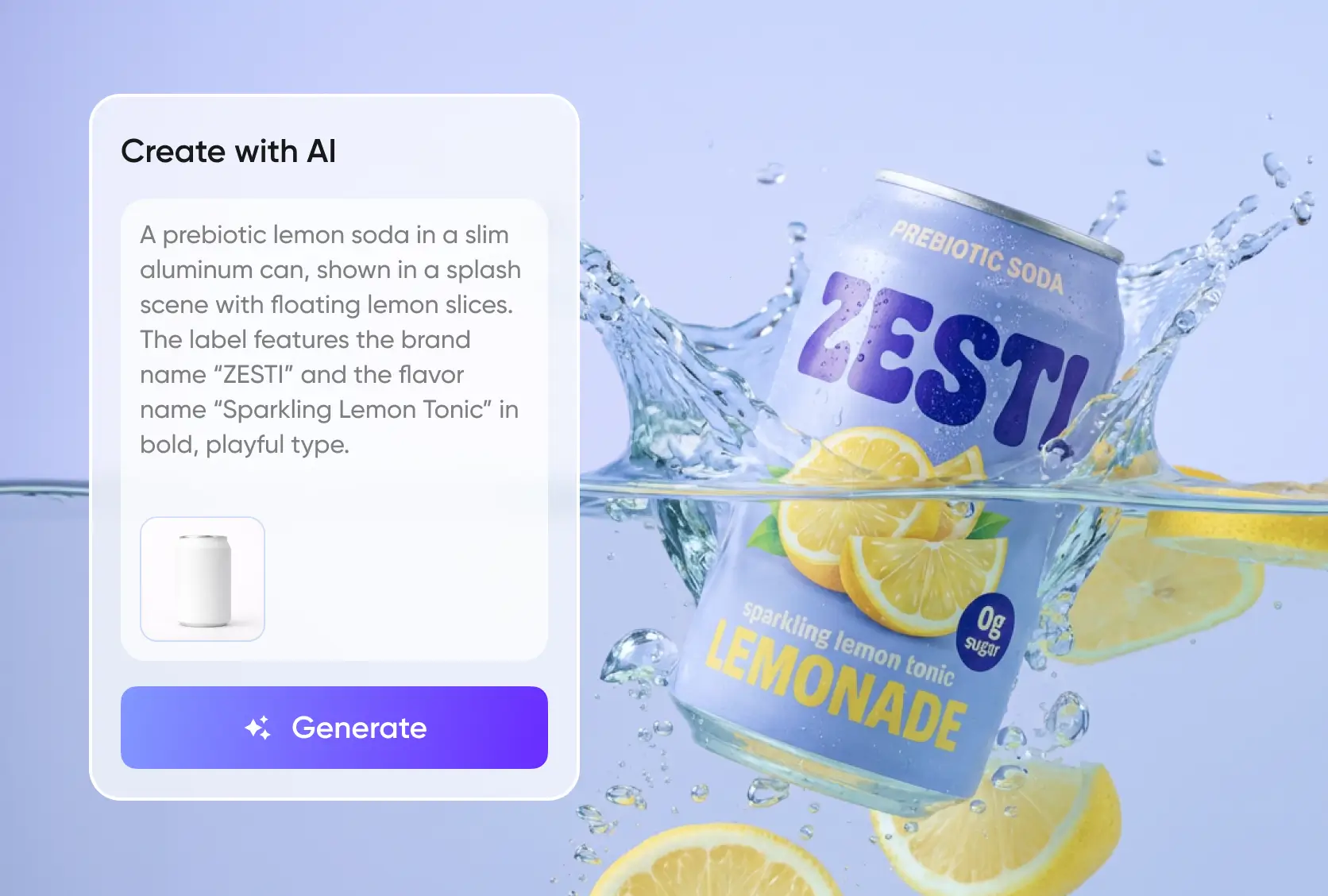
Text-to-image packaging that fits the mockups
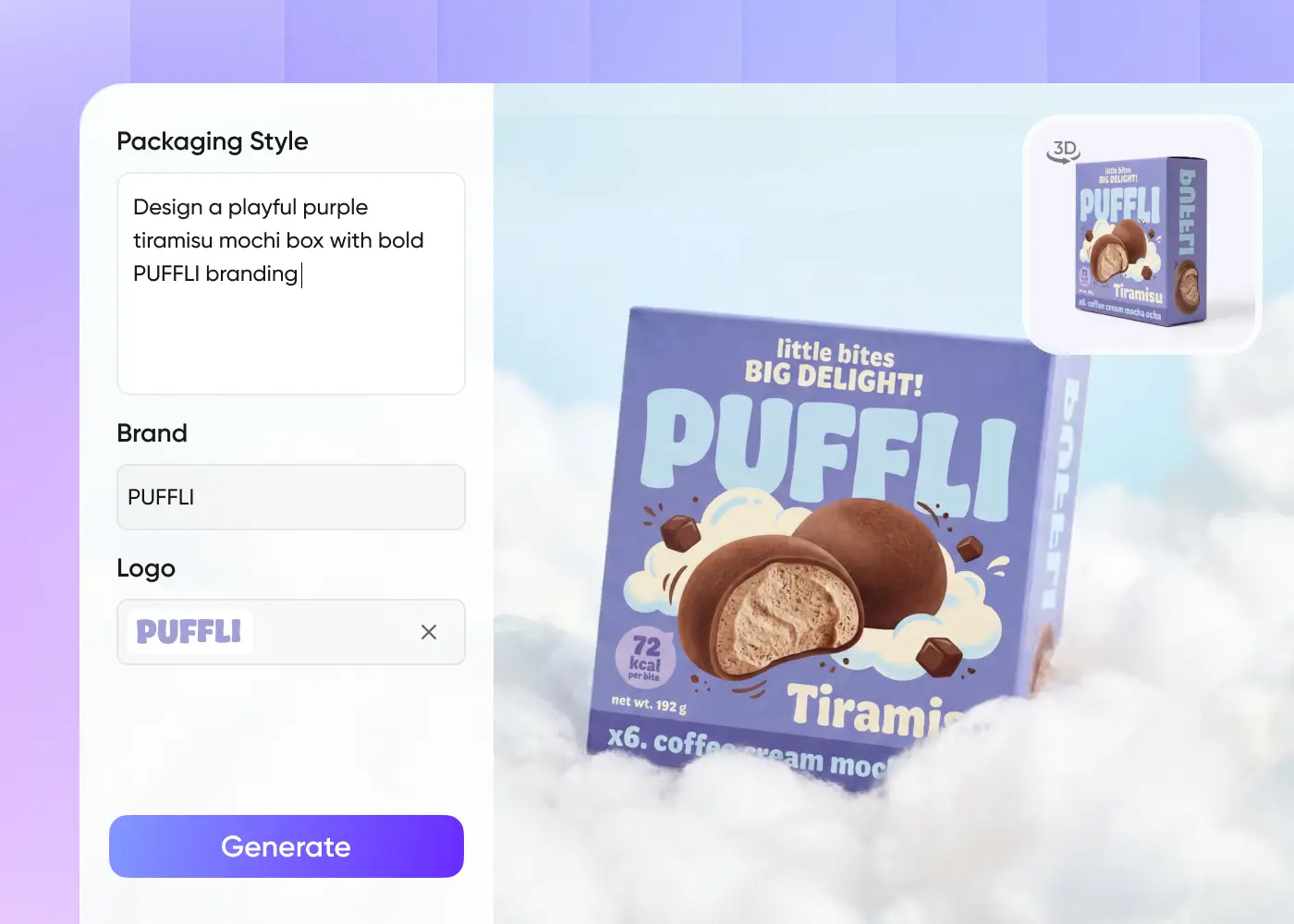
After a mockup is recommended, you can add a simple packaging design description and quickly generate packaging artwork. With built-in text-to-image packaging design, we turn short prompts into visuals that match the chosen mockup.
This helps you go beyond concept images. You can create production-ready packaging design faster, shorten the workflow, and turn ideas into usable packaging with less manual effort.
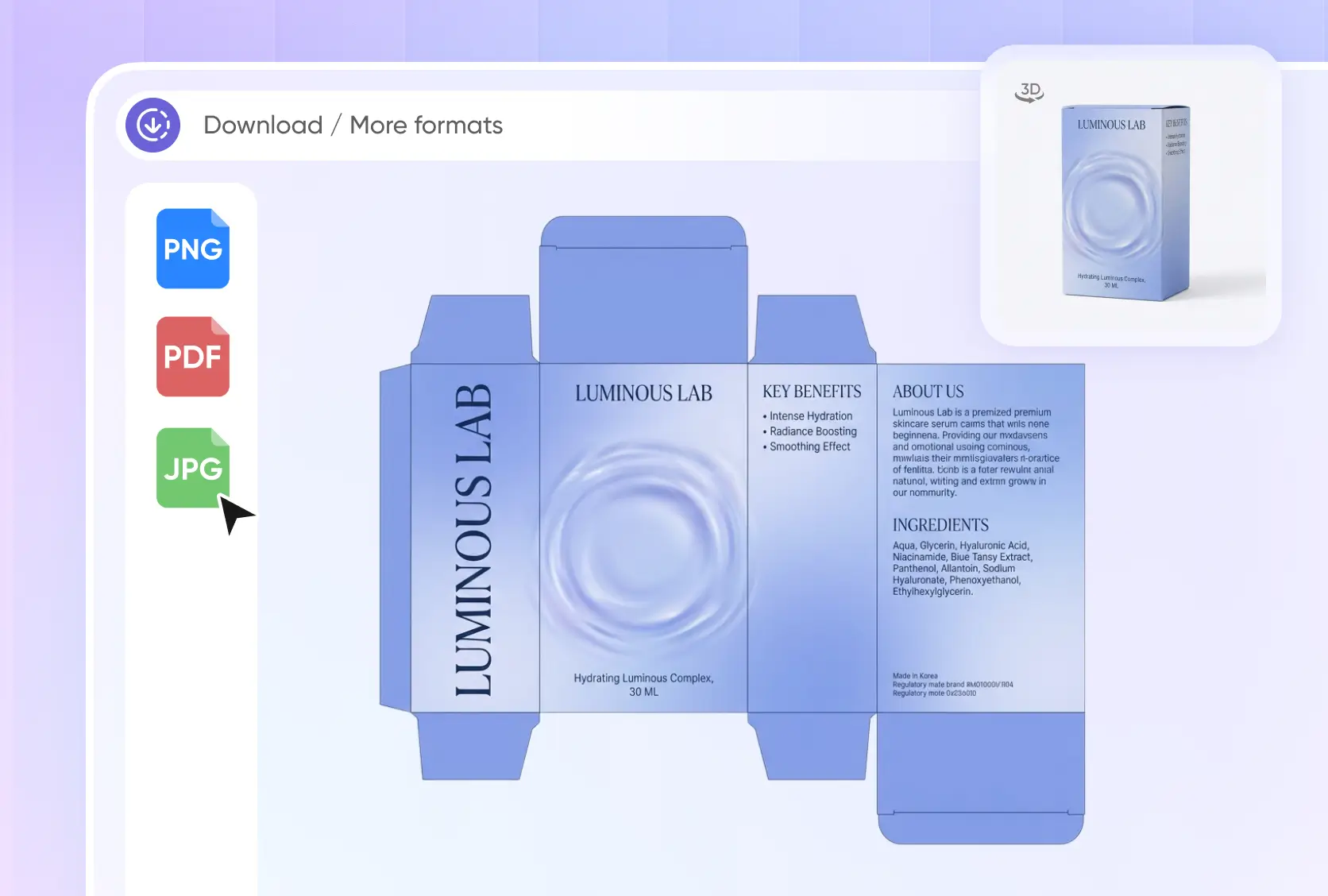
Packaging mockup to dieline workflow
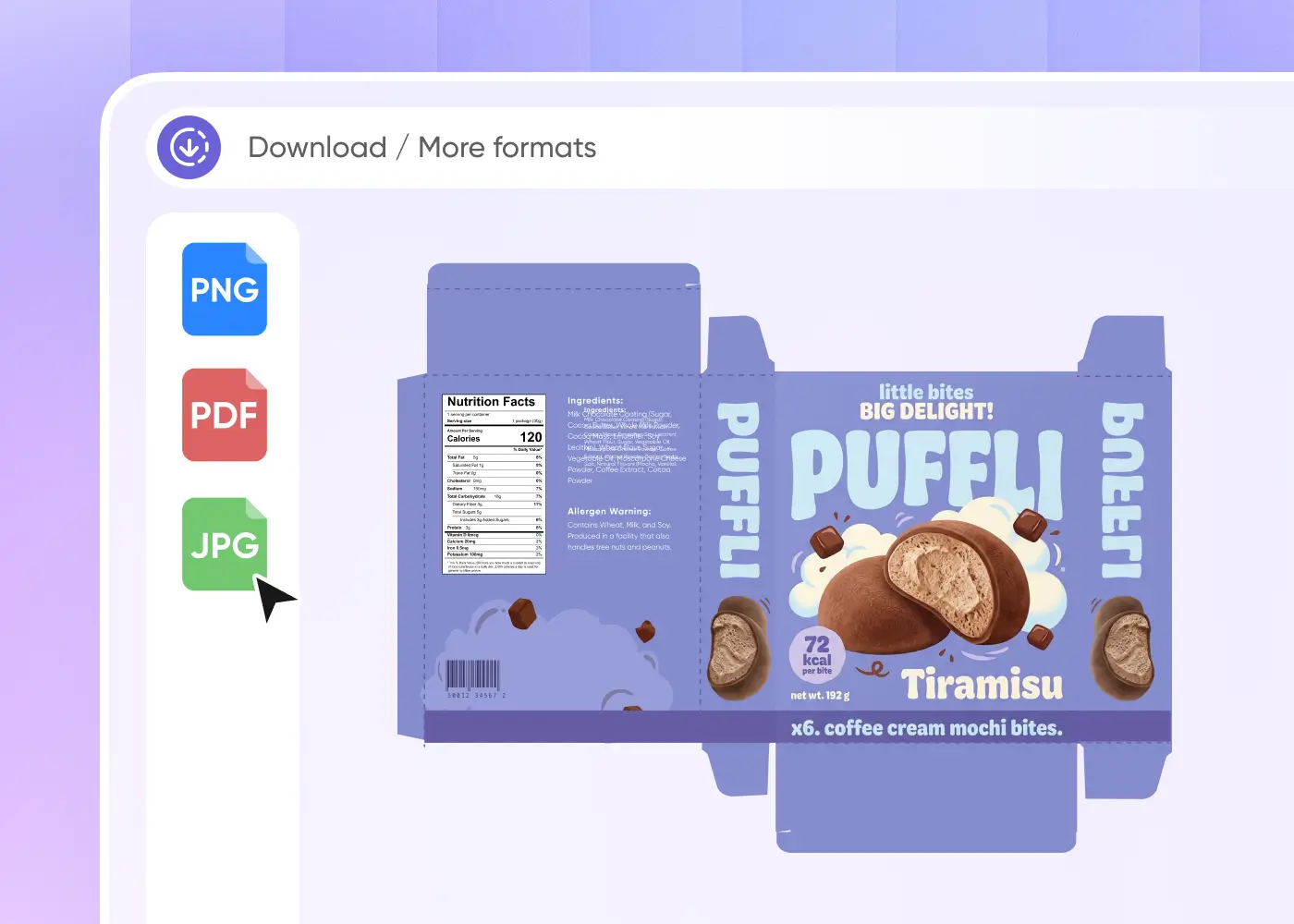
Packify supports the full packaging process in one place, from mockup selection and packaging design to 3D rendering and final dieline generation. You do not need to switch between different tools to complete the job.
Our one-stop workflow saves time and keeps everything consistent. It makes 3D packaging mockup creation and print-ready dieline output much easier for packaging teams and brands.
Chat to find the right mockup, fast
With Packify, you no longer need to go through a huge sample library to select a mockup for your product.
Instead, you simply describe your mockup requirements in a conversation with the AI, such as "I want a bread bag mockup", and the AI will provide professional guidance based on your requirements. After multiple detailed confirmations, such as length, width, height, shape, and purpose, an accurate matching mockup recommendation will be output.
Packaging expertise built in for better mockups
We do more than suggest a box style. Our AI understands packaging structure, helps match the right mockup type, and can spot size mistakes like mixed-up length, width, and height before they cause problems.
This makes packaging design easier and more reliable. With smart recommendations and built-in packaging know-how, Packify can help you create better mockups and move toward production with more confidence.
Text-to-image packaging that fits the mockups
After a mockup is recommended, you can add a simple packaging design description and quickly generate packaging artwork. With built-in text-to-image packaging design, we turn short prompts into visuals that match the chosen mockup.
This helps you go beyond concept images. You can create production-ready packaging design faster, shorten the workflow, and turn ideas into usable packaging with less manual effort.
Packaging mockup to dieline workflow
Packify supports the full packaging process in one place, from mockup selection and packaging design to 3D rendering and final dieline generation. You do not need to switch between different tools to complete the job.
Our one-stop workflow saves time and keeps everything consistent. It makes 3D packaging mockup creation and print-ready dieline output much easier for packaging teams and brands
Proven impact, in our customer's words


The AI-powered packaging design tool is a game-changer. It's fast, intuitive, making it an essential tool for any forward-thinking design team.ved.
March 26, 2025


The results are so amazing that I don't think it's just for inspiration... I'd say artificial intelligence outperforms most designers; the key is to come up with the perfect prompt. Great contribution! Thank you 😊.
March 18, 2025


The AI-powered packaging design tool is a game-changer. It's fast, intuitive, making it an essential tool for any forward-thinking design team.
March 18, 2025


We’re a tiny skincare shop. Packify.ai turned my scribbles into clean mockups and a printable dieline by Monday. Fewer back-and-forths, consistent branding, a nd our product page conversions moved.
March 18, 2025


The AI-powered packaging design tool is a game-changer. It's fast, intuitive, making it an essential tool for any forward-thinking design team.
March 26, 2025


The results are so amazing that I don't think it's just for inspiration... I'd say artificial intelligence outperforms most designers; the key is to come up with the perfect prompt. Great contribution! Thank you 😊
March 18, 2025


Congrats! Packify.ai, an AI packaging designer, enables easy, creative design and offers AI-driven product photography for e-commerce through simple chatting.
April 2, 2025


We’re a tiny skincare shop. Packify.ai turned my scribbles into clean mockups and a printable dieline by Monday. Fewer back-and-forths, consistent branding, a nd our product page conversions moved.
May 9, 2025
You asked,
we answered
You asked, we answered
What is Packify AI mockup?
Packify AI mockup is an innovative tool that uses AI technology to seamlessly adapt your designs to any mockup background you choose. It simplifies the process of creating stunning and realistic product mockups for your brand or projects.
How is Packify AI mockup different from tools like Placeit and Renderforest?
Unlike traditional tools, Packify AI mockup leverages cutting-edge AI technology to provide effortless and highly customizable mockups. You can simply upload your design, and the system will automatically align and adjust it to fit your chosen mockup background.
What types of mockups can I create with Packify AI mockup?
Packify AI mockup offers a wide range of categories, including:
- Boxes
- Bottles & Jugs
- Food Packaging
- Pouches & Bags
- Apparel
- Containers & Cups
Many more from the mockup world. Whether you’re creating packaging designs or showcasing your branding, we’ve got you covered.
Is Packify AI mockup easy to use?
Absolutely! Packify AI mockup is designed for ease of use, even for beginners. With a few clicks, you can upload your design, choose a mockup, and generate a professional-quality output instantly. No advanced design skills are required.
How much does Packify AI mockup cost?
Our pricing is simple and transparent: • Free Plan: Use up to 1 mockup per month. • Premium Plan: Unlock unlimited access to all mockups and enjoy a higher monthly usage limit. Explore our pricing page for more details on subscription options.
What is an AI mockup?
An AI mockup is a design rendered by artificial intelligence that automatically adapts your artwork onto a realistic product mockup. It saves time and effort by generating perfectly aligned, photorealistic results without manual adjustments.
Can I use Packify AI mockup online?
Yes! Packify AI mockup is an entirely online platform, accessible anytime, anywhere. You can create stunning mockups directly in your browser without the need for additional software.
How does Packify AI mockup benefit my business?
Packify AI mockup streamlines the mockup creation process, saving you time and effort. With its extensive library and AI capabilities, it allows businesses to:
- Showcase products professionally
- Enhance marketing materials
- Experiment with designs quickly and affordably
How is Packify AI mockup connected to the mockup world?
Packify AI mockup brings the best of the mockup world to your fingertips. By integrating AI-powered tools, it ensures that creating designs is faster, smarter, and more accessible than ever before.
Your perfect design begins with a mockup