
AI Takeout Label Generator
Turn a short restaurant brief into a label that makes your brand recognizable at a glance, without design experience or costly back-and-forth with a designer.
Trusted by industry-leading businesses


Professional Takeout Labels Without a Designer
Takeout labels work in some of the smallest spaces on food packaging, yet they may need to communicate a restaurant's identity, dish name, order details, short message, or QR code at a glance. Balancing that much information without crowding the layout is difficult when you lack design experience, while hiring a designer for every sticker or menu variation quickly becomes expensive. Packify turns your brief into a professionally composed label, helping you create clear, distinctive takeout branding without starting from a blank canvas.
How to Make a Takeout Label with Packify AI?
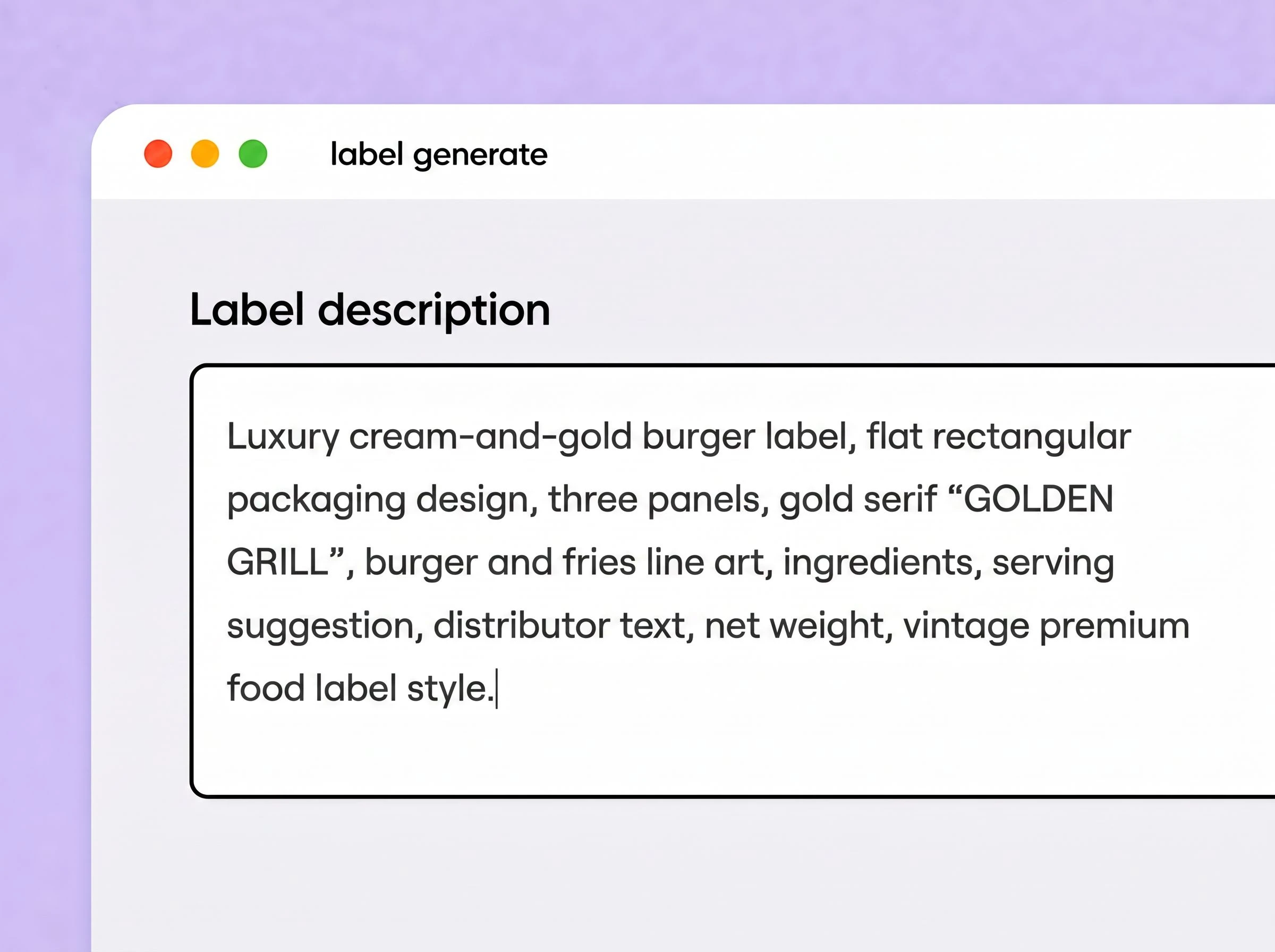
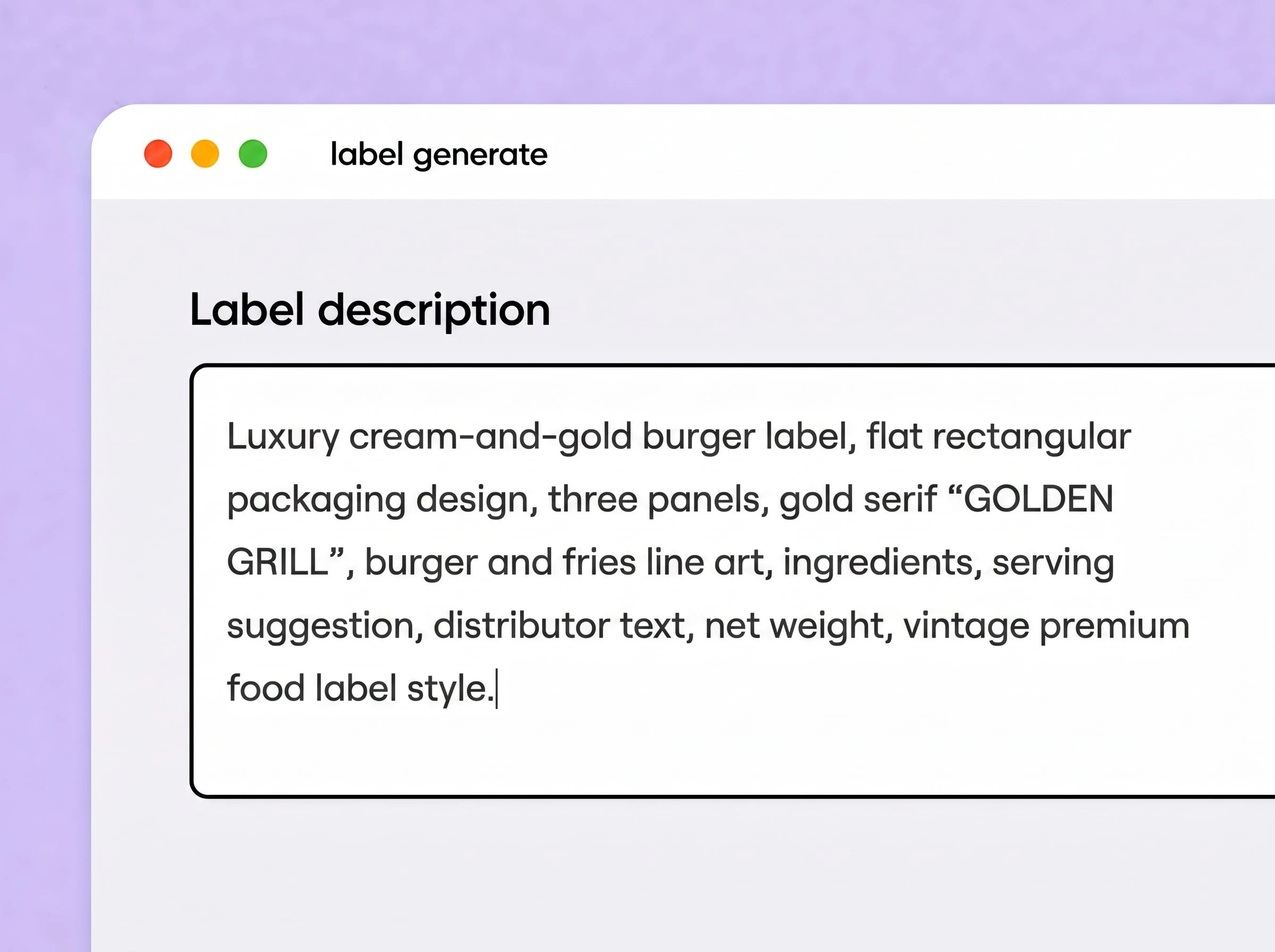
Step 1: Enter your takeout label brief
Enter your food, target customer, packaging type, label placement, brand style, colors, required text, and exact label dimensions.
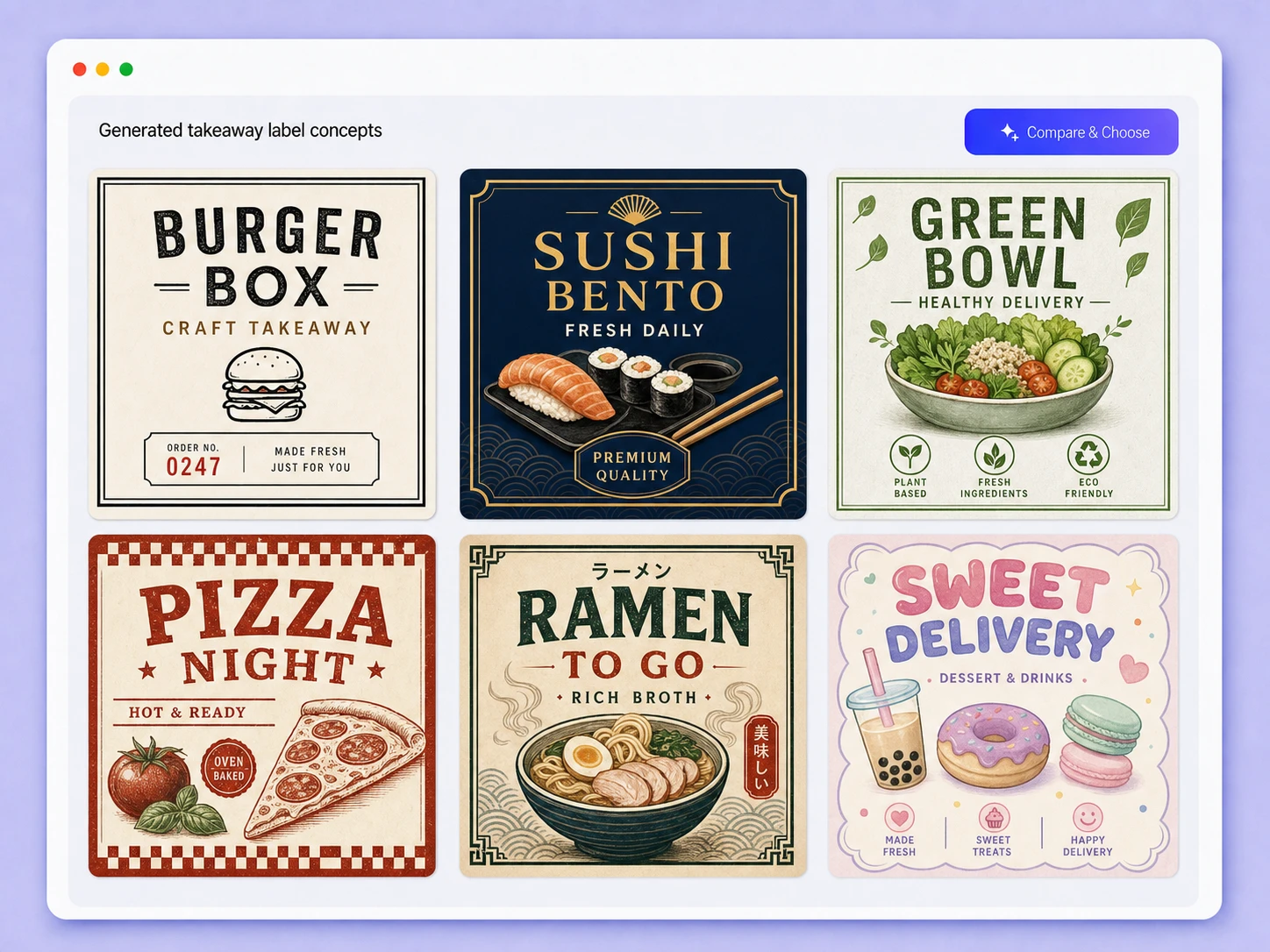
Step 2: Generate, refine, and compare designs
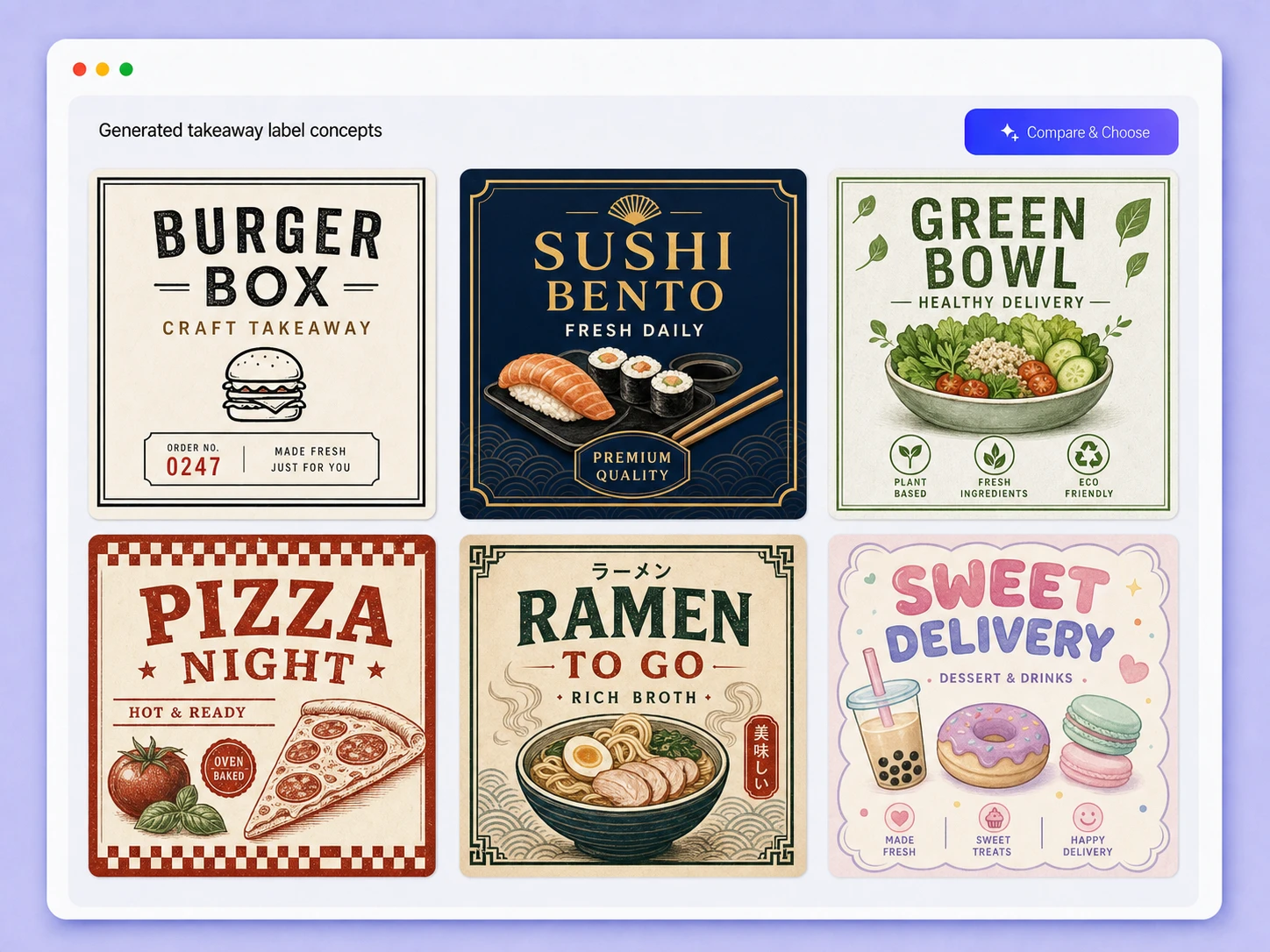
Click Generate image to create and review a label. Revise your brief or request specific changes, then generate again and compare different design directions.
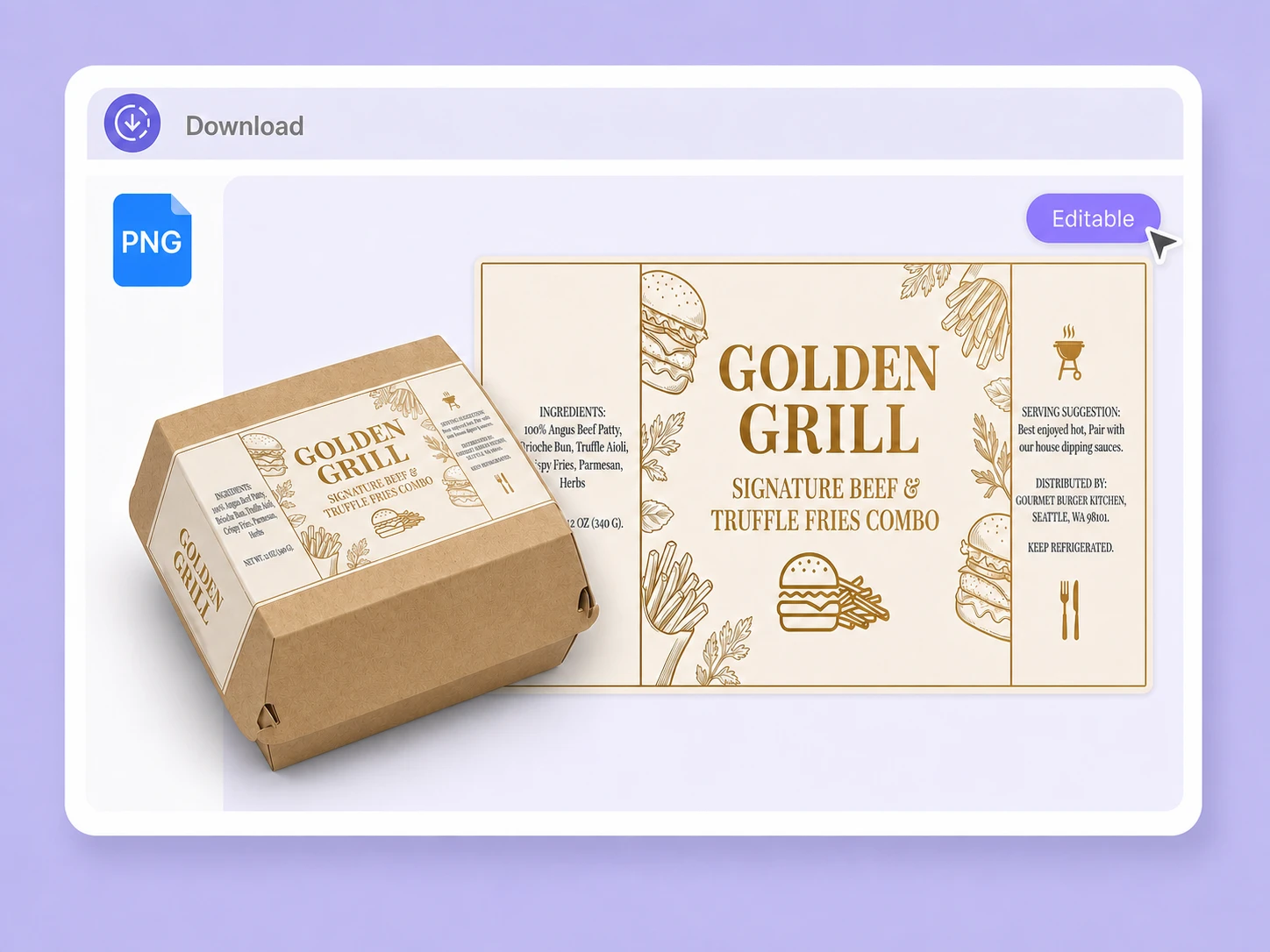
Step 3: Edit your label and preview it
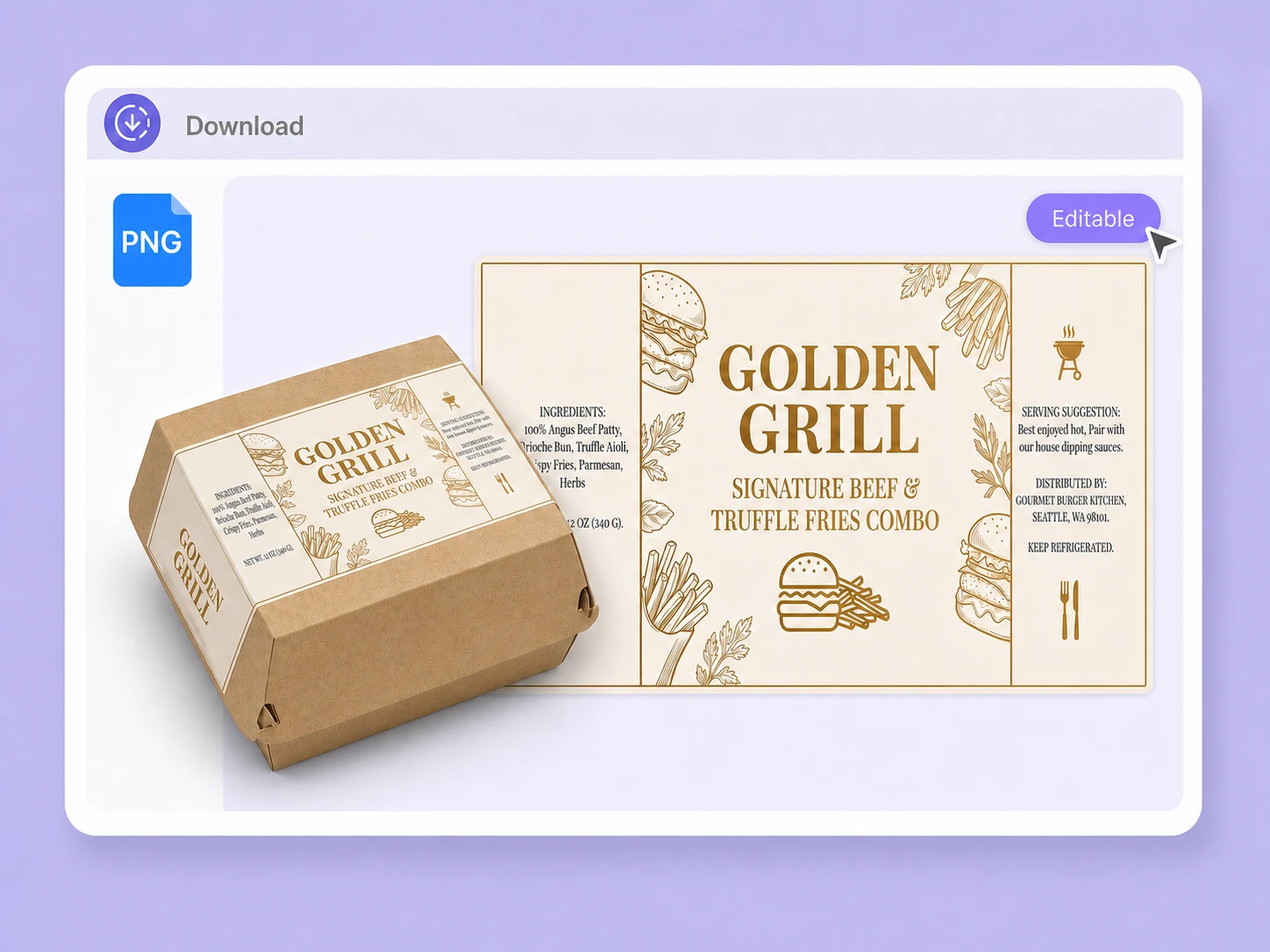
When satisfied with the design, click Edit Label, choose a takeout box or bag, refine the label content and layout, preview it on the rotatable 3D model, and download it.

Step 1: Enter your takeout label brief
Enter your food, target customer, packaging type, label placement, brand style, colors, required text, and exact label dimensions.
Step 2: Generate, refine, and compare designs
Click Generate image to create and review a label. Revise your brief or request specific changes, then generate again and compare different design directions.
Step 3: Edit your label and preview it
When satisfied with the design, click Edit Label, choose a takeout box or bag, refine the label content and layout, preview it on the rotatable 3D model, and download it.
Why choose Packify for takeout label design?
Make Small Labels Read Fast
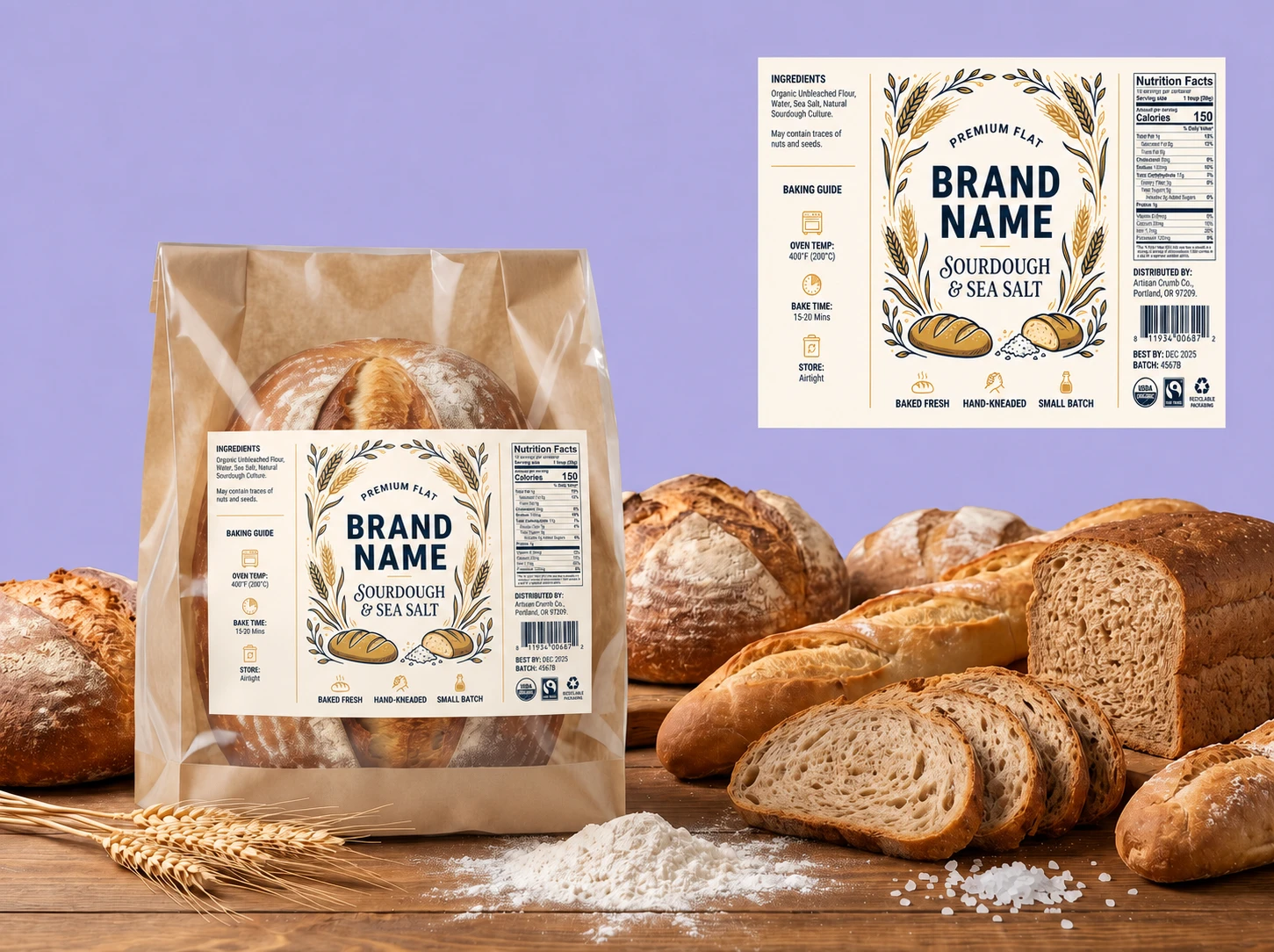
A takeout sticker has little room for competing messages. Packify establishes a clear visual order so customers notice the restaurant name, meal identifier, or most important instruction first, without letting secondary text, decorative elements, or a QR code overwhelm the design.
Control More Than Dimensions
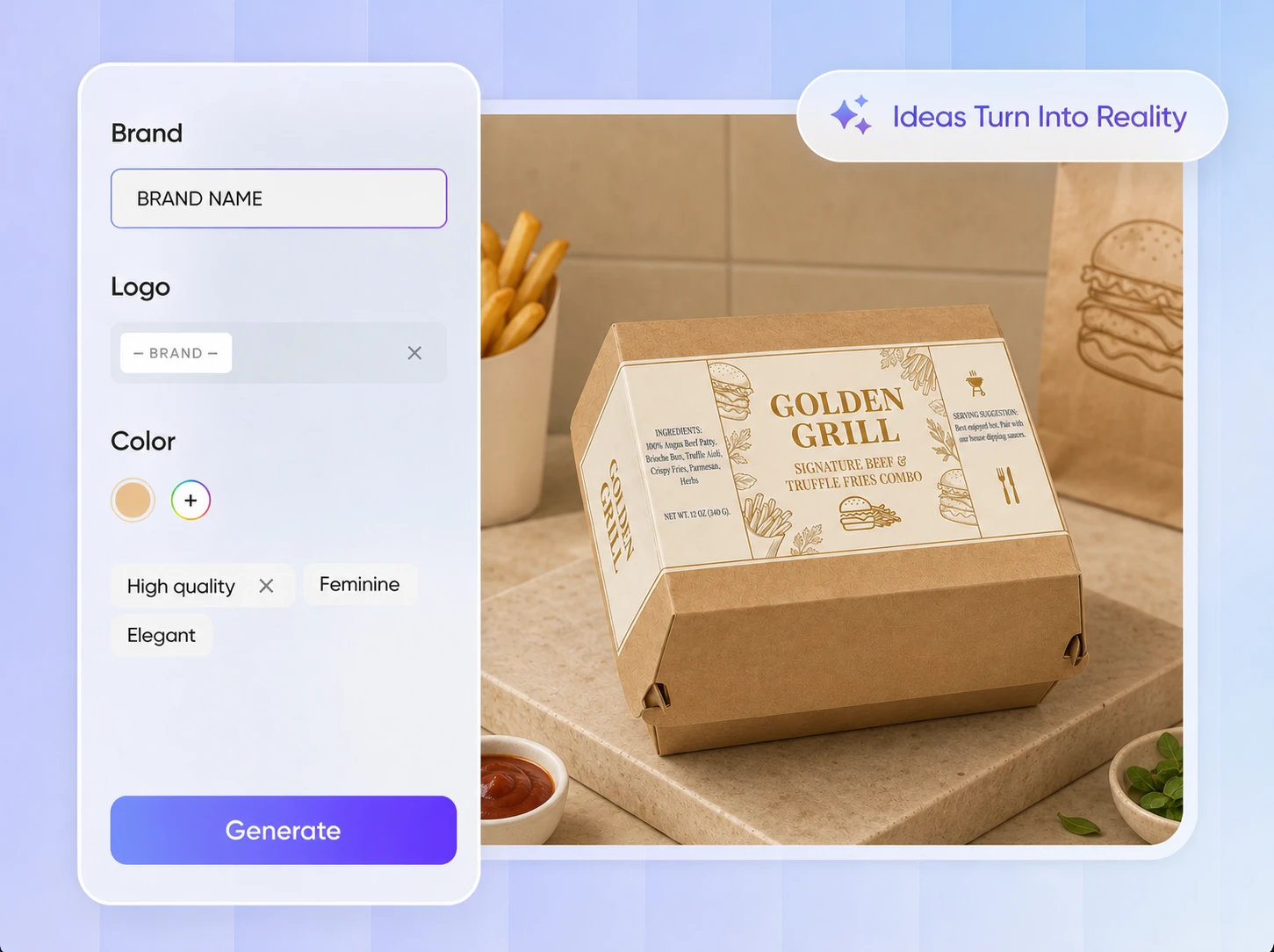
Customize the label’s width and height. After generating the image, click Edit Label to adjust the restaurant name, dish text, short message, colors, logo, typography, graphics, and information hierarchy for different packaging formats and order types.
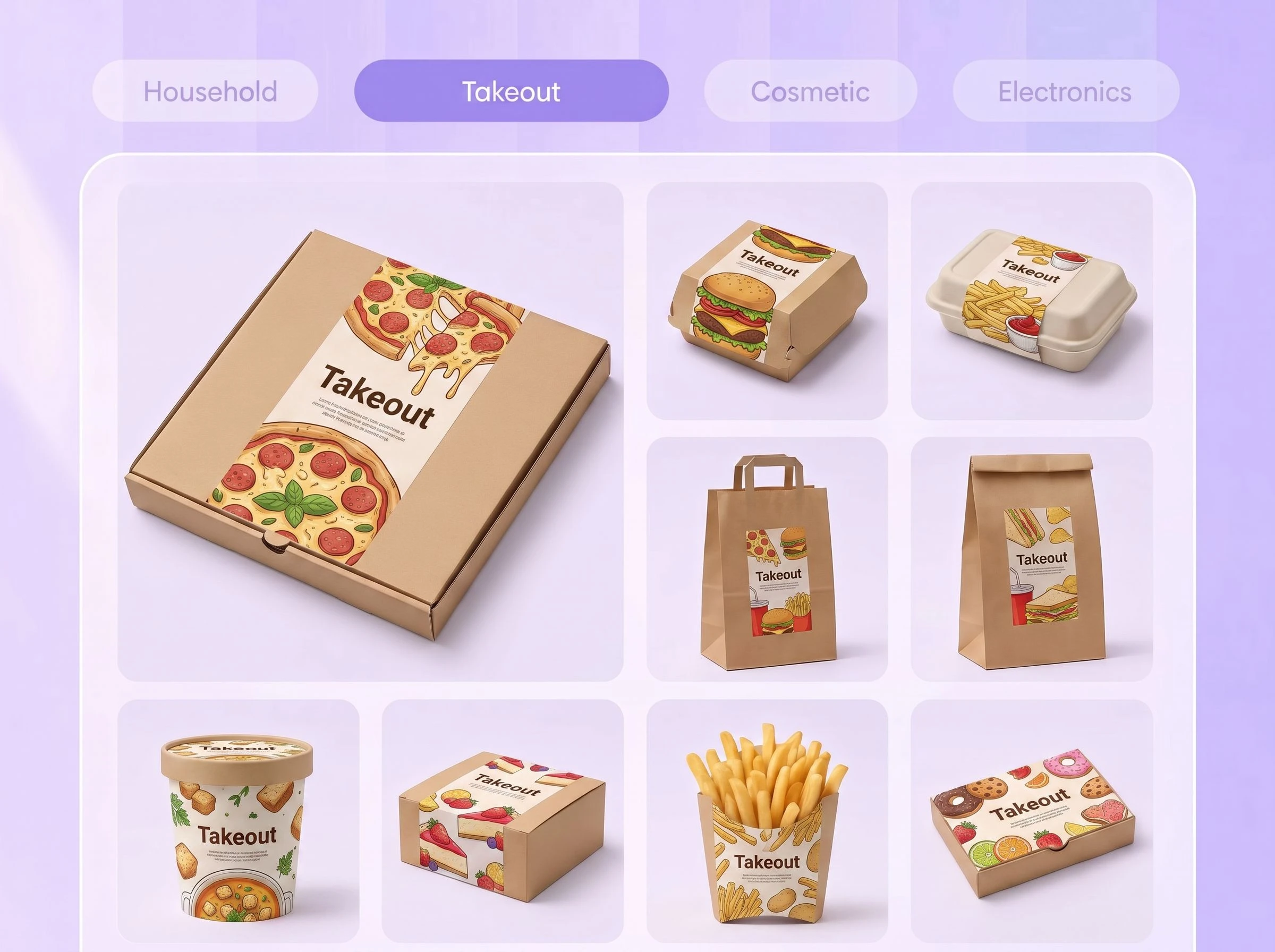
Differentiate Orders at a Glance
Create recognizable label variations for entrees, drinks, sauces, dietary options, or seasonal specials. Use distinct colors, typography, and prominent item names to help kitchen staff, delivery workers, and customers identify each order quickly without sacrificing a consistent restaurant style.
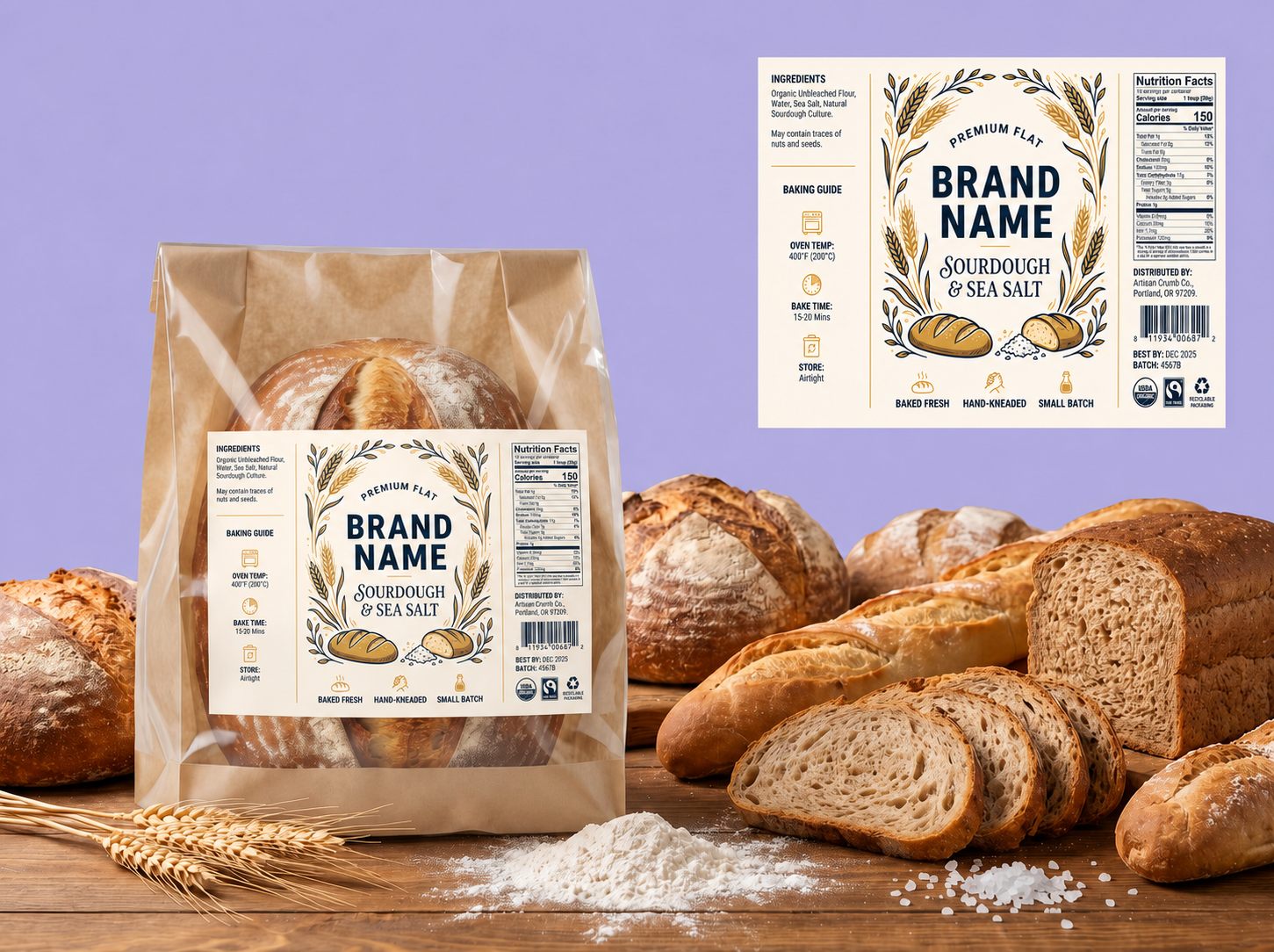
Make Small Labels Read Fast
A takeout sticker has little room for competing messages. Packify establishes a clear visual order so customers notice the restaurant name, meal identifier, or most important instruction first, without letting secondary text, decorative elements, or a QR code overwhelm the design.
Control More Than Dimensions
Customize the label’s width and height. After generating the image, click Edit Label to adjust the restaurant name, dish text, short message, colors, logo, typography, graphics, and information hierarchy for different packaging formats and order types.
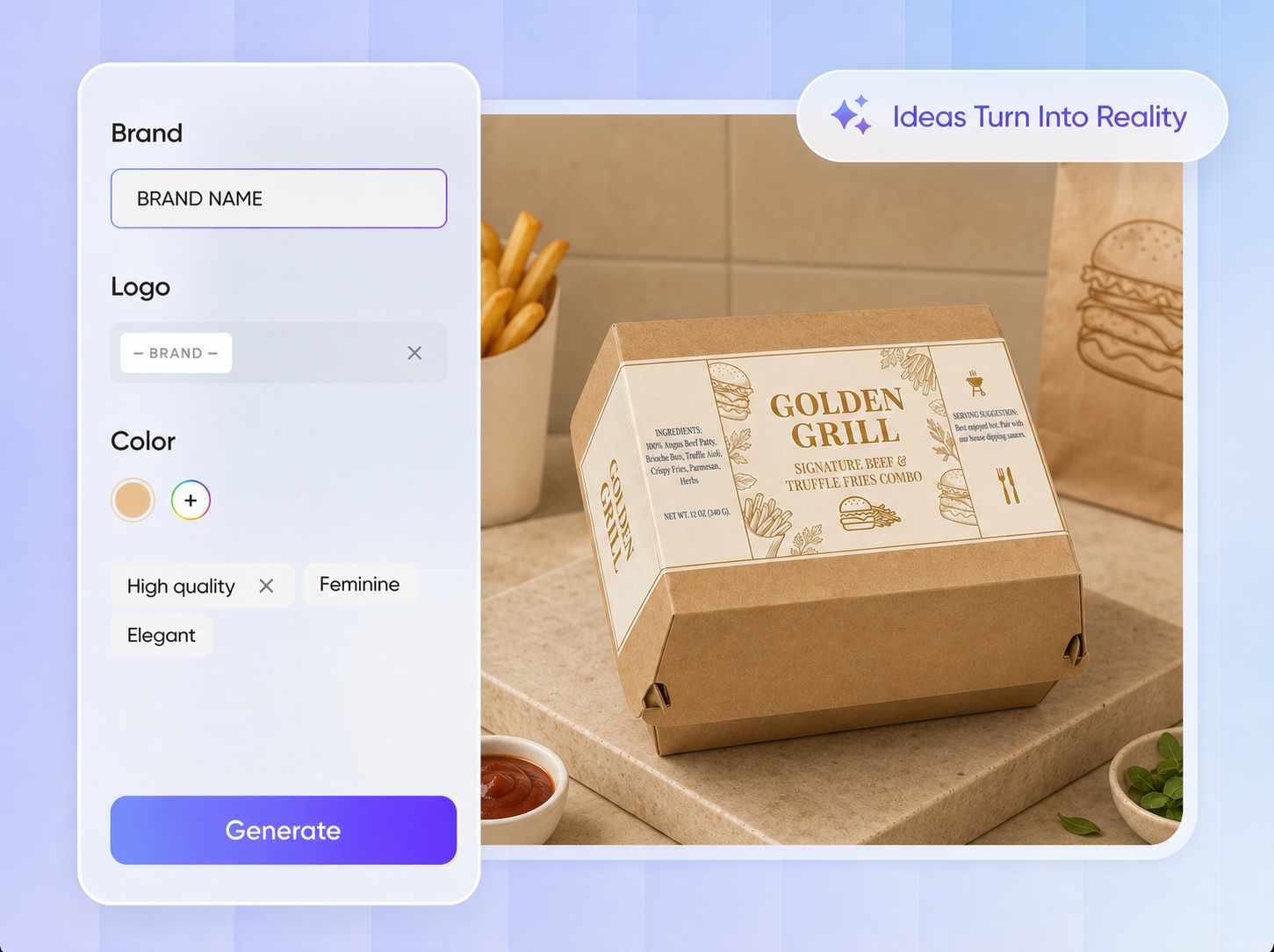
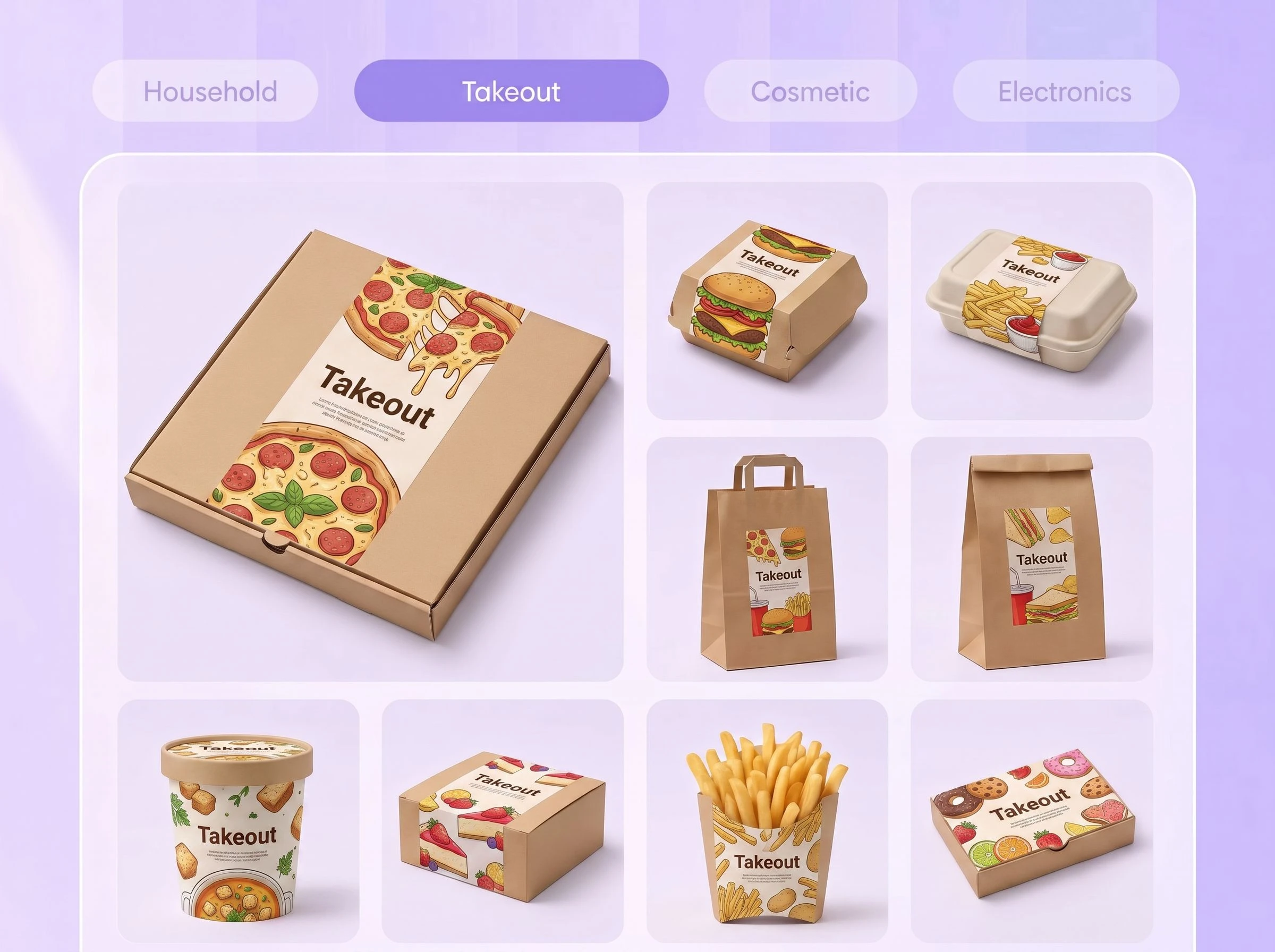
Differentiate Orders at a Glance
Create recognizable label variations for entrees, drinks, sauces, dietary options, or seasonal specials. Use distinct colors, typography, and prominent item names to help kitchen staff, delivery workers, and customers identify each order quickly without sacrificing a consistent restaurant style.
Proven impact, in our customer's words


The AI-powered packaging design tool is a game-changer. It's fast, intuitive, making it an essential tool for any forward-thinking design team.ved.
March 26, 2025


The results are so amazing that I don't think it's just for inspiration... I'd say artificial intelligence outperforms most designers; the key is to come up with the perfect prompt. Great contribution! Thank you 😊.
March 18, 2025


The AI-powered packaging design tool is a game-changer. It's fast, intuitive, making it an essential tool for any forward-thinking design team.
March 18, 2025


We’re a tiny skincare shop. Packify.ai turned my scribbles into clean mockups and a printable dieline by Monday. Fewer back-and-forths, consistent branding, a nd our product page conversions moved.
March 18, 2025


The AI-powered packaging design tool is a game-changer. It's fast, intuitive, making it an essential tool for any forward-thinking design team.
March 26, 2025


The results are so amazing that I don't think it's just for inspiration... I'd say artificial intelligence outperforms most designers; the key is to come up with the perfect prompt. Great contribution! Thank you 😊
March 18, 2025


Congrats! Packify.ai, an AI packaging designer, enables easy, creative design and offers AI-driven product photography for e-commerce through simple chatting.
April 2, 2025


We’re a tiny skincare shop. Packify.ai turned my scribbles into clean mockups and a printable dieline by Monday. Fewer back-and-forths, consistent branding, a nd our product page conversions moved.
May 9, 2025
You asked,
we answered
You asked, we answered
What is a takeout label?
A takeout label is an adhesive label or sticker applied to restaurant food packaging for branding, item identification, instructions, promotions, or sealing. Common formats include round logo stickers, rectangular food labels, long closure strips, thank-you stickers, QR-code labels, dietary identifiers, and tamper-evident seals.
What should I include on a takeout label?
Prioritize what customers or staff must recognize immediately, such as the restaurant name, dish name, order identifier, dietary note, or handling instruction. Add a logo, short message, QR code, social handle, or thank-you line only when there is enough room to keep the label legible.
What packaging can I use takeout stickers on?
Takeout stickers can be designed for food boxes, paper bags, bowls, drink cups, bakery containers, wrappers, and delivery packaging. Enter the intended placement and label dimensions in your brief, then preview the result on a similar 3D package before finalizing it.
Can I create a sealing label for delivery orders?
Yes. Packify can design a label that crosses a box opening or seals the top of a takeaway bag. Actual tamper evidence depends on the label material, adhesive, packaging surface, and application method, so confirm those production requirements with your label printer.
Are Packify takeout labels FDA-compliant?
Packify helps create and edit the visual design but does not review or certify labels as FDA-compliant. Restaurant food prepared for immediate consumption generally does not require a standard Nutrition Facts panel when no nutrition or health claim is made. Chain-menu, retail-packaged-food, and state or local requirements may still apply. See the FDA requirements.
Is Packify's takeout label generator free?
Yes. Packify provides limited free credits so you can try AI packaging design and explore its core features. Available credits, features, and usage limits are subject to the current plan details. See Packify pricing.
Can I use my takeout label commercially?
Yes. Designs created with Packify may be used for personal or commercial projects as long as you follow the Packify Terms of Use. Packify does not grant exclusive rights to AI-generated results. You are responsible for confirming that the design and any uploaded logos, fonts, images, or references are appropriate and properly licensed for your intended use.
Make Every Label Fit the Package
