
Free Halloween Packaging Design
Describe your product, brand, packaging type, and Halloween theme. Get spooky packaging design concepts tailored to your brief, ready to compare and refine.
Trusted by industry-leading businesses


Keep your Halloween packaging launch on schedule
From a Halloween box of chocolates to Halloween cookie packaging and Halloween shipping boxes, seasonal launches take planning. Add your product details, brand assets, and theme to Packify. Compare concepts and refine your favorite in Chat, leaving more time for sampling, production, and listings.
How to explore Halloween packaging ideas with Packify?

Step 1: Add your product and brand
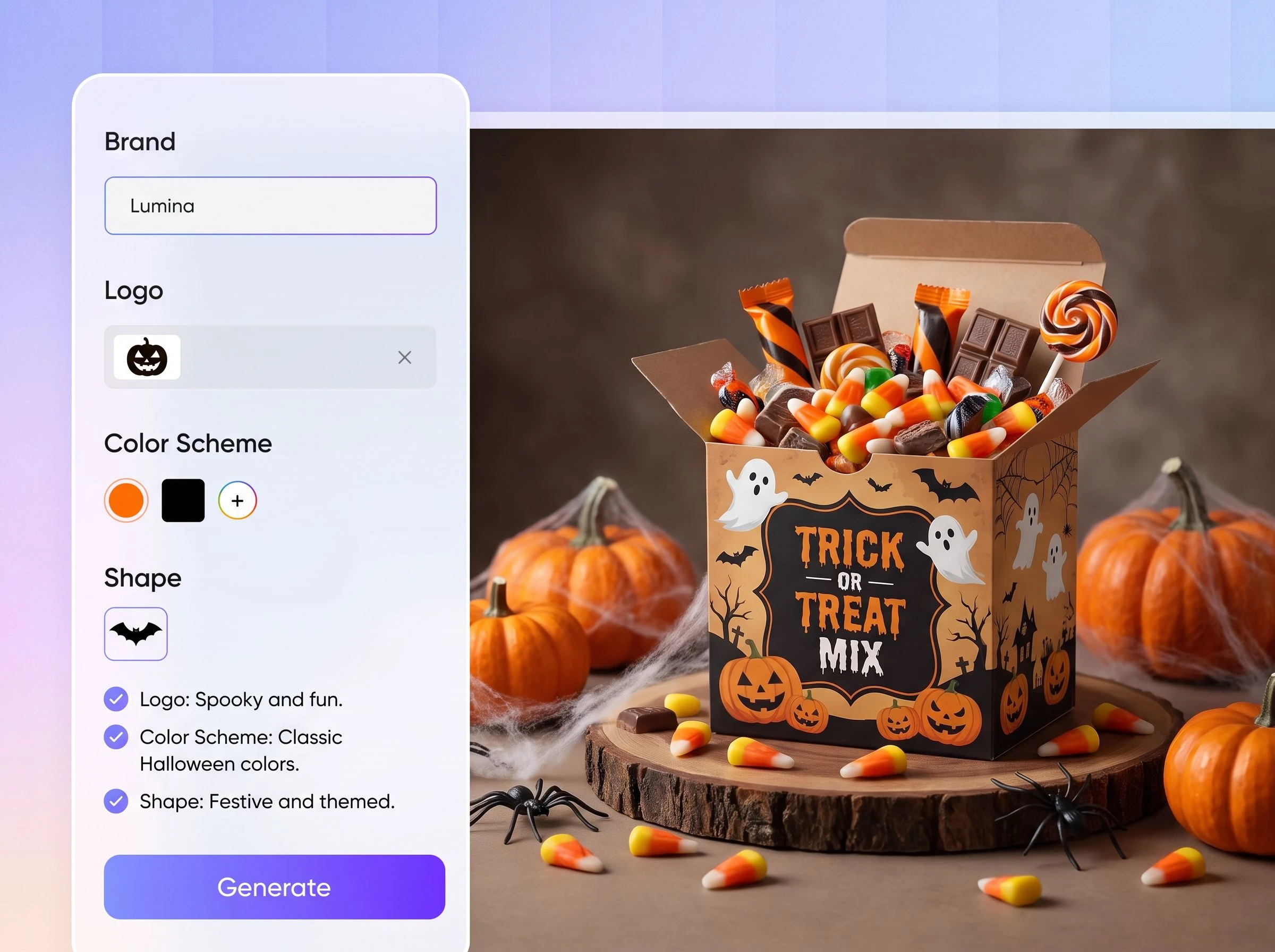
Enter your product and brand names, then upload both your logo and current packaging image before choosing a packaging type.

Step 2: Set your Halloween direction
Add pumpkins, candy, ghosts, or other seasonal elements, choose a style and colors, then generate your Halloween packaging design.

Step 3: Refine, export, and download
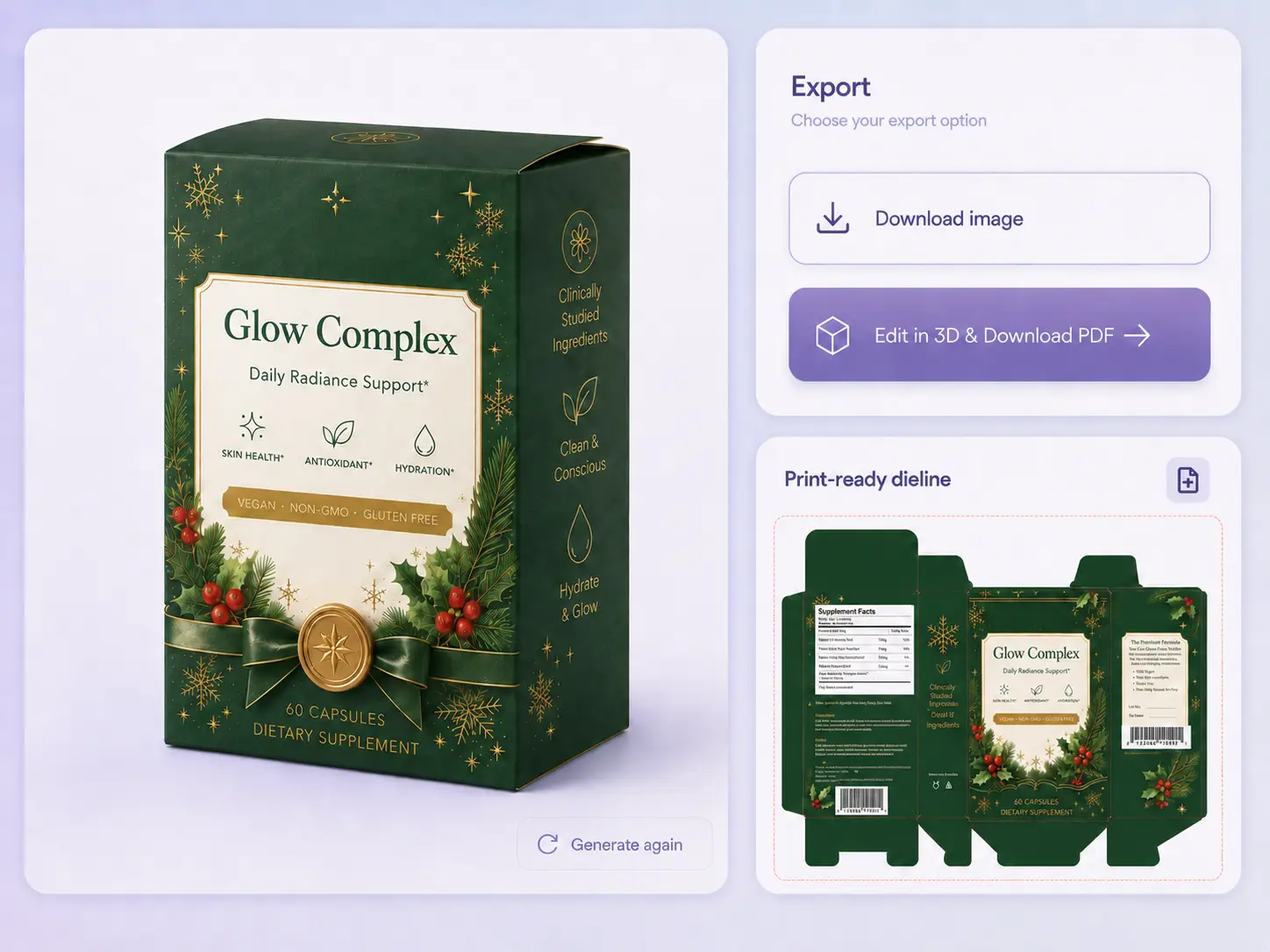
Refine graphics, colors, and layouts with Use in Chat, export a dieline, or download images for e-commerce and social media.

Step 1: Add your product and brand
Enter your product and brand names, then upload both your logo and current packaging image before choosing a packaging type.
Step 2: Set your Halloween direction
Add pumpkins, candy, ghosts, or other seasonal elements, choose a style and colors, then generate your Halloween packaging design.
Step 3: Refine, export, and download
Refine graphics, colors, and layouts with Use in Chat, export a dieline, or download images for e-commerce and social media.
Why choose Packify for Halloween packaging design?
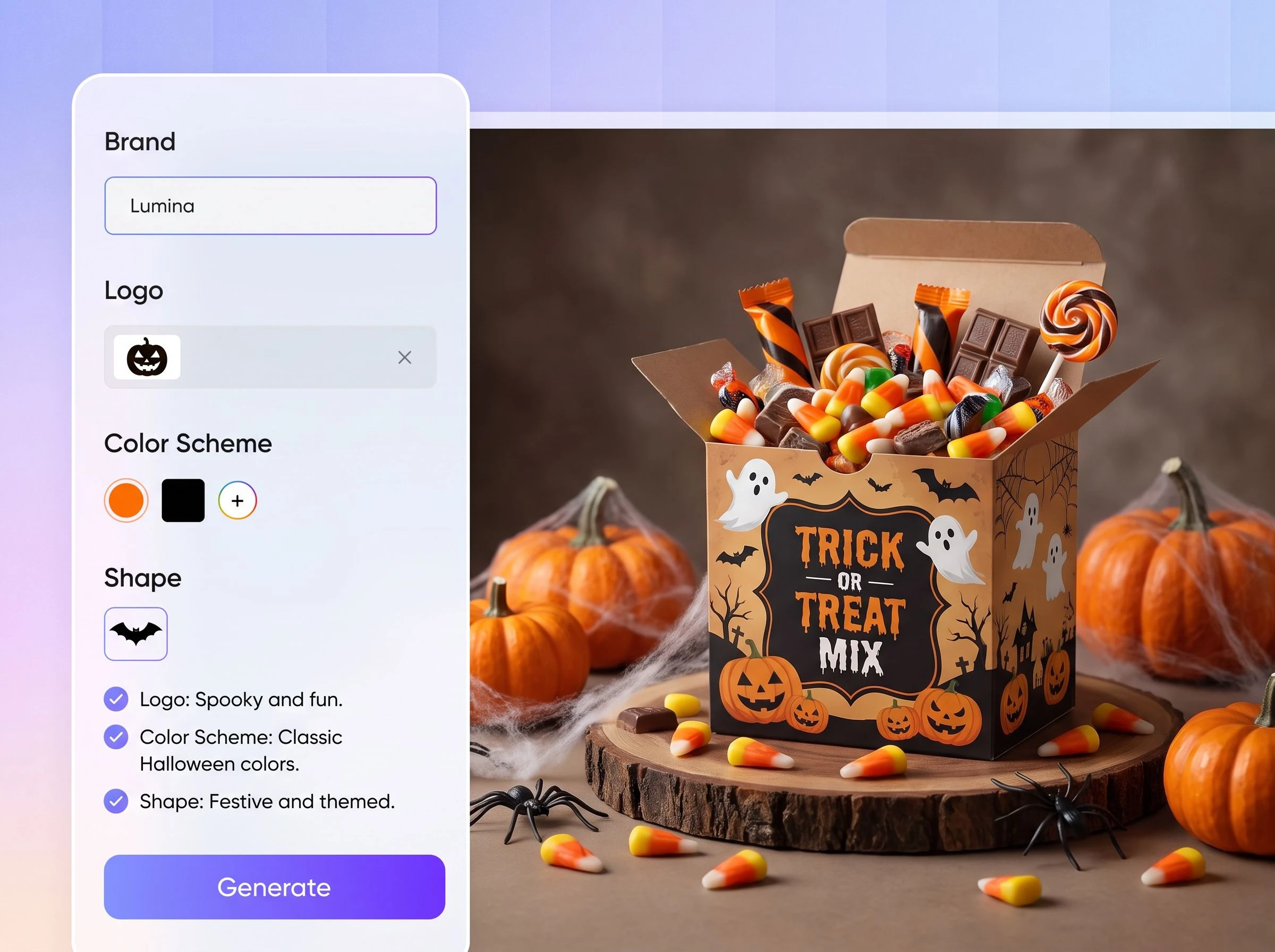
Finalize Halloween packaging sooner
Halloween products often go live in summer, and search visibility takes time to build. Packify puts product details, brand assets, packaging type, elements, style, and colors into one workflow, helping you reach a reviewable direction sooner and avoid missing the seasonal window.
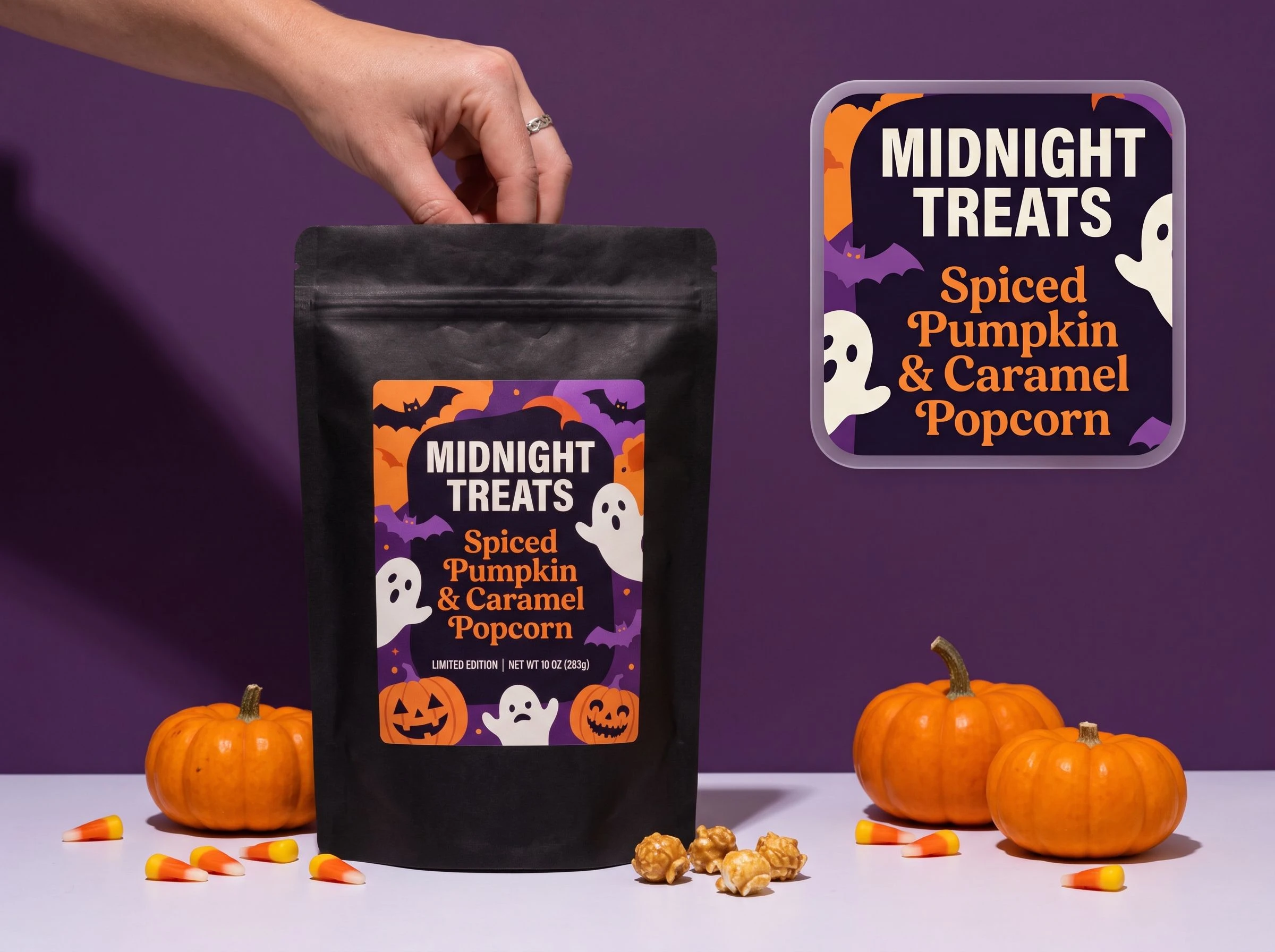
Keep Halloween designs on-brand
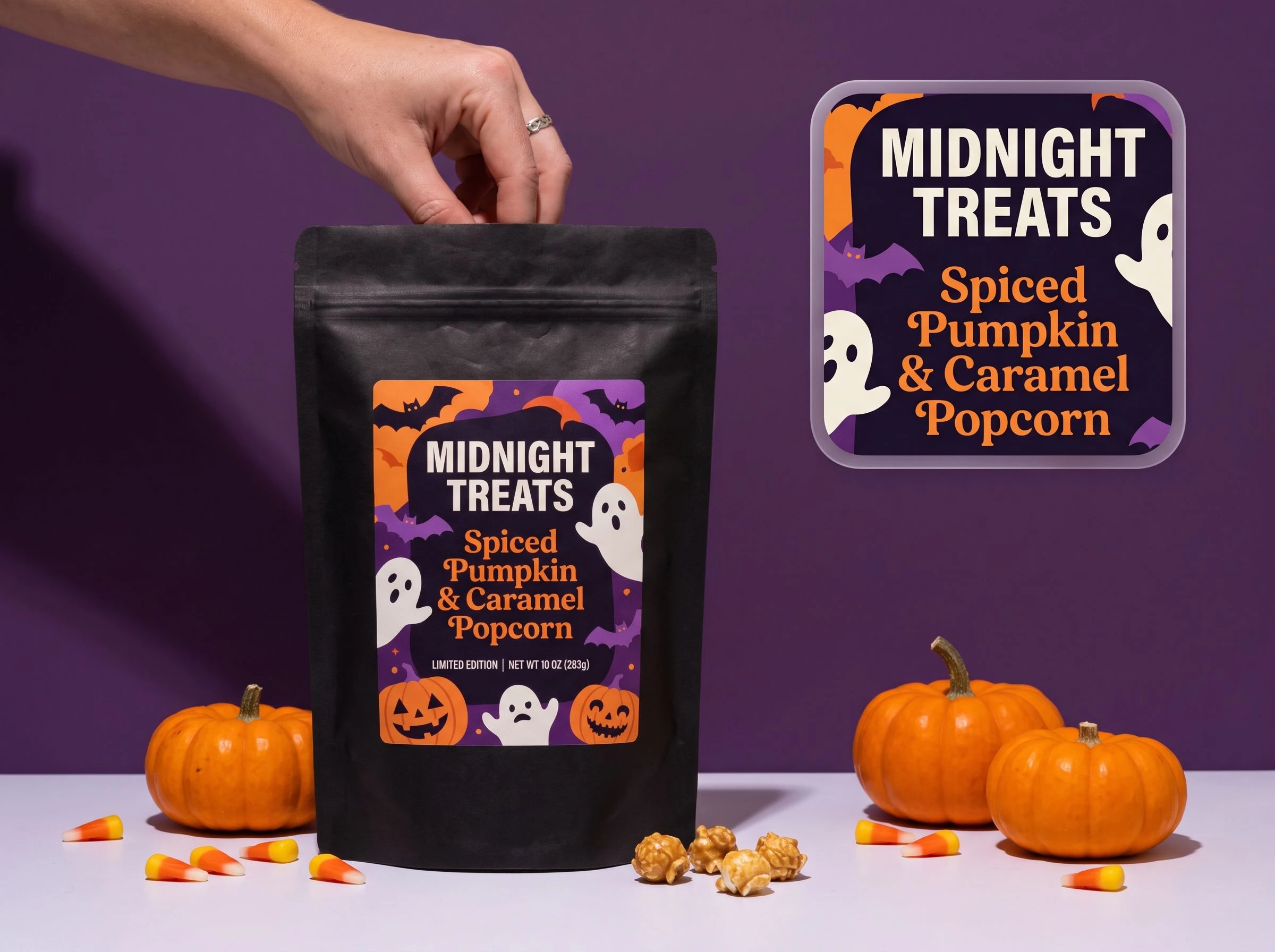
A few pumpkins or cobwebs can make packaging look seasonal without making it recognizable. Upload your logo and current packaging image so Packify can draw on your existing visual direction, then add Halloween elements without turning the result into a generic holiday template.
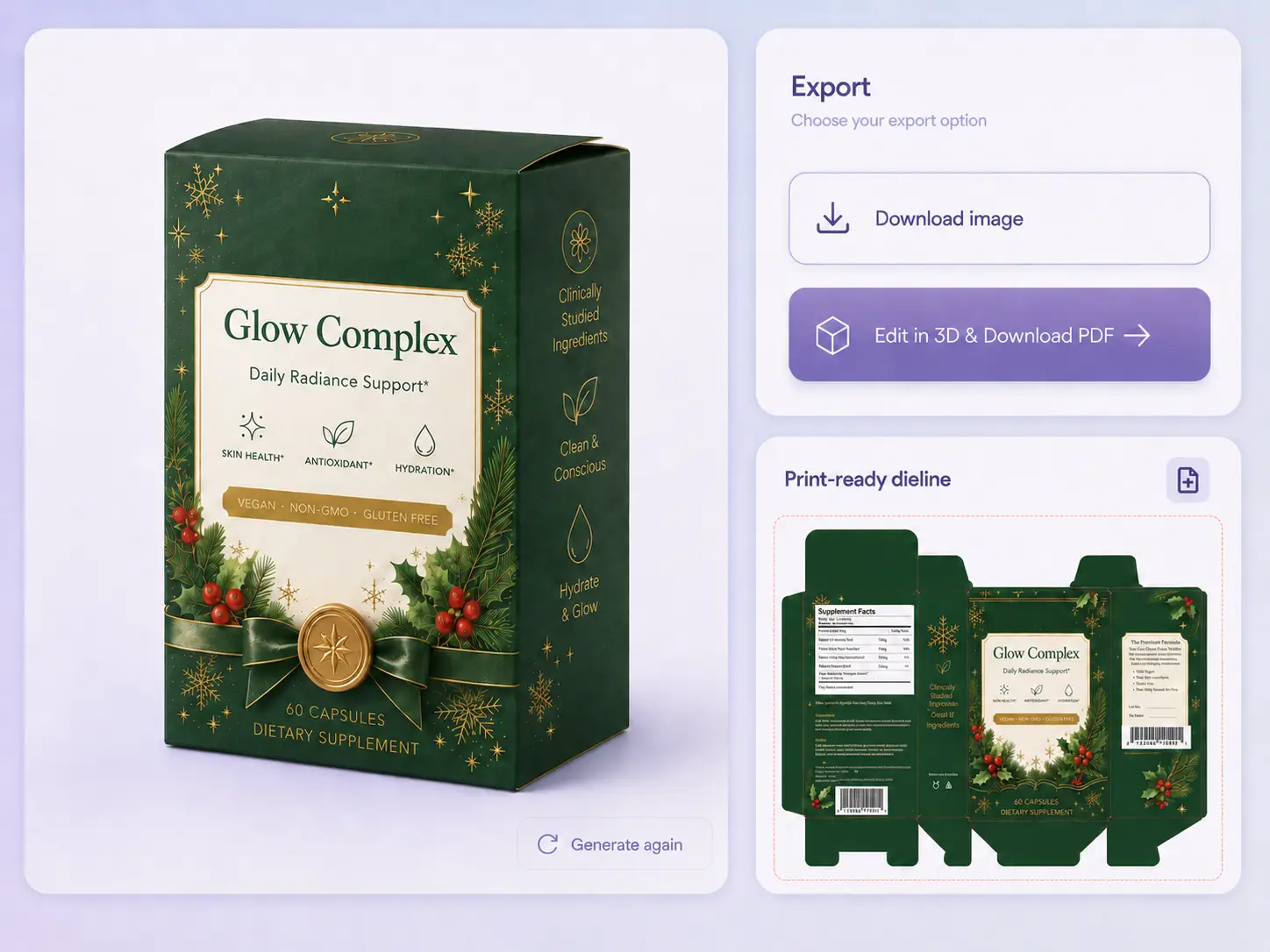
Move from design to print
Compare different packaging designs and choose the one you like. Refine it in Chat, then export a dieline for printing or download marketing images for your e-commerce store and social media.
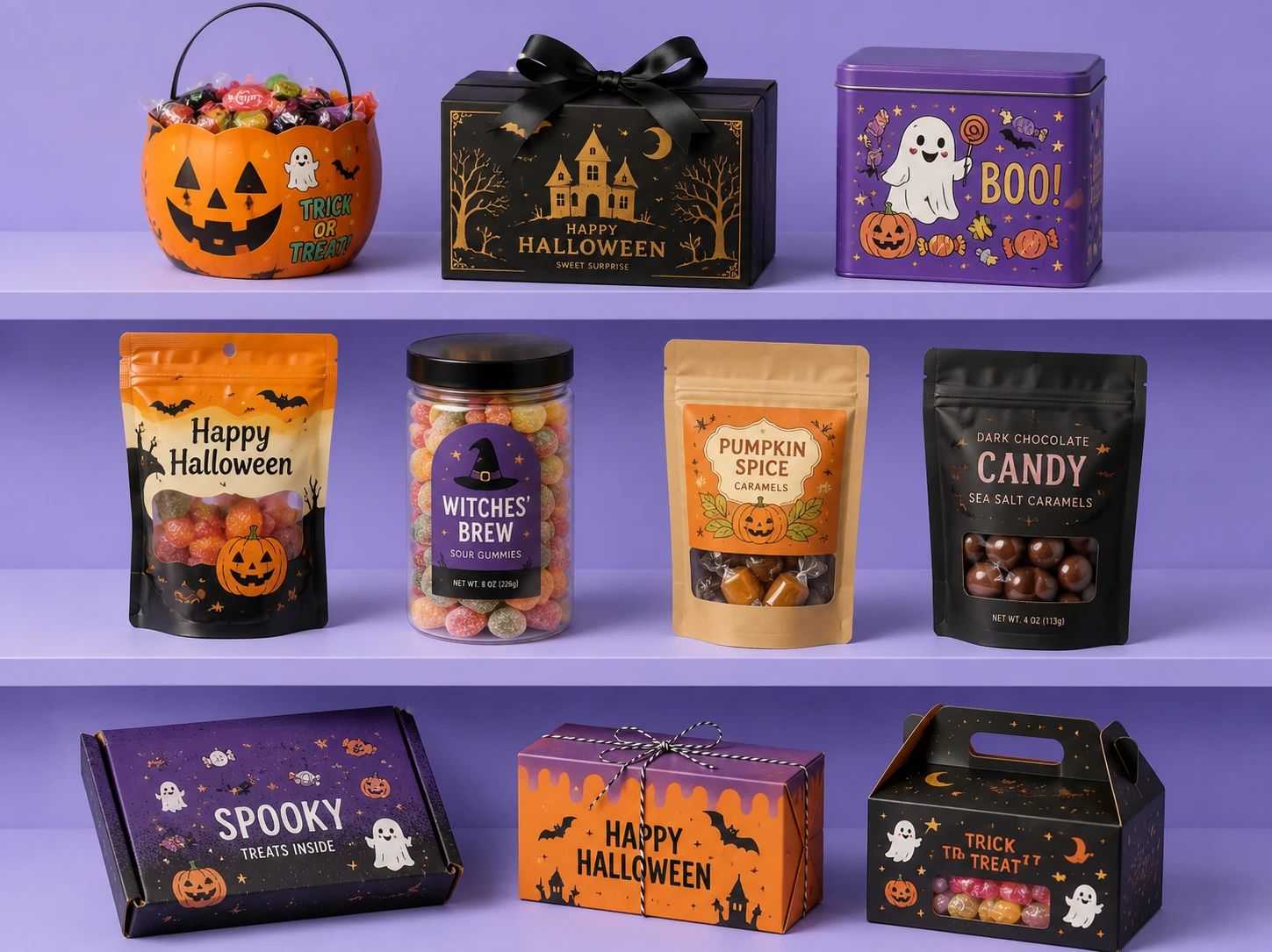
Match the mood to your audience
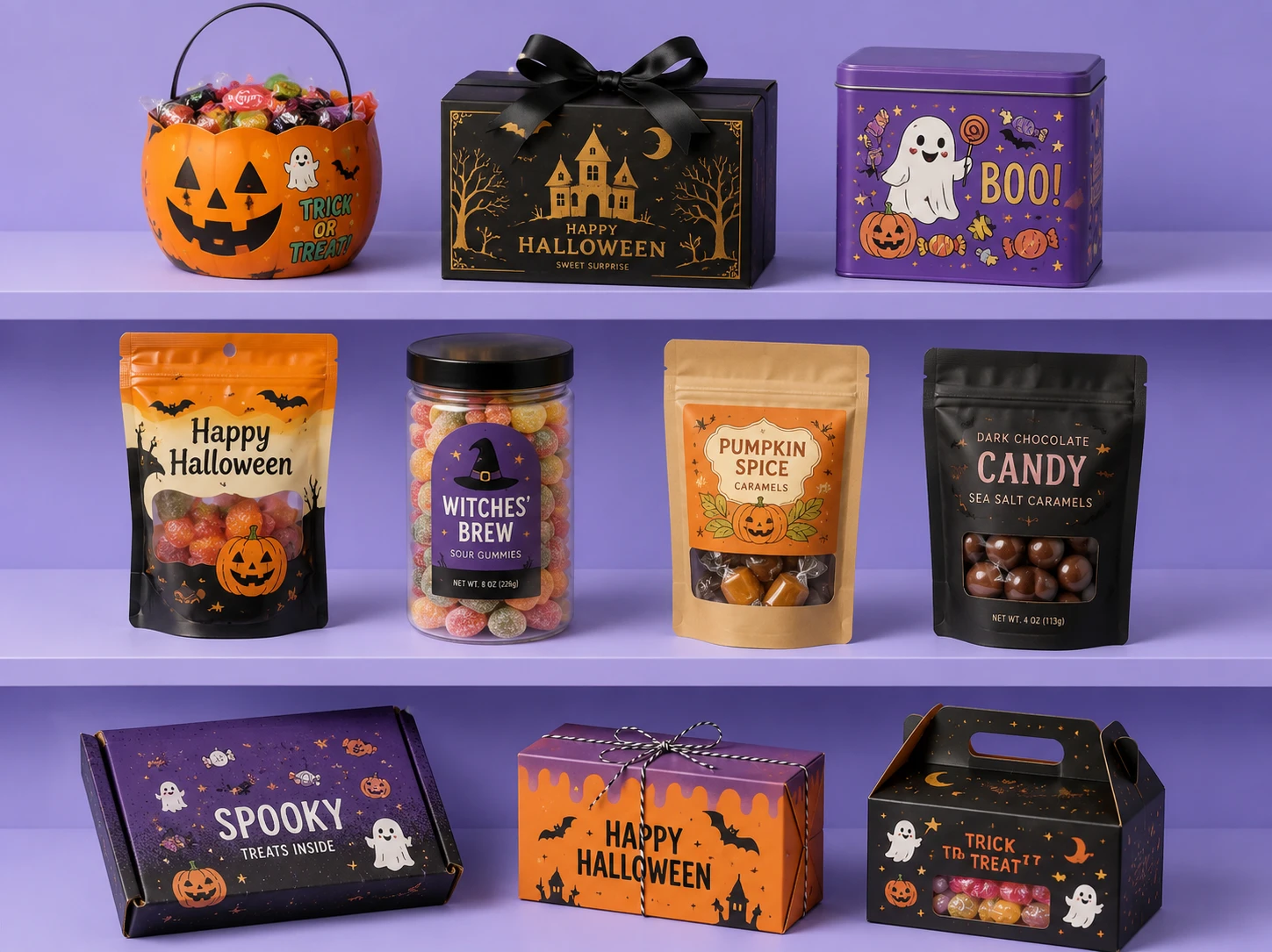
A children’s candy box may need playful ghosts and brighter colors, while premium gift packaging may call for darker palettes and restrained seasonal details. Adjust Elements, Style, and Color in Packify to explore a Halloween direction that fits your product and audience.
Finalize Halloween packaging sooner
Halloween products often go live in summer, and search visibility takes time to build. Packify puts product details, brand assets, packaging type, elements, style, and colors into one workflow, helping you reach a reviewable direction sooner and avoid missing the seasonal window.
Keep Halloween designs on-brand
A few pumpkins or cobwebs can make packaging look seasonal without making it recognizable. Upload your logo and current packaging image so Packify can draw on your existing visual direction, then add Halloween elements without turning the result into a generic holiday template.
Move from review to print
Traditional reviews can stretch across briefs, drafts, feedback rounds, visual checks, and dieline handoffs. Packify generates packaging design images for comparison, lets you refine the selected concept in Chat, and connects approval to dieline export and marketing downloads.
Match the mood to your audience
A children’s candy box may need playful ghosts and brighter colors, while premium gift packaging may call for darker palettes and restrained seasonal details. Adjust Elements, Style, and Color in Packify to explore a Halloween direction that fits your product and audience.
Proven impact, in our customer's words


The AI-powered packaging design tool is a game-changer. It's fast, intuitive, making it an essential tool for any forward-thinking design team.ved.
March 26, 2025


The results are so amazing that I don't think it's just for inspiration... I'd say artificial intelligence outperforms most designers; the key is to come up with the perfect prompt. Great contribution! Thank you 😊.
March 18, 2025


The AI-powered packaging design tool is a game-changer. It's fast, intuitive, making it an essential tool for any forward-thinking design team.
March 18, 2025


We’re a tiny skincare shop. Packify.ai turned my scribbles into clean mockups and a printable dieline by Monday. Fewer back-and-forths, consistent branding, and our product page conversions moved.
March 18, 2025


The AI-powered packaging design tool is a game-changer. It's fast, intuitive, making it an essential tool for any forward-thinking design team.
March 26, 2025


The results are so amazing that I don't think it's just for inspiration... I'd say artificial intelligence outperforms most designers; the key is to come up with the perfect prompt. Great contribution! Thank you 😊
March 18, 2025


Congrats! Packify.ai, an AI packaging designer, enables easy, creative design and offers AI-driven product photography for e-commerce through simple chatting.
April 2, 2025


We’re a tiny skincare shop. Packify.ai turned my scribbles into clean mockups and a printable dieline by Monday. Fewer back-and-forths, consistent branding, and our product page conversions moved.
May 9, 2025
You asked, we answered
You asked, we answered
When should I start designing Halloween packaging?
Start in July. Halloween searches typically rise in August and concentrate in September and October, while e-commerce listings need time to gain visibility. A July start leaves more room for concept reviews, dieline approval, sampling, production, and product listings before seasonal demand peaks.
How can I keep Halloween packaging on-brand?
Upload both your logo and current packaging image to give Packify a reference for your identity, colors, and existing packaging direction. Then add pumpkins, ghosts, candy, or other seasonal elements so the Halloween theme feels integrated with the brand instead of added as generic icons.
Can I design Halloween candy, cookie, and food packaging?
Yes. Choose the packaging type that fits your product, then add candy, cookie, chocolate, or other food-related elements. Generate and review each packaging type and SKU separately; Packify does not automatically create an entire product line in one generation.
Can I export a dieline for printing?
Yes. After approving the design, use Export Dieline to turn it into a dieline for print and production discussions. Before manufacturing, confirm dimensions, material, bleed, and other print requirements with your packaging supplier.
Is Packify's Halloween Packaging Design Generator free?
You can try the packaging generator with free trial credits. Check your remaining credits before generating. If you need more credits or advanced features, review the available options on our Pricing Page.
Can I use my Halloween packaging commercially?
Yes, subject to Packify's Terms of Use. AI-generated content is not exclusive, and you are responsible for checking trademarks, brand elements, and similarities before launch.
Get your packaging ready before Halloween peaks
