Free AI mockup generator
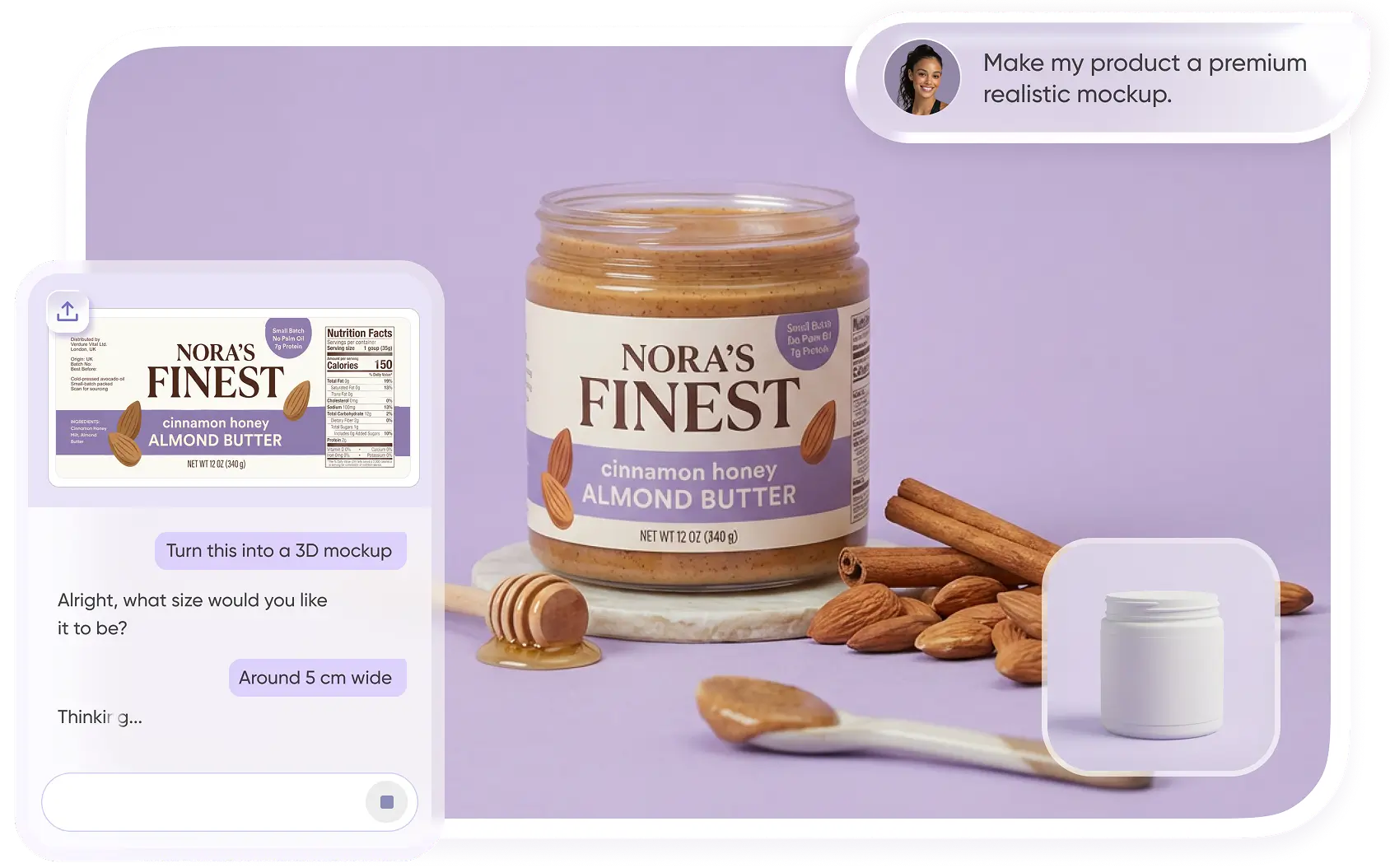
Upload your existing design or logo, add your product and brand details, and let Packify create a realistic packaging mockup for you. Refine colors, styles, and visual elements while keeping your brand direction consistent.

Trusted by leading companies


Turn Your Existing Design into a Packaging Mockup
Already have a logo, label, or packaging design? Upload it to Packify and complete a short brief with your product, packaging type, style, visual elements, and brand colors. Packify uses your information to create a realistic packaging mockup that you can review, refine, and continue into 3D.
How to use our AI mockup generator?
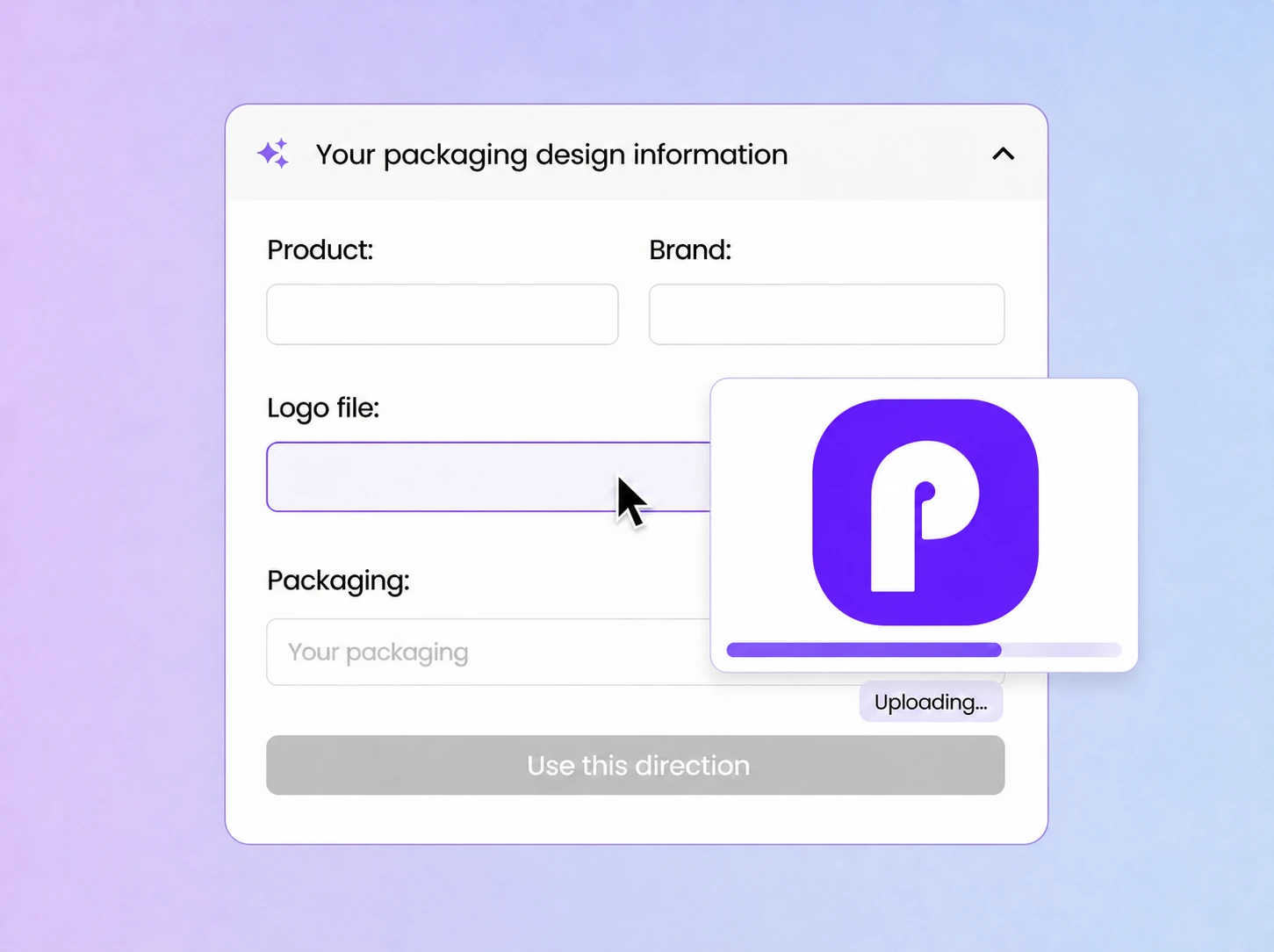
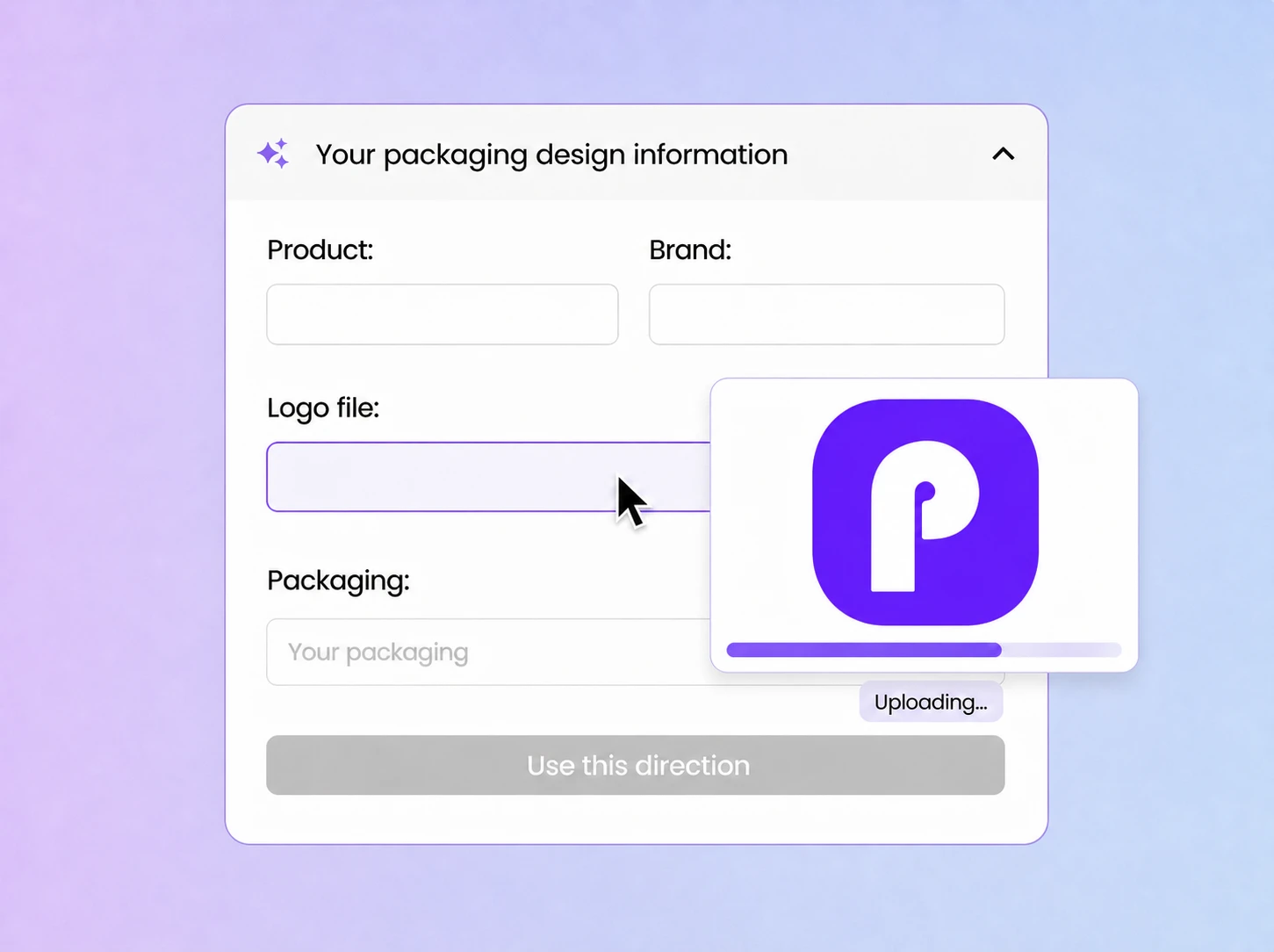
Step 1: Add Your Brand Information
Enter your product and brand name, then upload your logo. A clear, high-resolution logo helps Packify create a more accurate and consistent branded result.
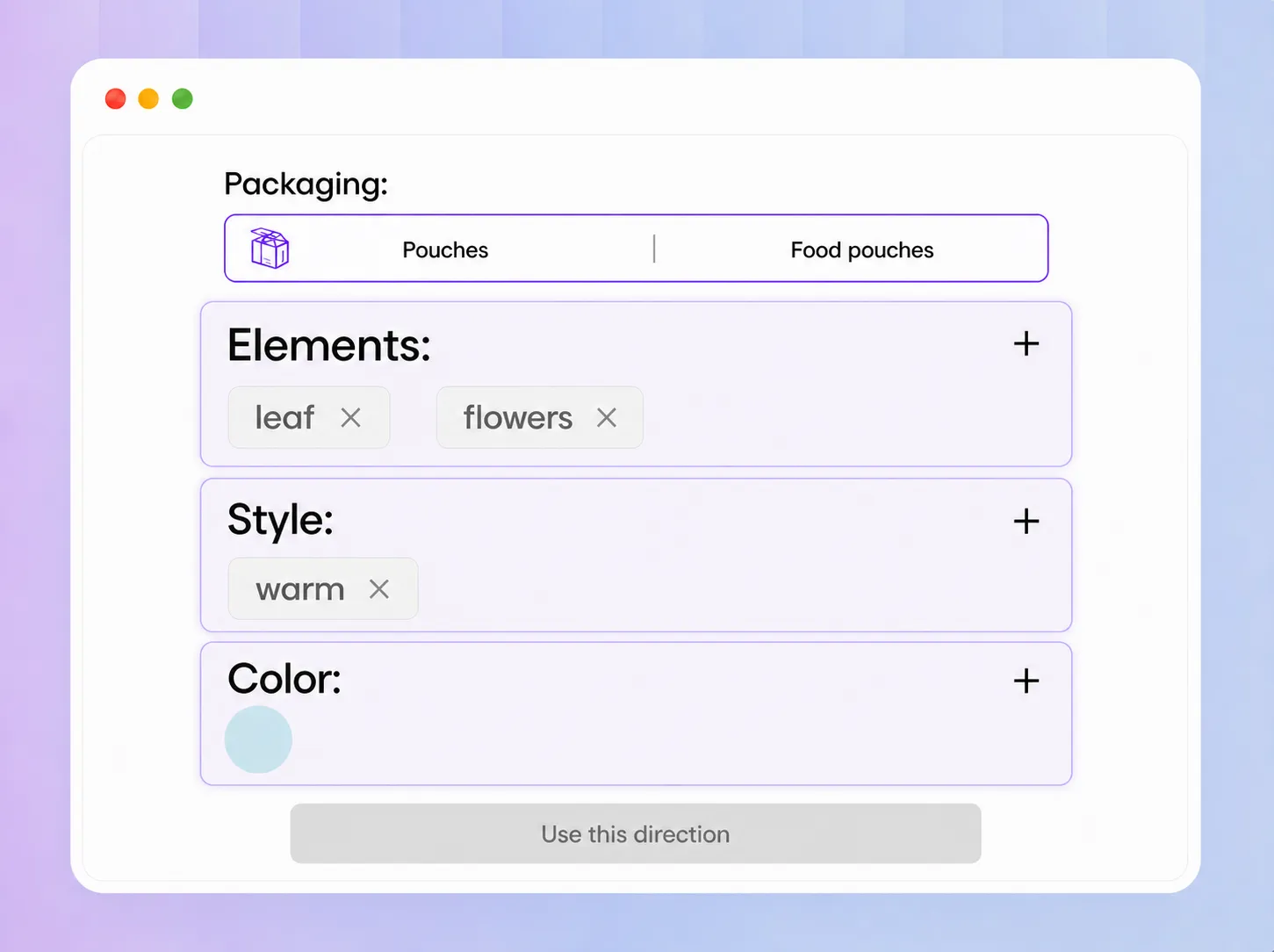
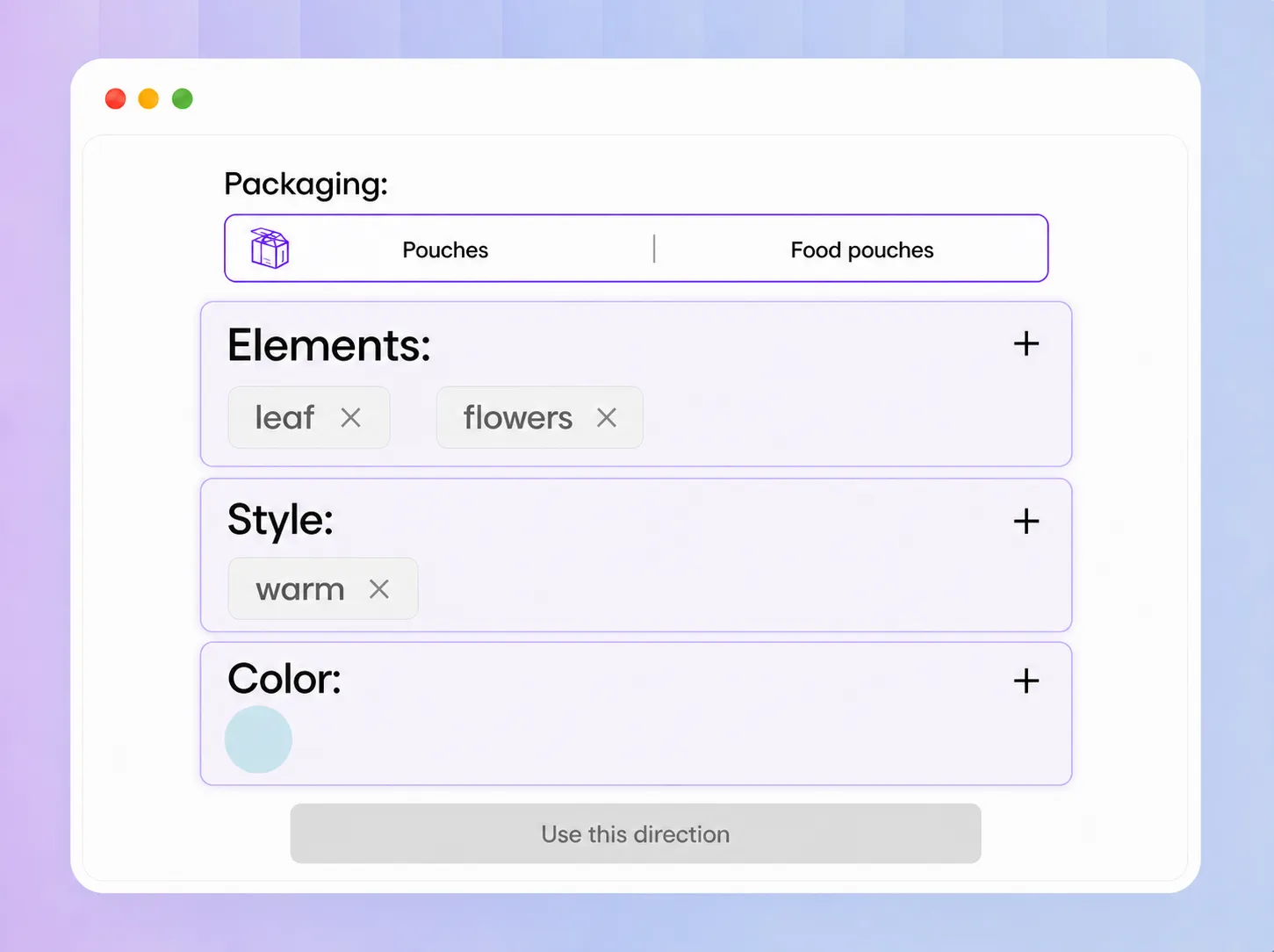
Step 2: Complete Your Packaging Brief
Choose your packaging type and add the visual elements, style, and brand colors you want. These details help the AI understand your product and creative direction.
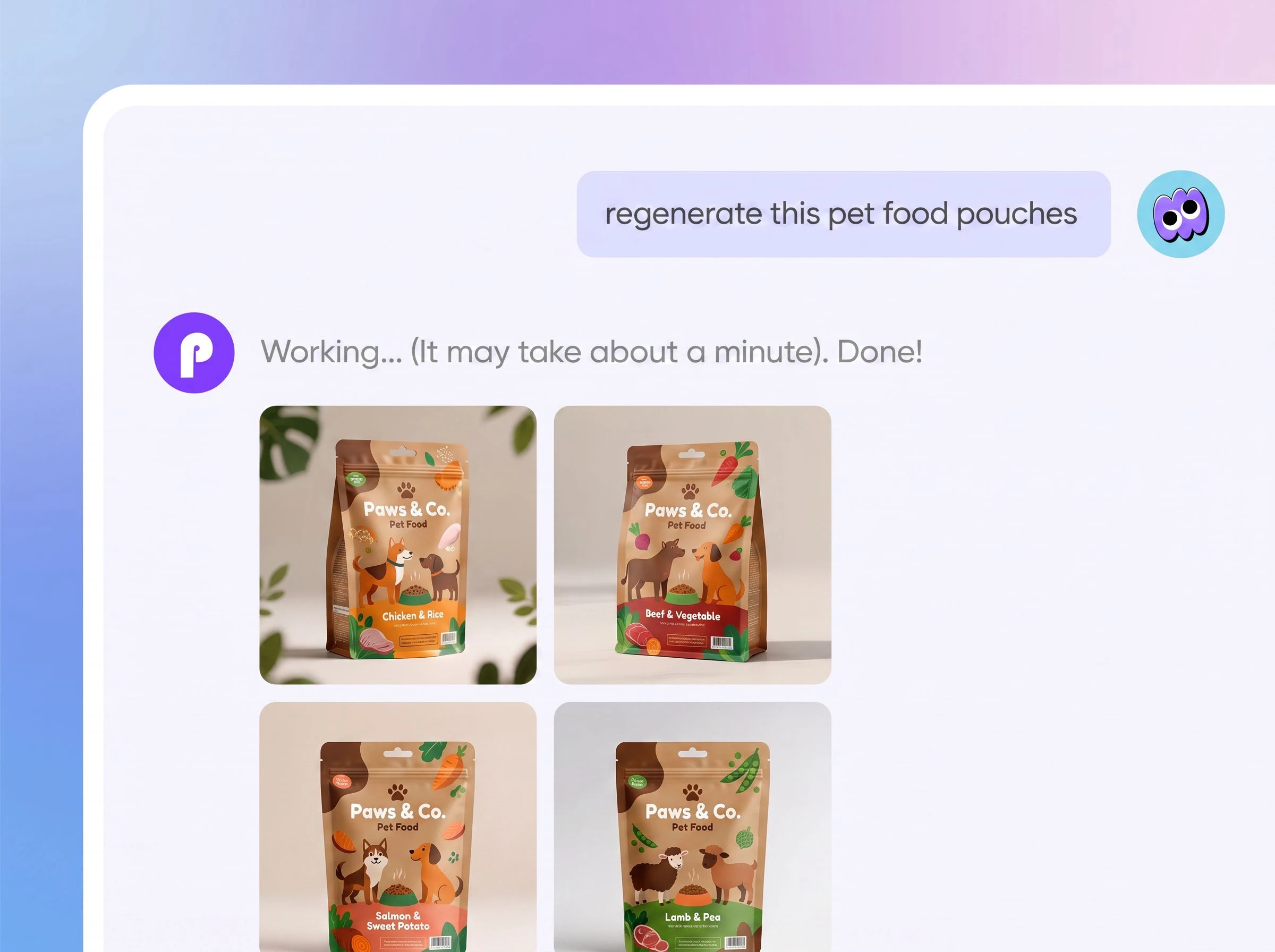
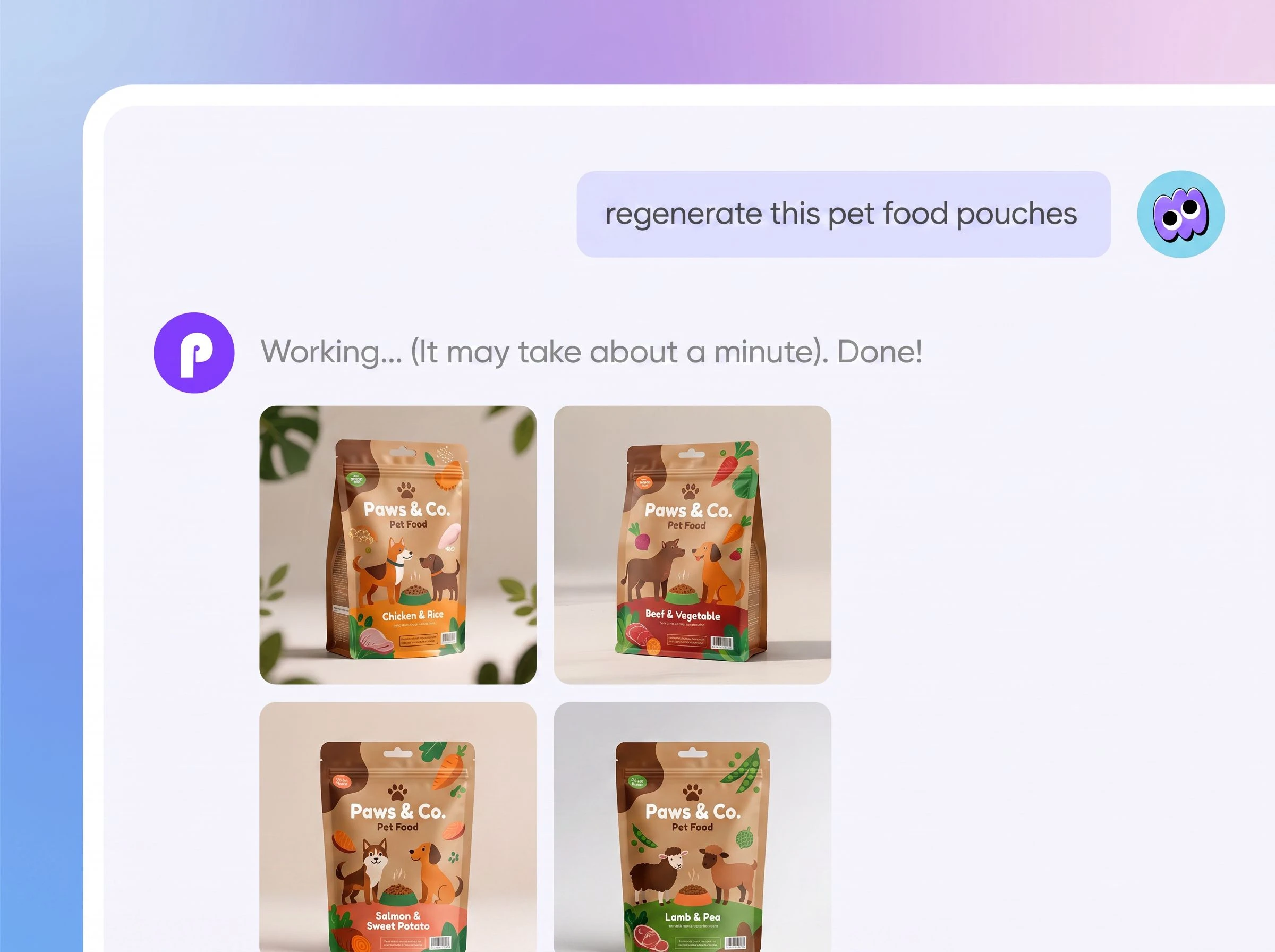
Step 3: Generate and Refine Your Mockup
Packify creates a branded packaging mockup based on your information. You can continue adjusting colors, materials, text, backgrounds, lighting, and other visual details, then share, download, or continue editing your result.

Step 1: Add Your Brand Information
Enter your product and brand name, then upload your logo. A clear, high-resolution logo helps Packify create a more accurate and consistent branded result.
Step 2: Complete Your Packaging Brief
Choose your packaging type and add the visual elements, style, and brand colors you want. These details help the AI understand your product and creative direction.
Step 3: Generate and Refine Your Mockup
Packify creates a branded packaging mockup based on your information. You can continue adjusting colors, materials, text, backgrounds, lighting, and other visual details, then share, download, or continue editing your result.
Why choose our AI mockup generator?
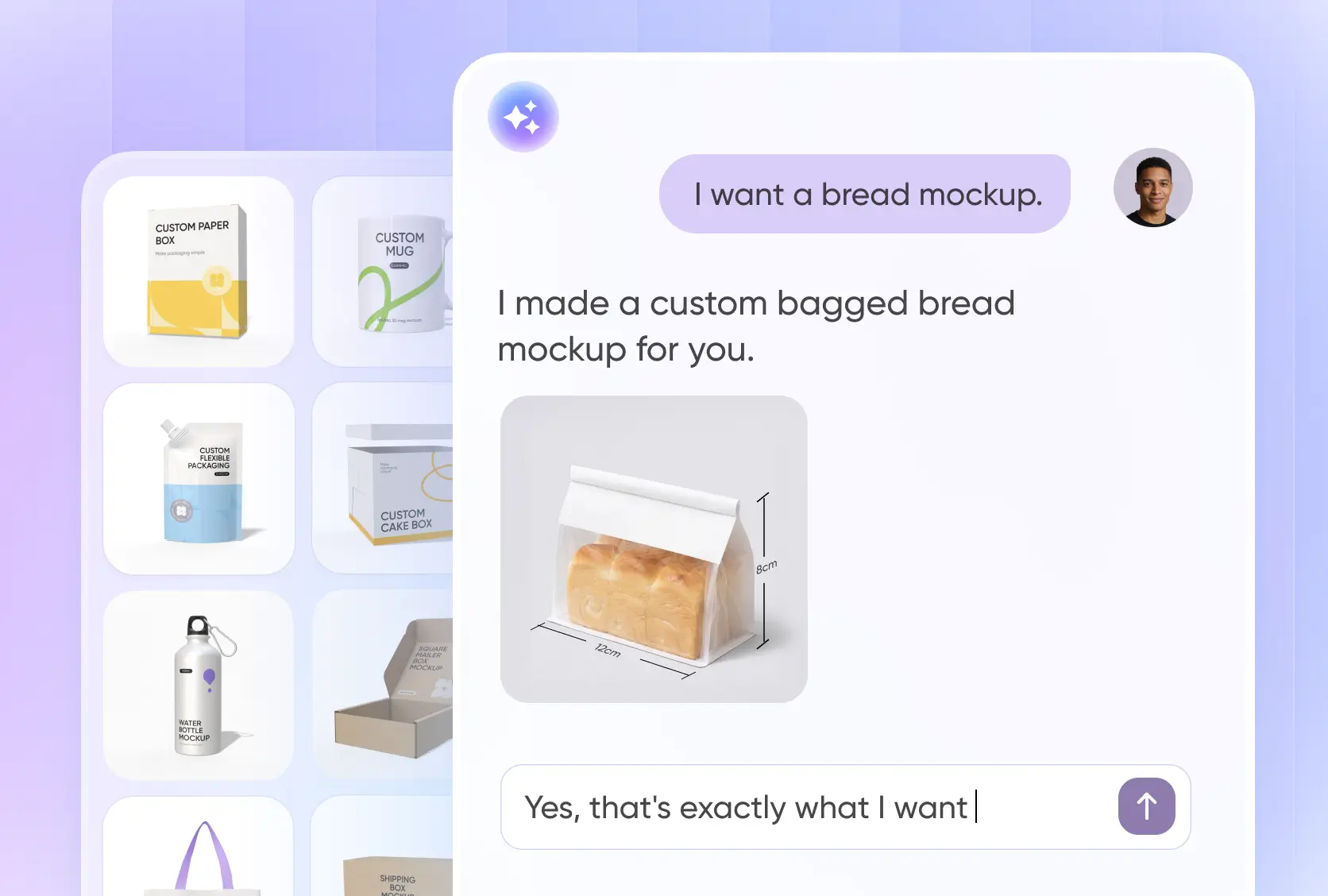
Create Branded Packaging Mockups
Upload your logo and provide your product, brand, packaging type, style, and color preferences. Packify combines this information to create realistic branded packaging mockups without requiring you to start from a blank canvas.
Use the results to compare creative directions, review a new product concept, present packaging to clients or internal teams, and prepare visuals for a product launch.
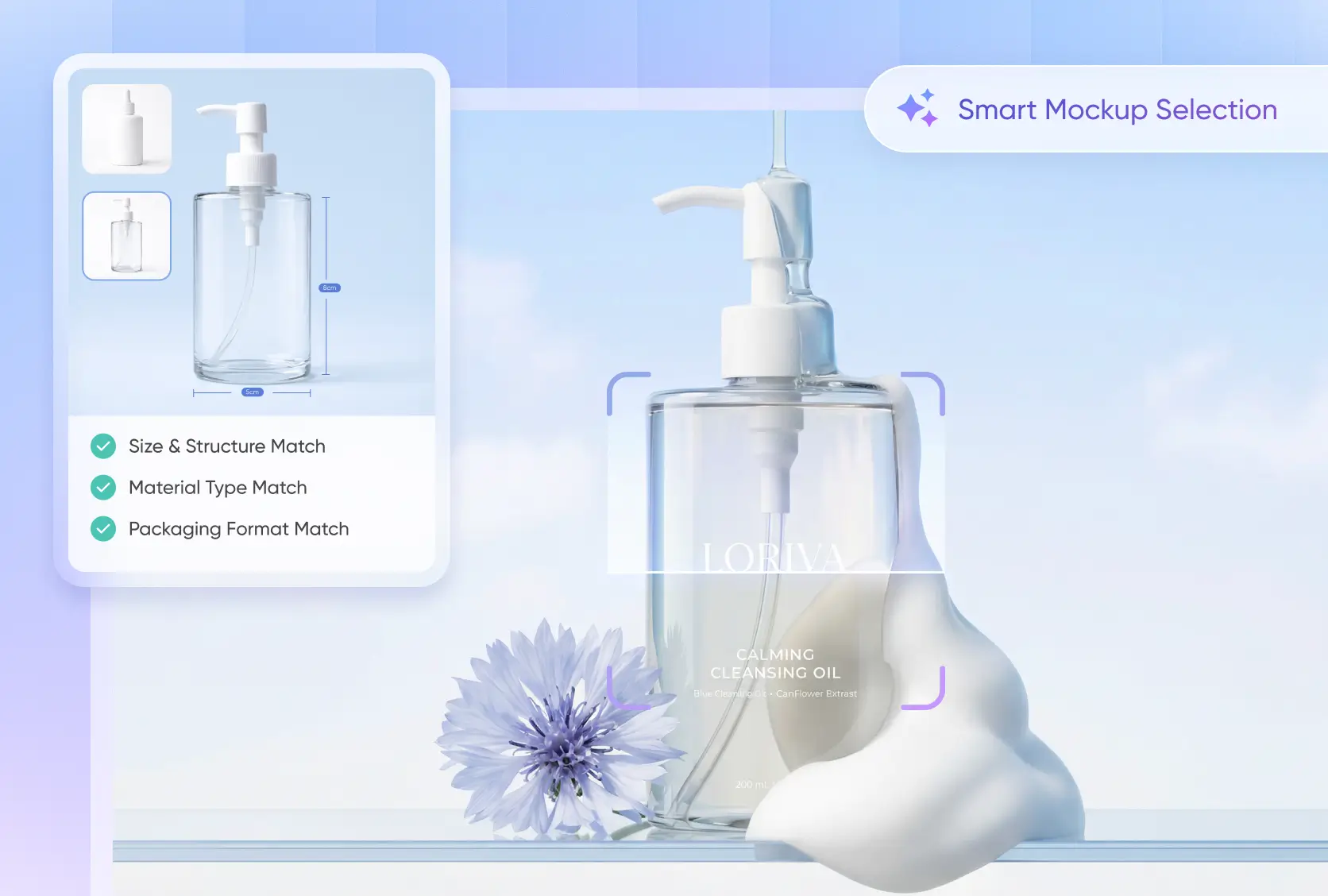
Packaging expertise built in for better mockups
We do more than suggest a box style. Our AI understands packaging structure, helps match the right mockup type, and can spot size mistakes like mixed-up length, width, and height before they cause problems.
This makes packaging design easier and more reliable. With smart recommendations and built-in packaging know-how, Packify can help you create better mockups and move toward production with more confidence.
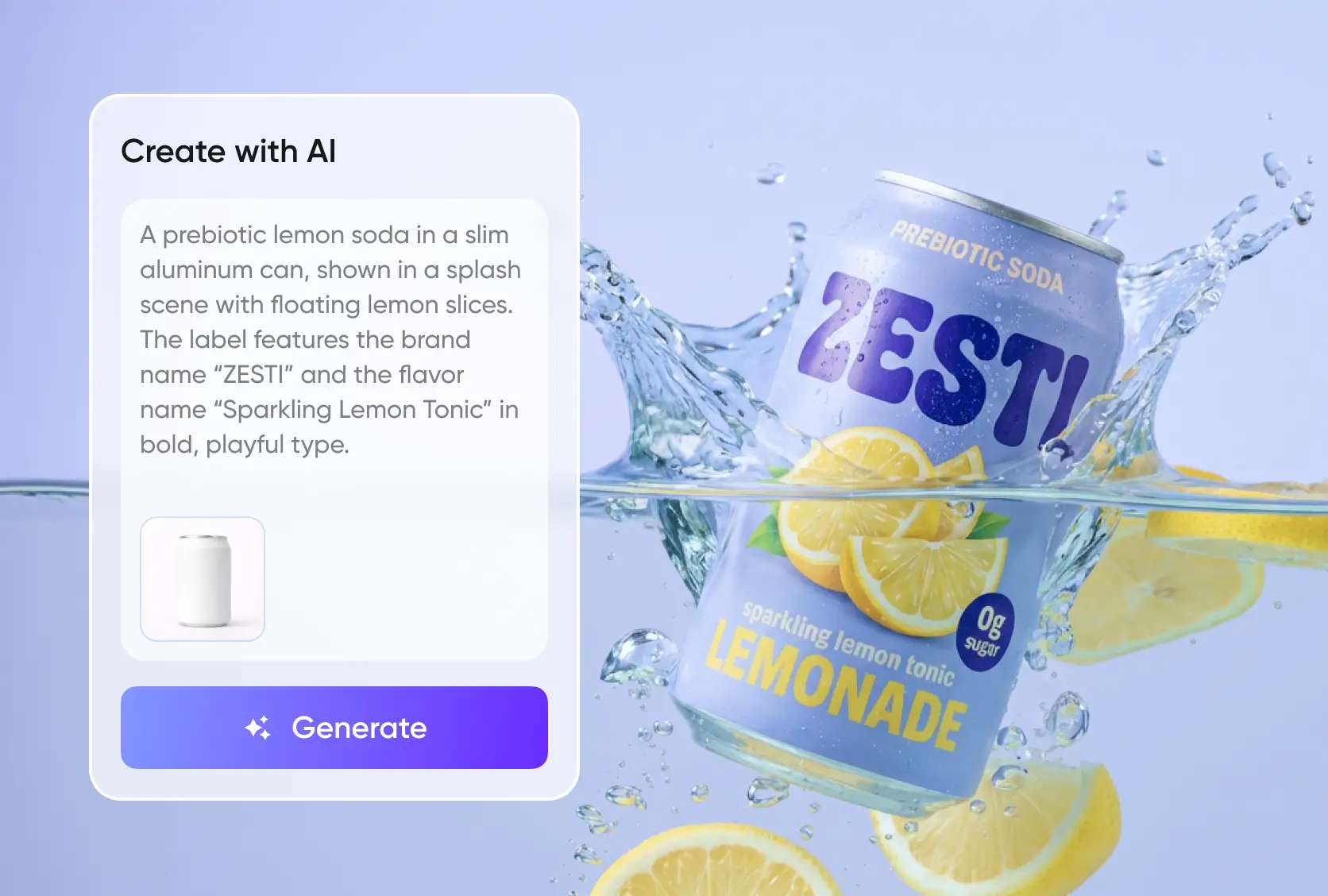
Text-to-image packaging that fits the mockups
After a mockup is recommended, you can add a simple packaging design description and quickly generate packaging artwork. With built-in text-to-image packaging design, we turn short prompts into visuals that match the chosen mockup.
This helps you go beyond concept images. You can create production-ready packaging design faster, shorten the workflow, and turn ideas into usable packaging with less manual effort.
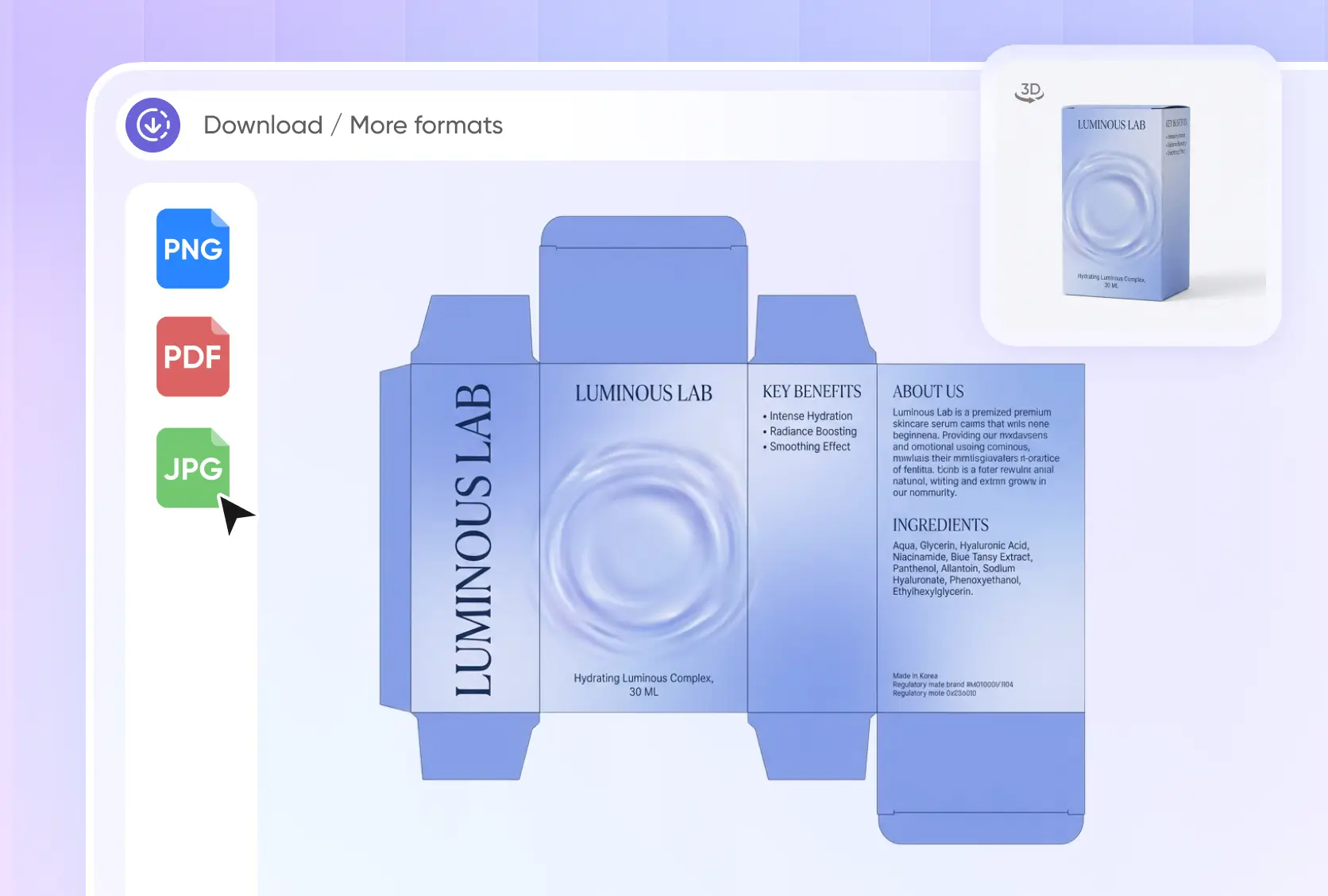
Packaging mockup to dieline workflow
Packify supports the full packaging process in one place, from mockup selection and packaging design to 3D rendering and final dieline generation. You do not need to switch between different tools to complete the job.
Our one-stop workflow saves time and keeps everything consistent. It makes 3D packaging mockup creation and print-ready dieline output much easier for packaging teams and brands.
Create Branded Packaging Mockups
Upload your logo and provide your product, brand, packaging type, style, and color preferences. Packify combines this information to create realistic branded packaging mockups without requiring you to start from a blank canvas.
Use the results to compare creative directions, review a new product concept, present packaging to clients or internal teams, and prepare visuals for a product launch.
Packaging expertise built in for better mockups
We do more than suggest a box style. Our AI understands packaging structure, helps match the right mockup type, and can spot size mistakes like mixed-up length, width, and height before they cause problems.
This makes packaging design easier and more reliable. With smart recommendations and built-in packaging know-how, Packify can help you create better mockups and move toward production with more confidence.
Text-to-image packaging that fits the mockups
After a mockup is recommended, you can add a simple packaging design description and quickly generate packaging artwork. With built-in text-to-image packaging design, we turn short prompts into visuals that match the chosen mockup.
This helps you go beyond concept images. You can create production-ready packaging design faster, shorten the workflow, and turn ideas into usable packaging with less manual effort.
Packaging mockup to dieline workflow
Packify supports the full packaging process in one place, from mockup selection and packaging design to 3D rendering and final dieline generation. You do not need to switch between different tools to complete the job.
Our one-stop workflow saves time and keeps everything consistent. It makes 3D packaging mockup creation and print-ready dieline output much easier for packaging teams and brands
Proven impact, in our customer's words


The AI-powered packaging design tool is a game-changer. It's fast, intuitive, making it an essential tool for any forward-thinking design team.ved.
March 26, 2025


The results are so amazing that I don't think it's just for inspiration... I'd say artificial intelligence outperforms most designers; the key is to come up with the perfect prompt. Great contribution! Thank you 😊.
March 18, 2025


The AI-powered packaging design tool is a game-changer. It's fast, intuitive, making it an essential tool for any forward-thinking design team.
March 18, 2025


We’re a tiny skincare shop. Packify.ai turned my scribbles into clean mockups and a printable dieline by Monday. Fewer back-and-forths, consistent branding, a nd our product page conversions moved.
March 18, 2025


The AI-powered packaging design tool is a game-changer. It's fast, intuitive, making it an essential tool for any forward-thinking design team.
March 26, 2025


The results are so amazing that I don't think it's just for inspiration... I'd say artificial intelligence outperforms most designers; the key is to come up with the perfect prompt. Great contribution! Thank you 😊
March 18, 2025


Congrats! Packify.ai, an AI packaging designer, enables easy, creative design and offers AI-driven product photography for e-commerce through simple chatting.
April 2, 2025


We’re a tiny skincare shop. Packify.ai turned my scribbles into clean mockups and a printable dieline by Monday. Fewer back-and-forths, consistent branding, a nd our product page conversions moved.
May 9, 2025
You asked,
we answered
You asked, we answered
What is an AI mockup?
AI mockup generator is an online tool that uses artificial intelligence to create realistic product presentations. You can enter product and brand information, upload a logo, or provide a written description, and the AI will generate a visual showing how the branding could look on packaging or another product.
How is Packify AI mockup different from tools like Placeit and Renderforest?
Unlike traditional tools, Packify AI mockup leverages cutting-edge AI technology to provide effortless and highly customizable mockups. You can simply upload your design, and the system will automatically align and adjust it to fit your chosen mockup background.
What digital, POD, and physical products does Packify support?
Packify AI mockup offers a wide range of categories, including:
- Boxes
- Bottles & Jugs
- Food Packaging
- Pouches & Bags
- Apparel
- Containers & Cups
You can use the results for product presentations, e-commerce listings, social media posts, advertising, internal reviews, client proposals, and production planning.
Packify is primarily designed for packaging and physical products rather than website, app, or user-interface mockups.
Is Packify AI mockup easy to use?
Absolutely! Packify AI mockup is designed for ease of use, even for beginners. With a few clicks, you can upload your design, choose a mockup, and generate a professional-quality output instantly. No advanced design skills are required.
How much does it cost to create an AI mockup with Packify?
Packify provides every new user with 100 one-time free credits to explore core features. After using your free credits, you can choose a paid plan based on the number of designs you want. See the latest credit rules and subscription options on the Packify Pricing Page.
If you need a complete, professionally developed packaging solution, Packify also offers expert packaging design services. Our professional design team can help refine your brand identity, typography, layout, packaging structure, and production files.
Will Packify preserve my packaging structure and artwork?
Packify can use your uploaded packaging image, dieline, or reference as a guide and help preserve its overall structure, proportions, logo, colors, and visual direction while applying the requested changes.
For more accurate results, upload:
- A clear, high-resolution image
- A complete and readable logo
- A front-facing image with minimal perspective distortion
- Clear instructions about what should remain unchanged
- Separate logo or artwork files when exact brand elements are important
AI-generated results may still vary depending on the quality and complexity of the input. Always review important logos, text, dimensions, and structural details before exporting or using the result for production.
Can I use Packify AI mockup online?
Yes! Packify AI mockup is an entirely online platform, accessible anytime, anywhere. You can create stunning mockups directly in your browser without the need for additional software.
How does Packify AI mockup benefit my business?
Packify AI mockup streamlines the mockup creation process, saving you time and effort. With its extensive library and AI capabilities, it allows businesses to:
- Showcase products professionally
- Enhance marketing materials
- Experiment with designs quickly and affordably
Can I generate a packaging mockup without an existing design?
Yes. You do not need a completed design to create a packaging mockup with Packify.
Enter your product and brand information, choose a packaging type, and describe the visual elements, style, and colors you want. Packify can generate an original packaging direction and mockup from your brief.
If you do not have a logo yet, you can begin with the overall packaging concept and add or refine your brand identity later.
Are my uploaded logos and design files secure?
Yes. Packify does not share, sell, or distribute your personal information without consent. You can also request deletion of your account and associated data at any time.
Ownership and visibility depend on your plan, so review our Privacy Policy, Terms of Use, and Pricing and Licensing before uploading confidential files.
How can I edit and export a packaging dieline from my mockup?
You can continue from a packaging mockup into Packify’s dieline editing workflow.
- Click “Edit Dieline.”
- Choose a packaging mockup and structure that fit your product.
- Open the dieline editor.
- Adjust the packaging dimensions, panels, and design content.
- Review the dieline layout and 3D packaging preview.
- Export the required dieline file.
The exported file can be used for printer review, supplier communication, or further production checks.
Before sending a dieline into production, confirm the packaging dimensions, material thickness, bleed, safe areas, cut lines, fold lines, print colors, and manufacturer requirements. Final production files should be reviewed by your printer or packaging supplier.
Your perfect design begins with a mockup