Free AI dieline generator
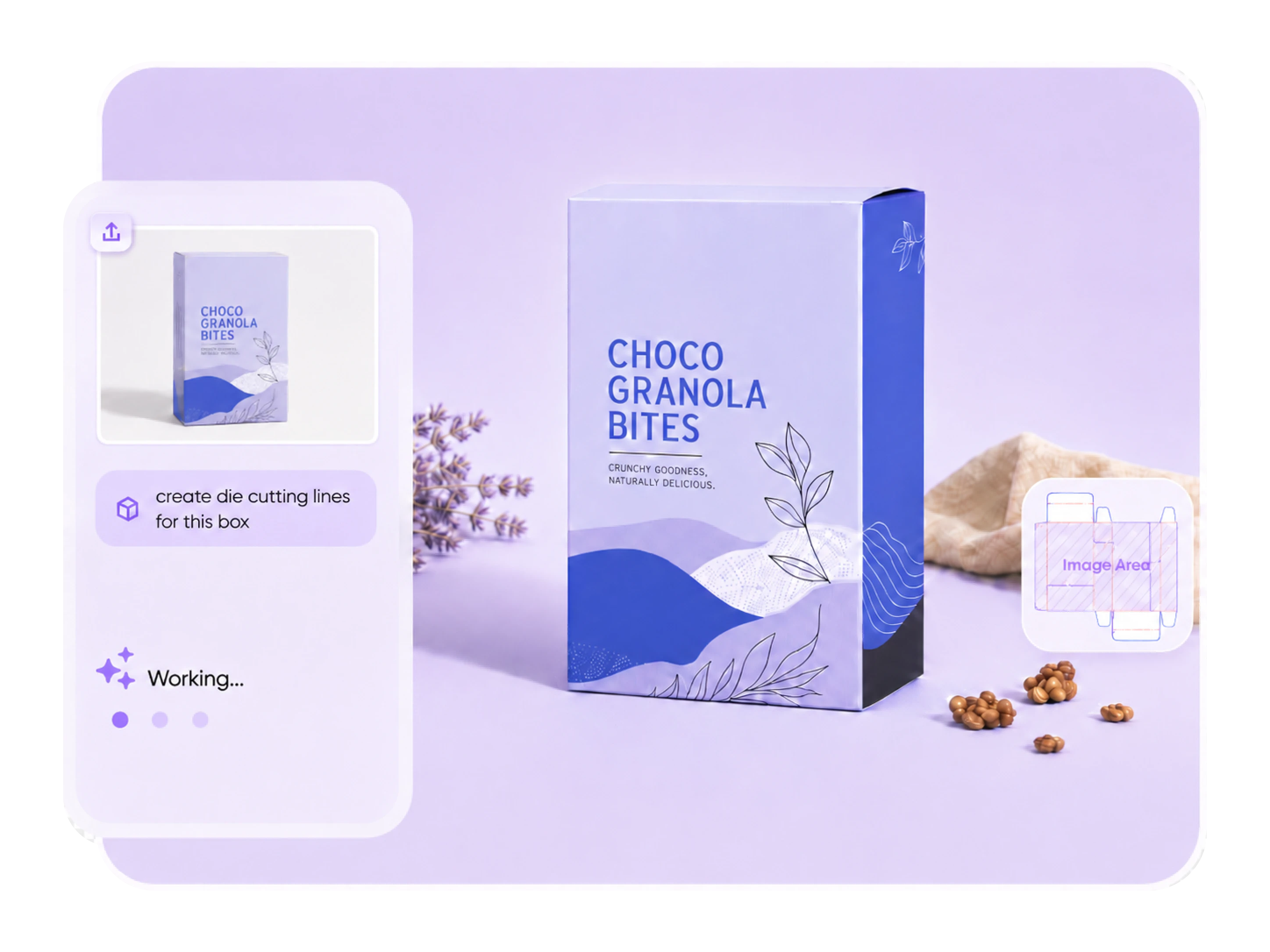
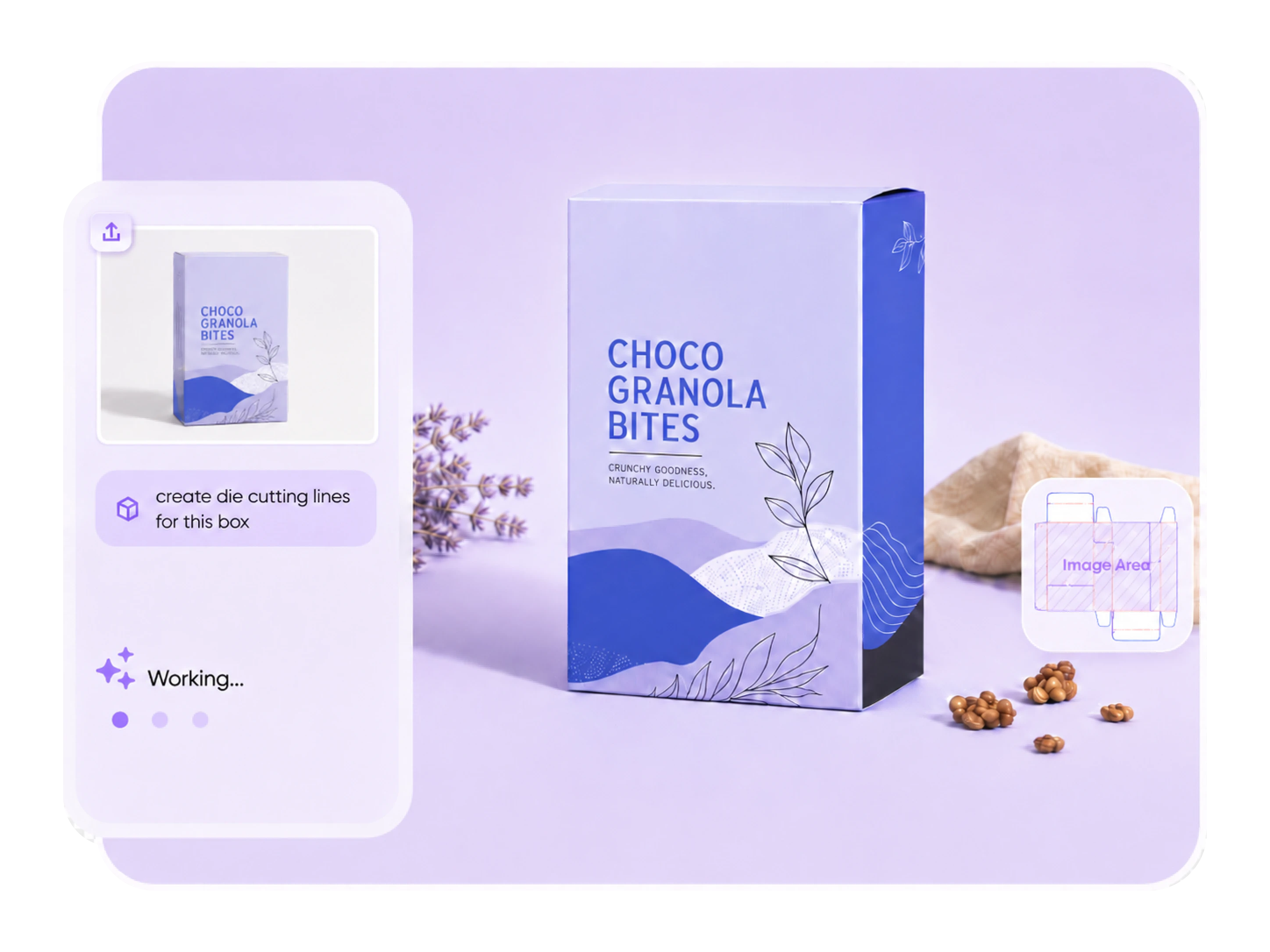
Turn a packaging photo or mockup into an editable dieline layout. Packify matches a suitable package structure, lets you adjust the size and panel layout, then helps you refine the dieline for print preparation.

Trusted by leading companies


From packaging reference to editable dieline
You may not know the exact dieline structure behind a shopping bag, box, carton, or mailer. Packify helps identify a suitable structure from your packaging reference, then lets you adjust dimensions, switch dieline options, and edit the layout before export. It gives you a practical starting point for print instead of leaving you with only a flat visual.
How to generate a dieline with Packify?
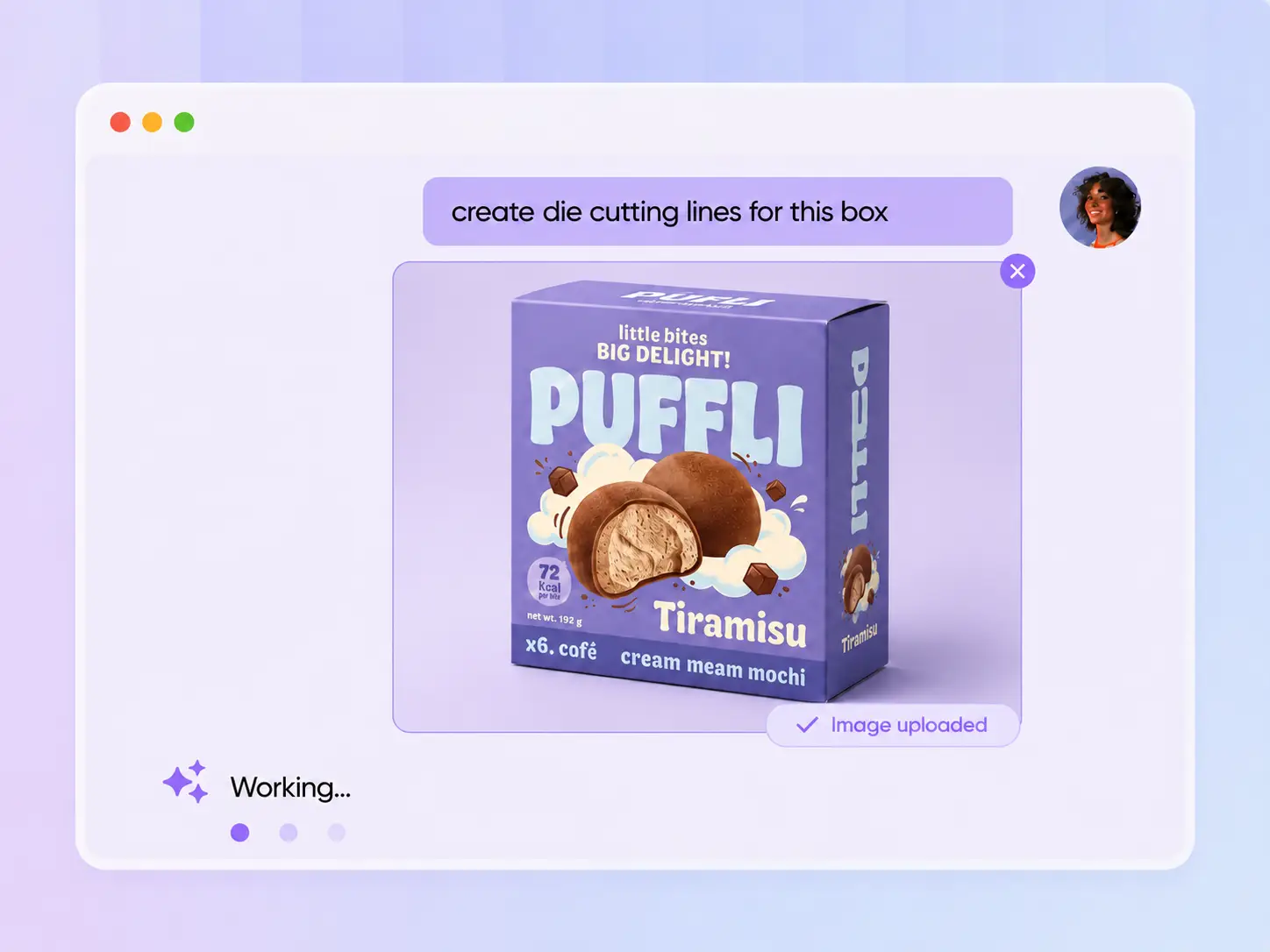
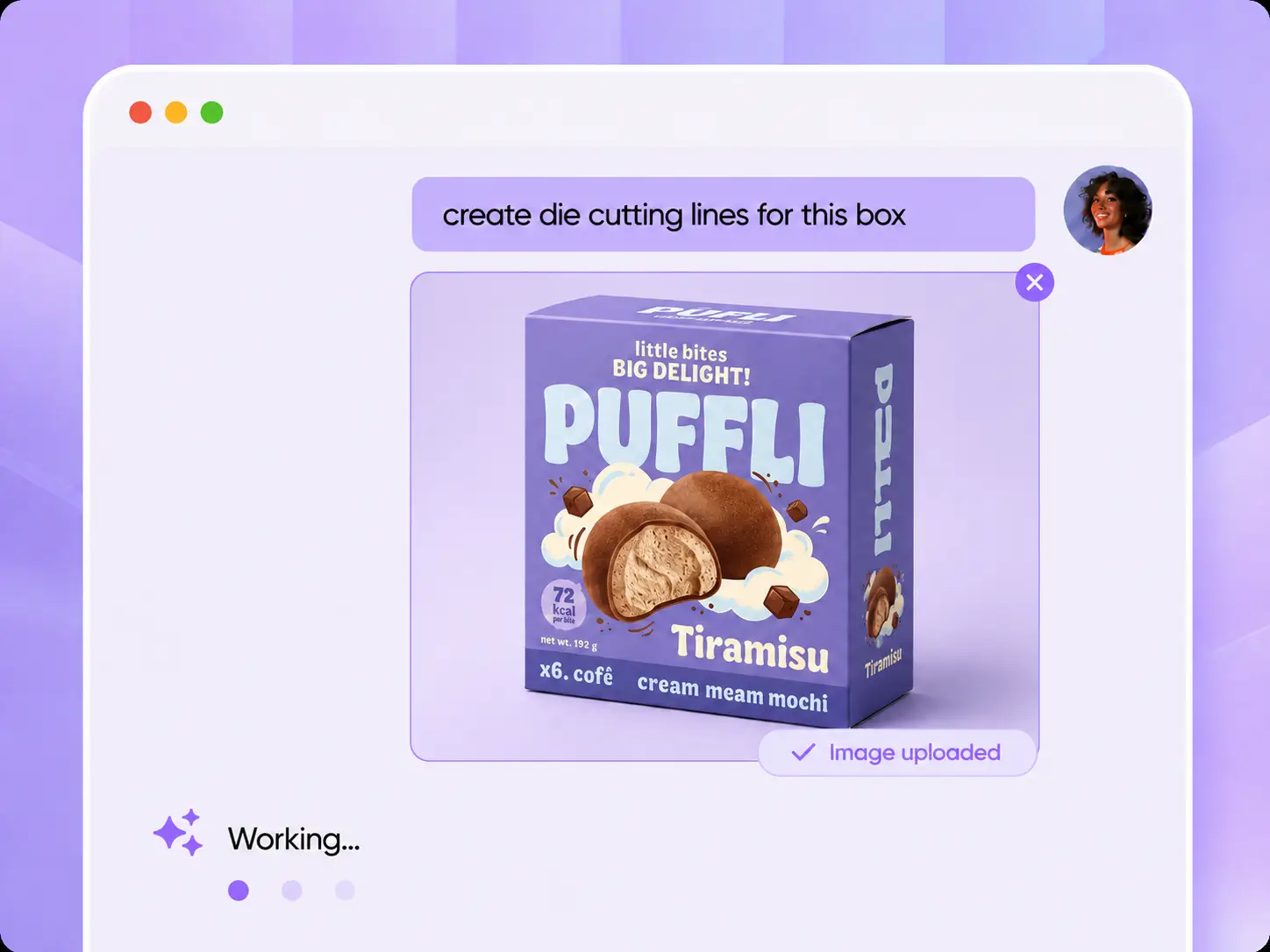
Step 1: Upload your image
Upload a packaging photo, mockup, supplier sample, or rough product image. Add a short prompt such as “make a dieline for this shopping bag” or “create die cutting lines for this box”.
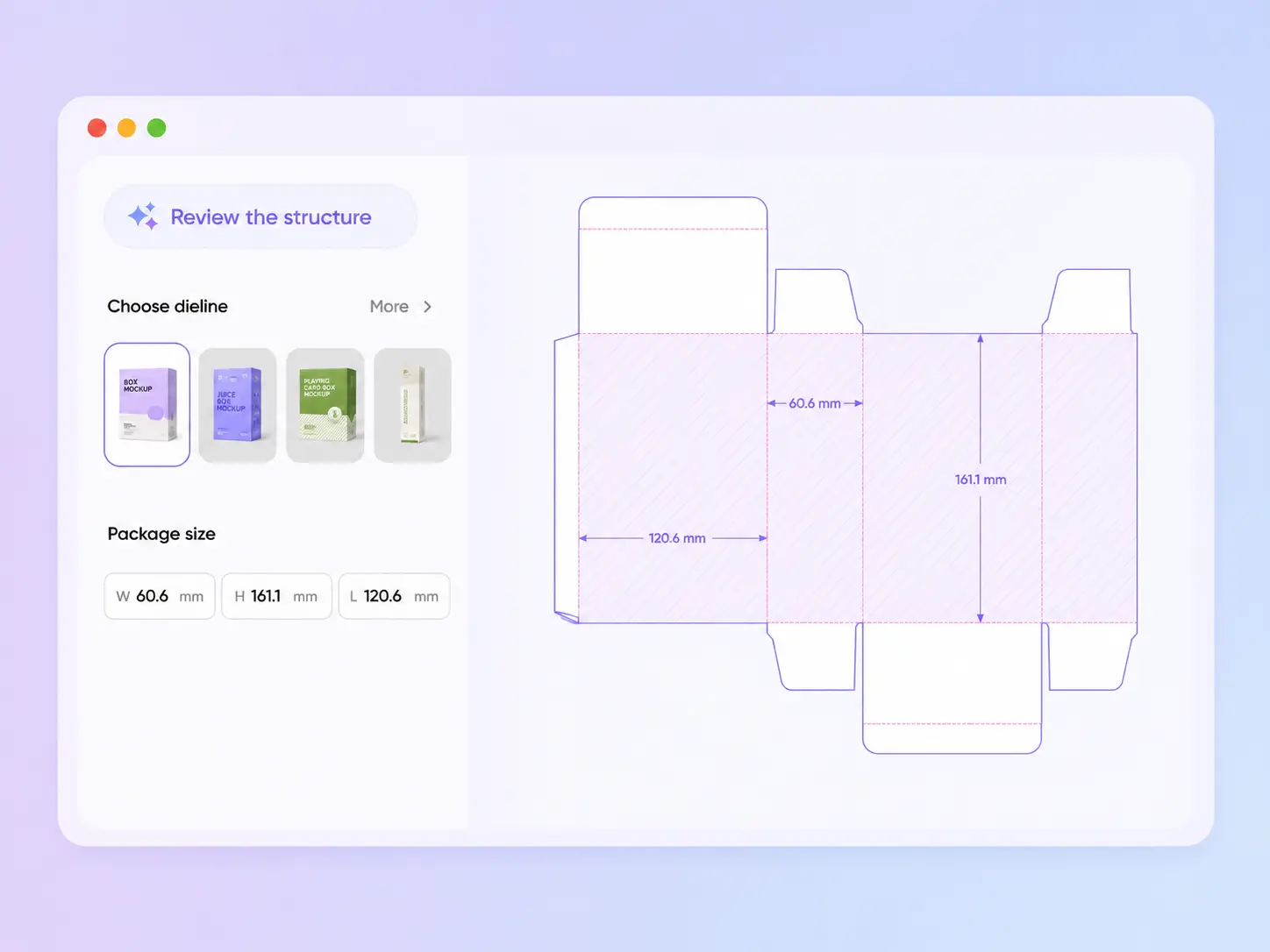
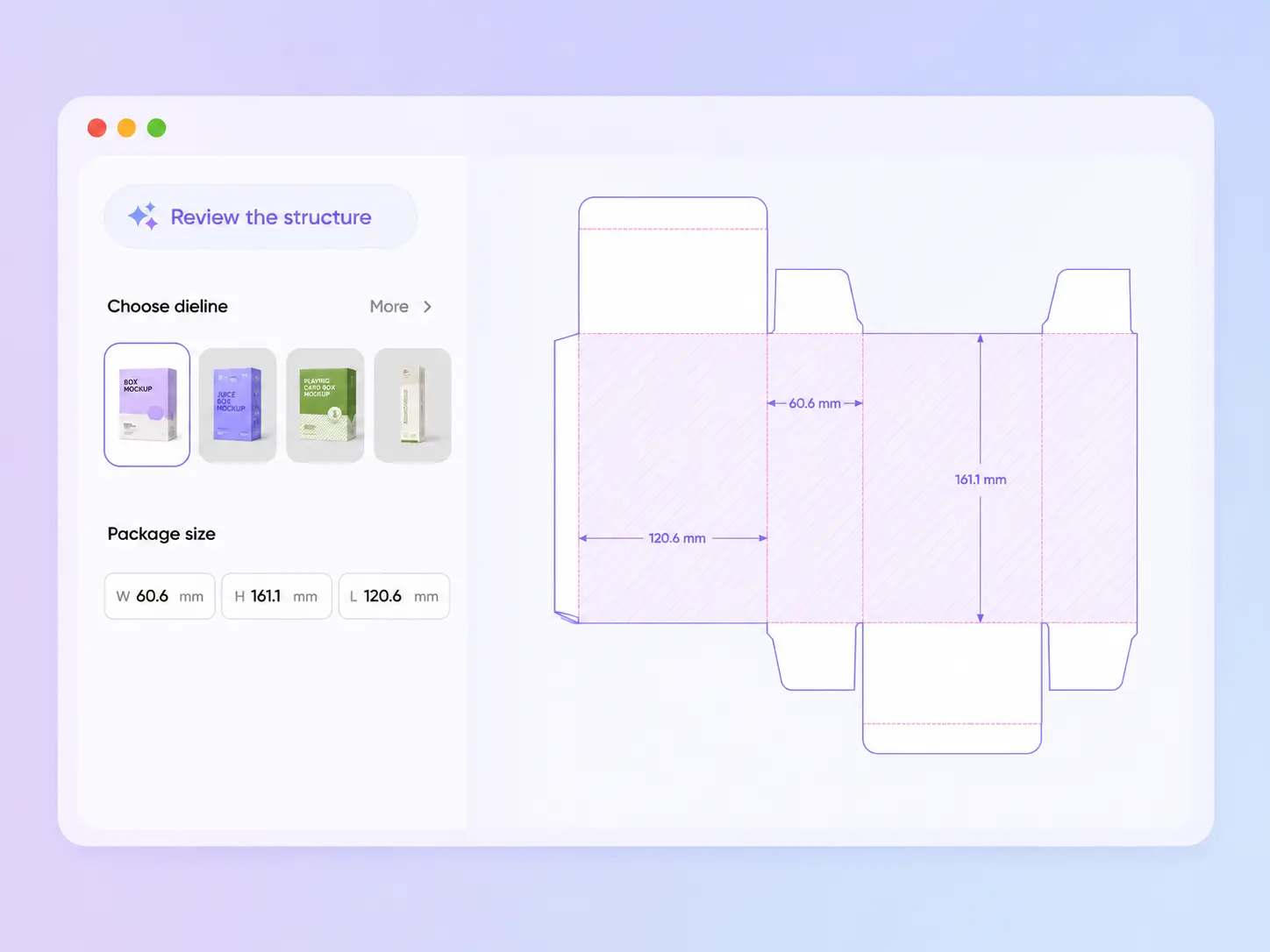
Step 2: Review the structure
Packify suggests a suitable dieline structure based on your image and prompt. You can preview the matched dieline, switch to another structure if needed, and adjust the package dimensions before continuing.
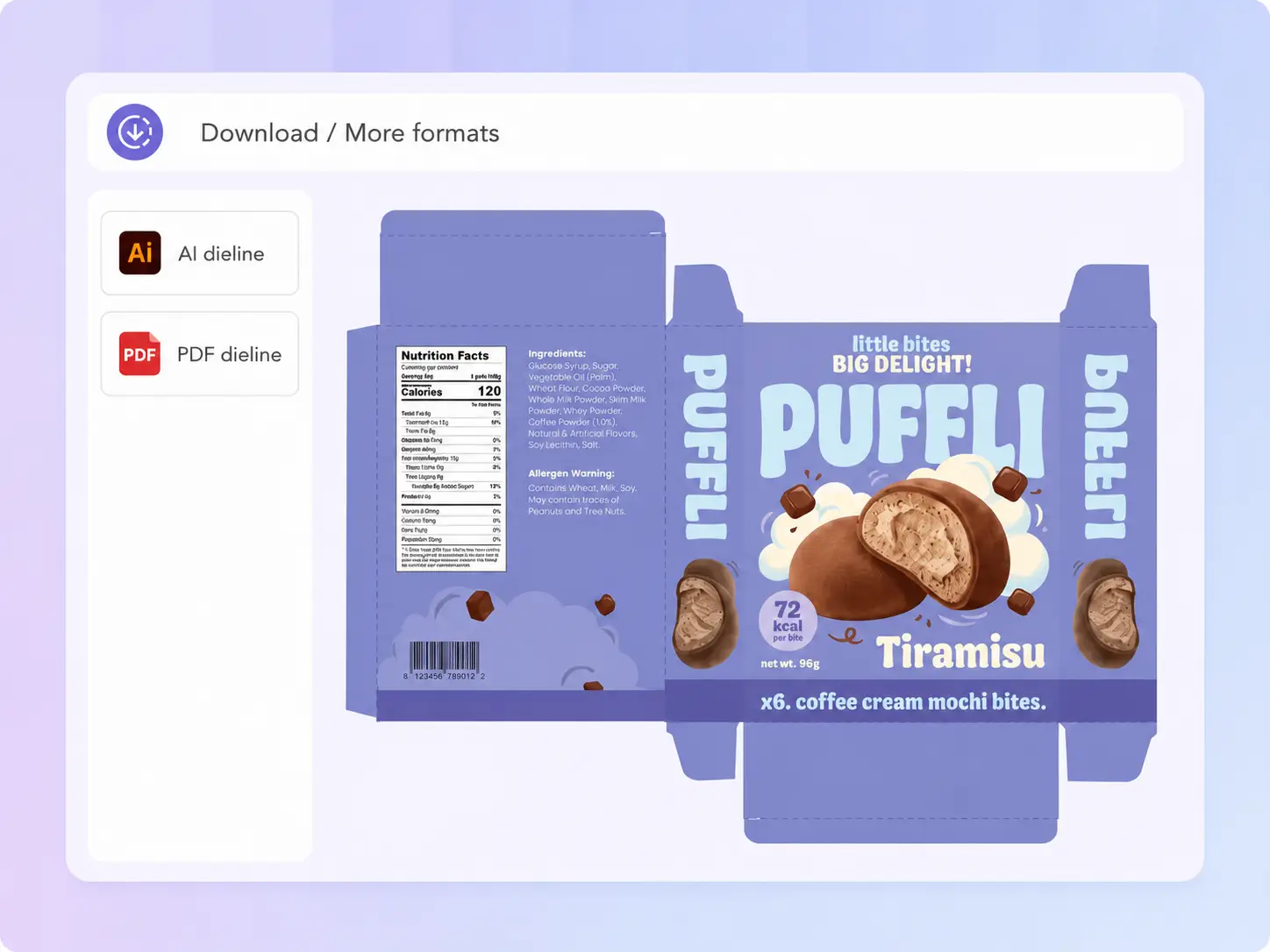
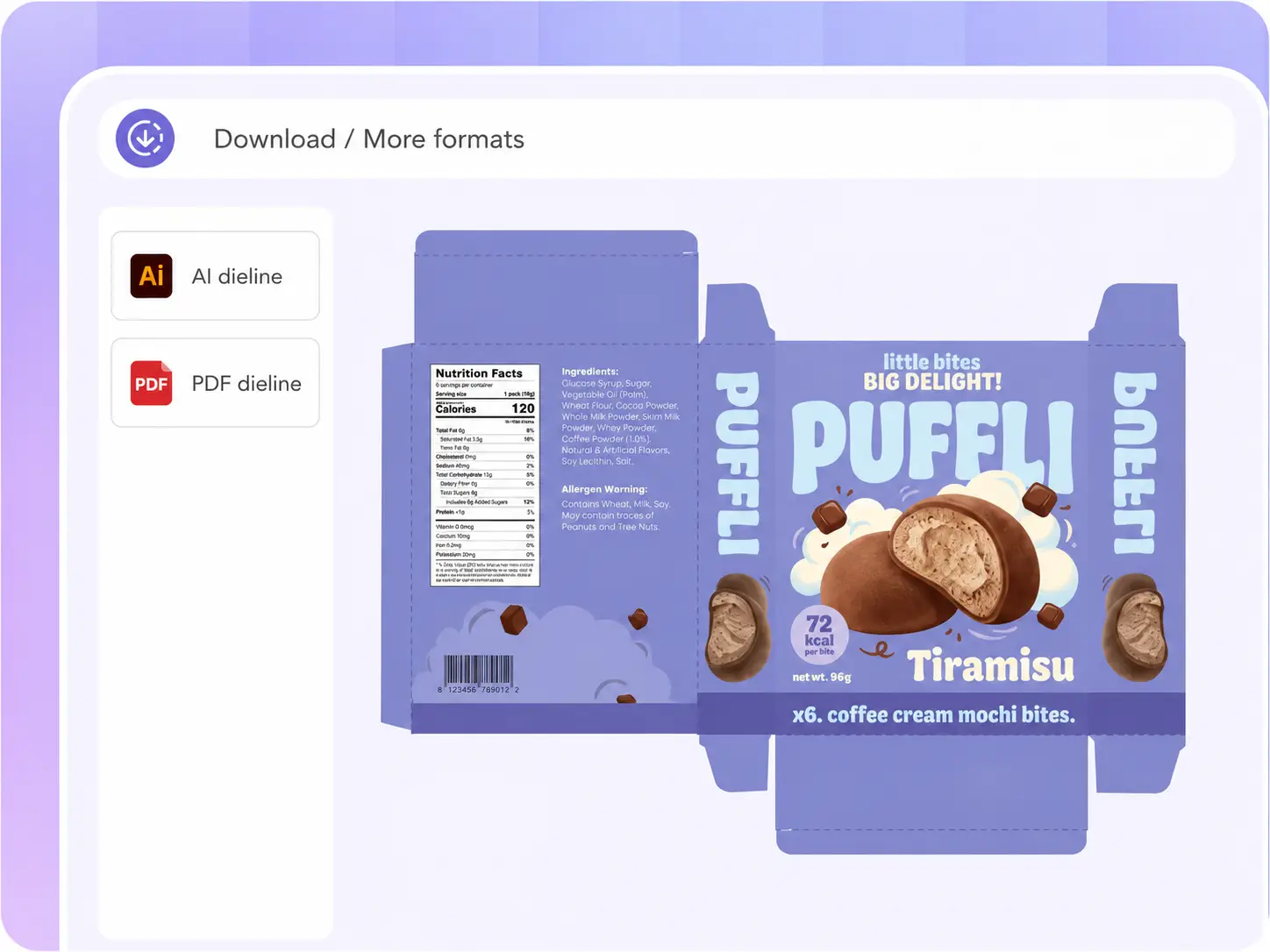
Step 3: Edit and export
Open the dieline in the editor to adjust the panel layout. When the layout is ready, export the file for printer review, manufacturer communication, or further production checks.

Step 1: Choose a mockup
Enter the type of mockup you want to search for, such as length, width, height and shape, or upload a reference product image. The AI will recommend boxes based on your requirements for you.
Step 2: Upload your design
Upload your design, brand logo or directly describe the envisioned design. Your design will be displayed on the selected mockup, and you can also preview the 3D effect.
Step 3: Export the file
Finally, you can manually adjust the details of the exported file. You will receive a die-cutting template that can be directly used for printing production.
Why choose Packify online dieline generator?
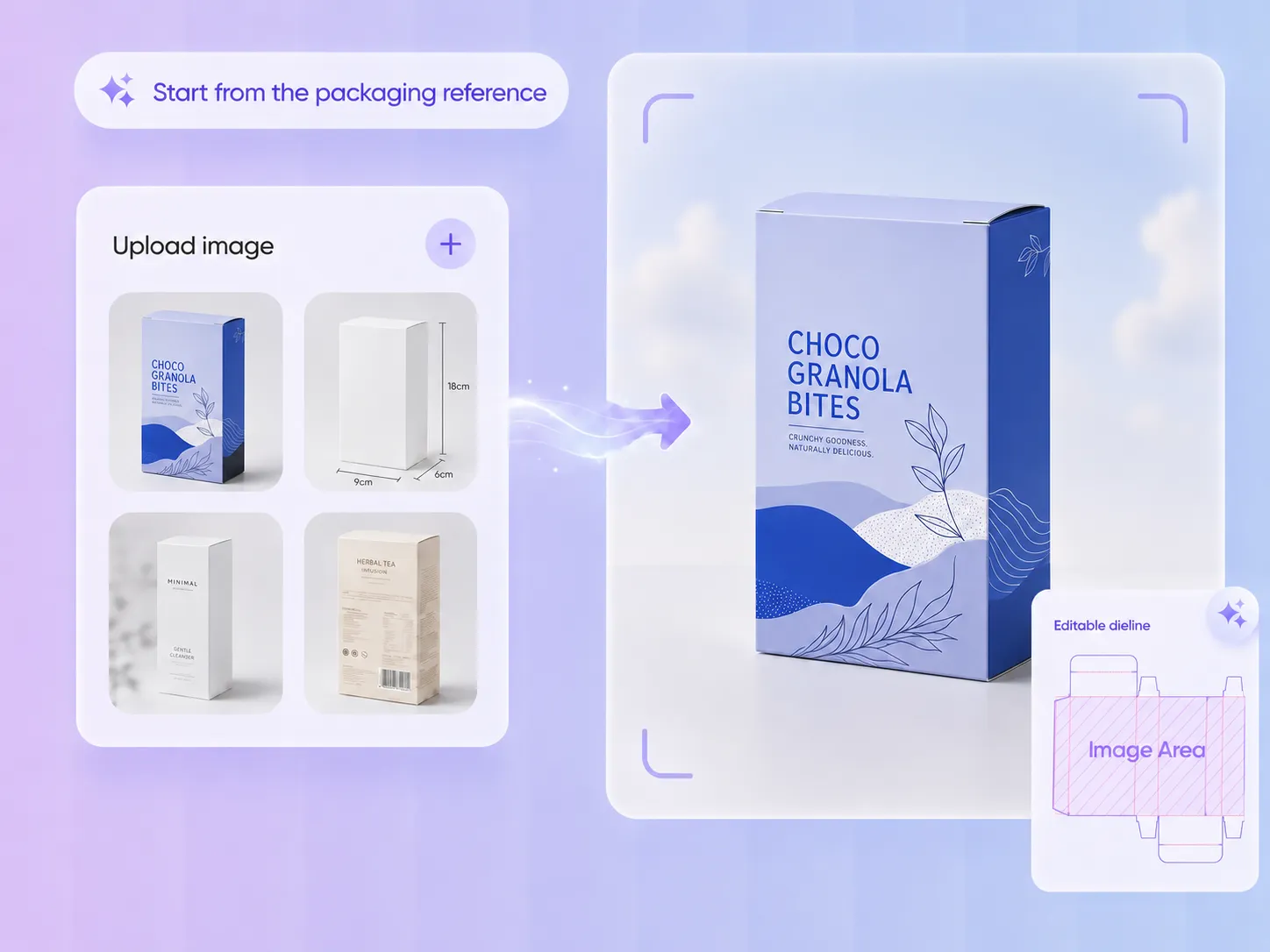
Start from the packaging reference
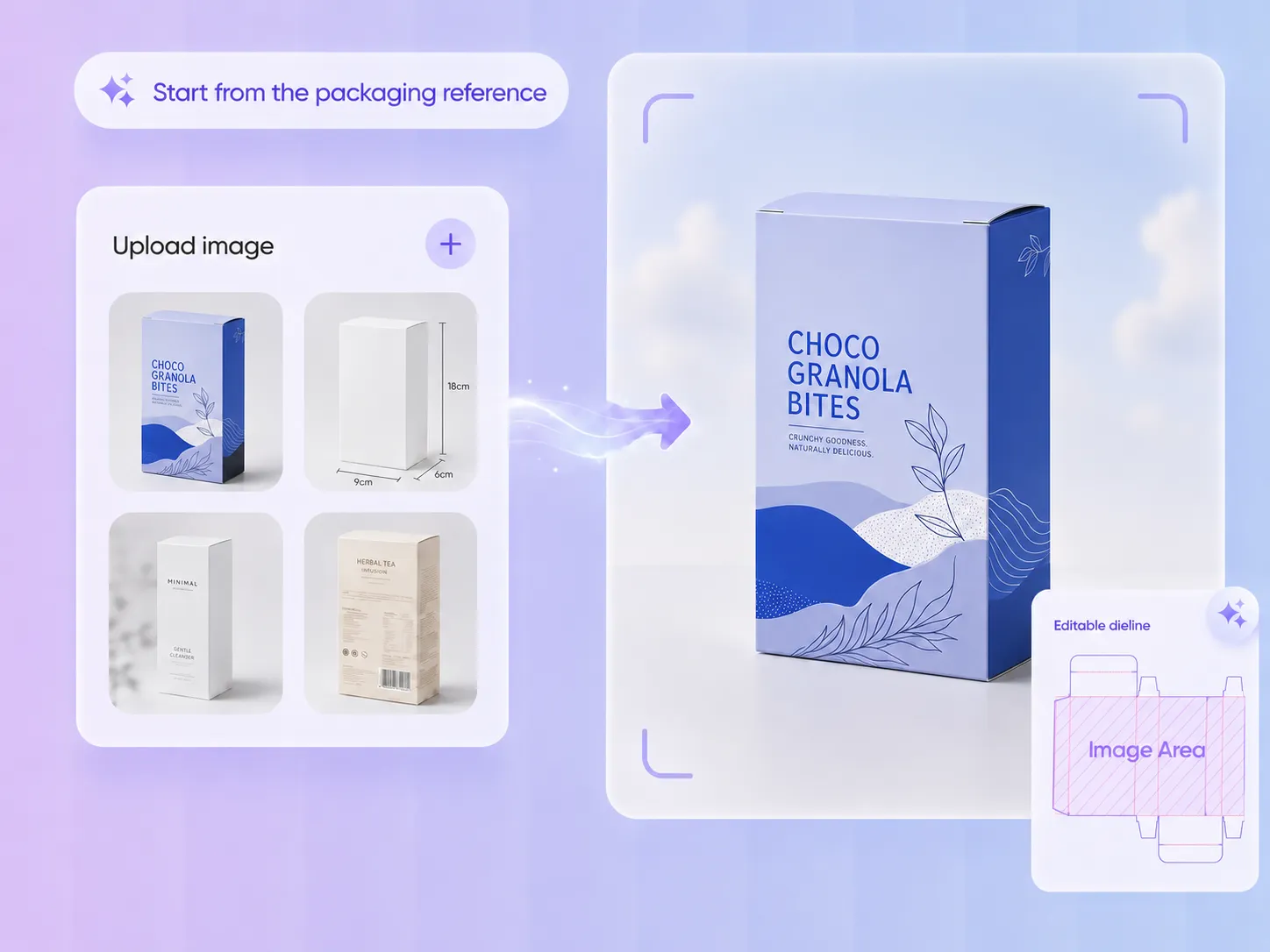
You may not know the exact box code or template name behind a package. Maybe you only have a mockup, a supplier image, a product photo, or a real sample. Packify helps turn that reference into an editable dieline starting point, so you can begin with what you already have instead of searching through template libraries first.
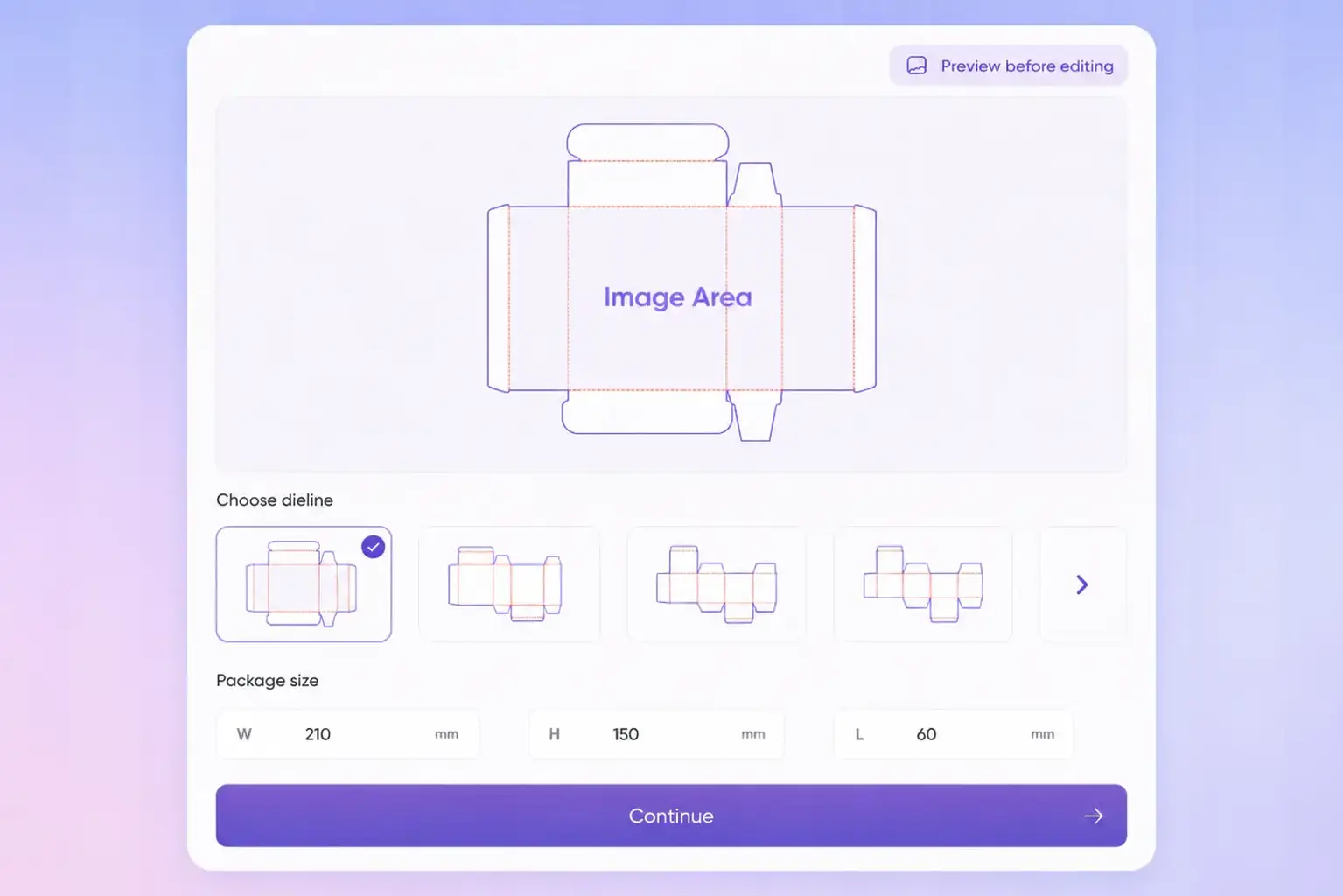
Preview before editing
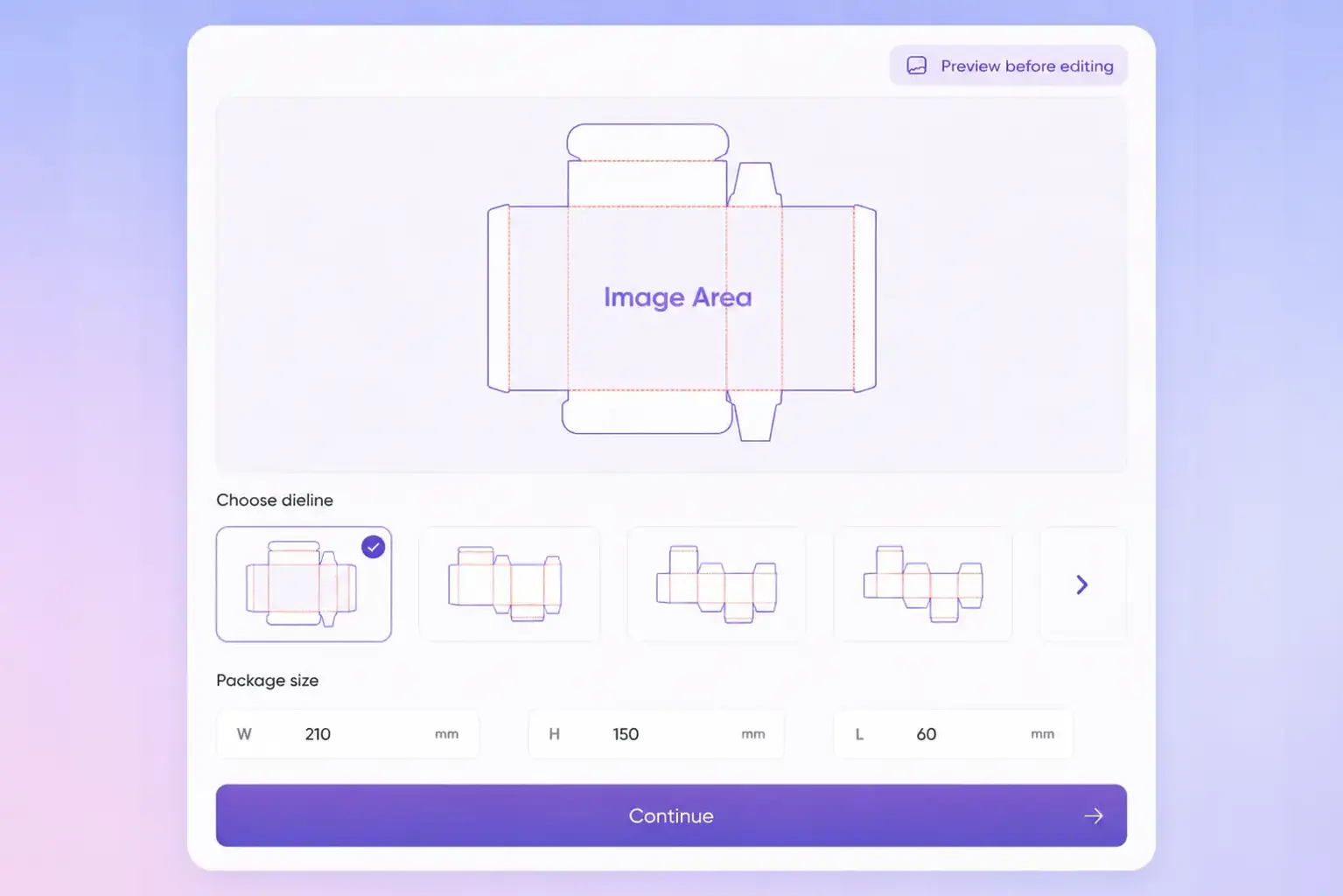
A packaging photo does not always show every flap, fold, tab, or opening detail. Packify suggests a matched dieline first and lets you review the layout before entering the editor. You can check the overall structure, adjust the size, and switch to another layout if the first option does not match the package you have in mind.
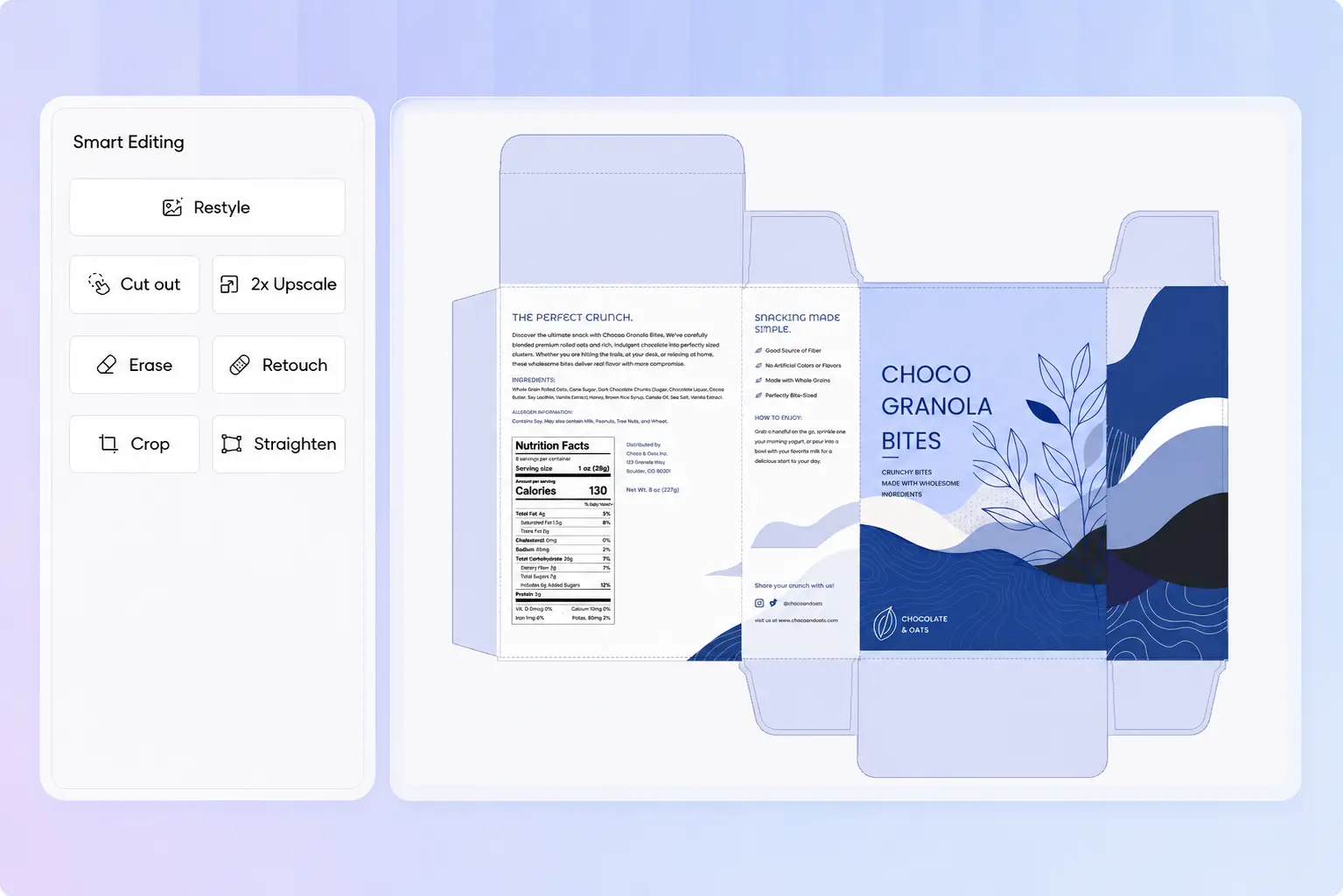
Edit design on the dieline
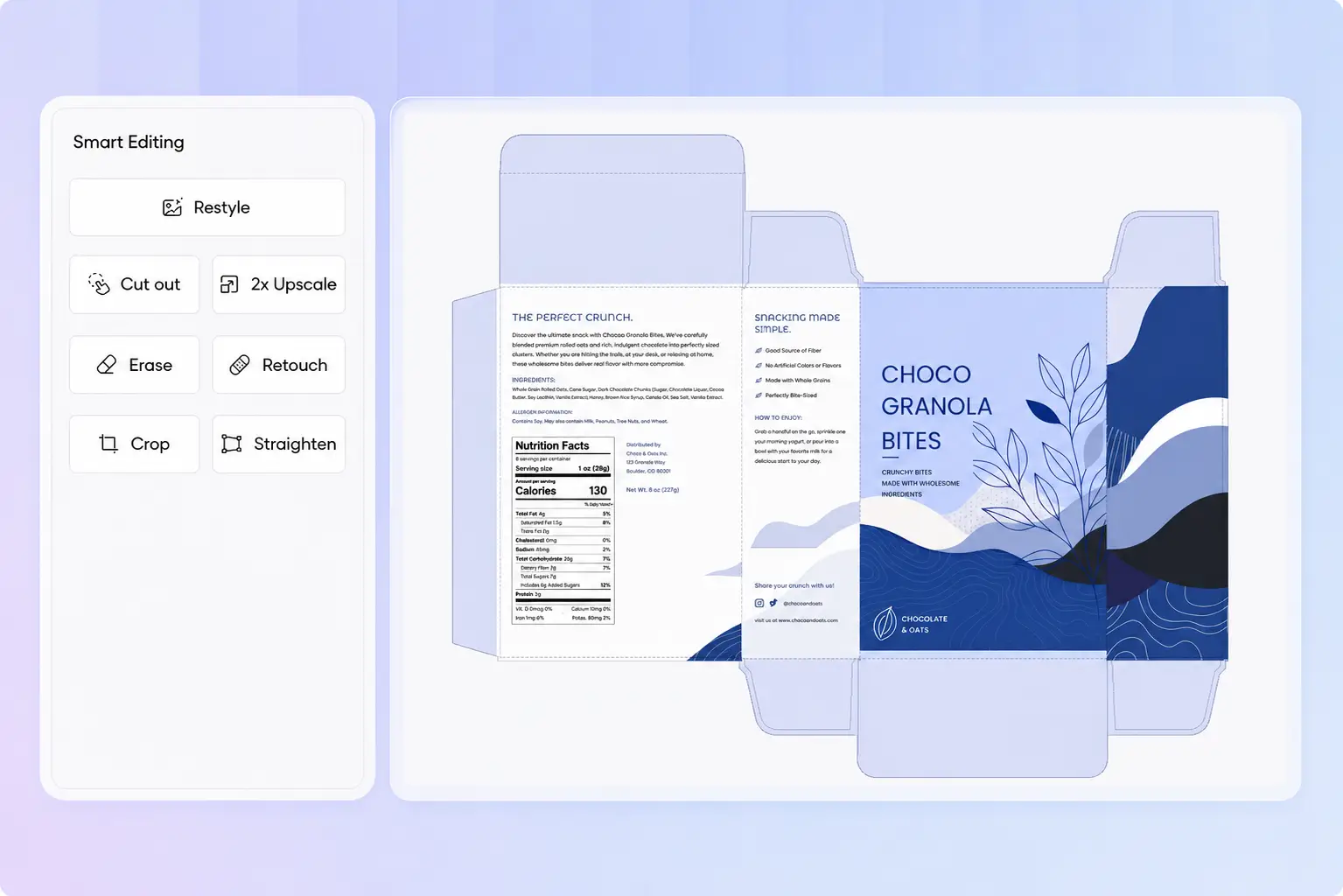
Packify keeps the dieline and packaging artwork in one editor. After the structure is generated, you can adjust logos, images, text, shapes, colors, and layer placement directly on the unfolded layout. This makes it easier to check how the design fits each panel before export.
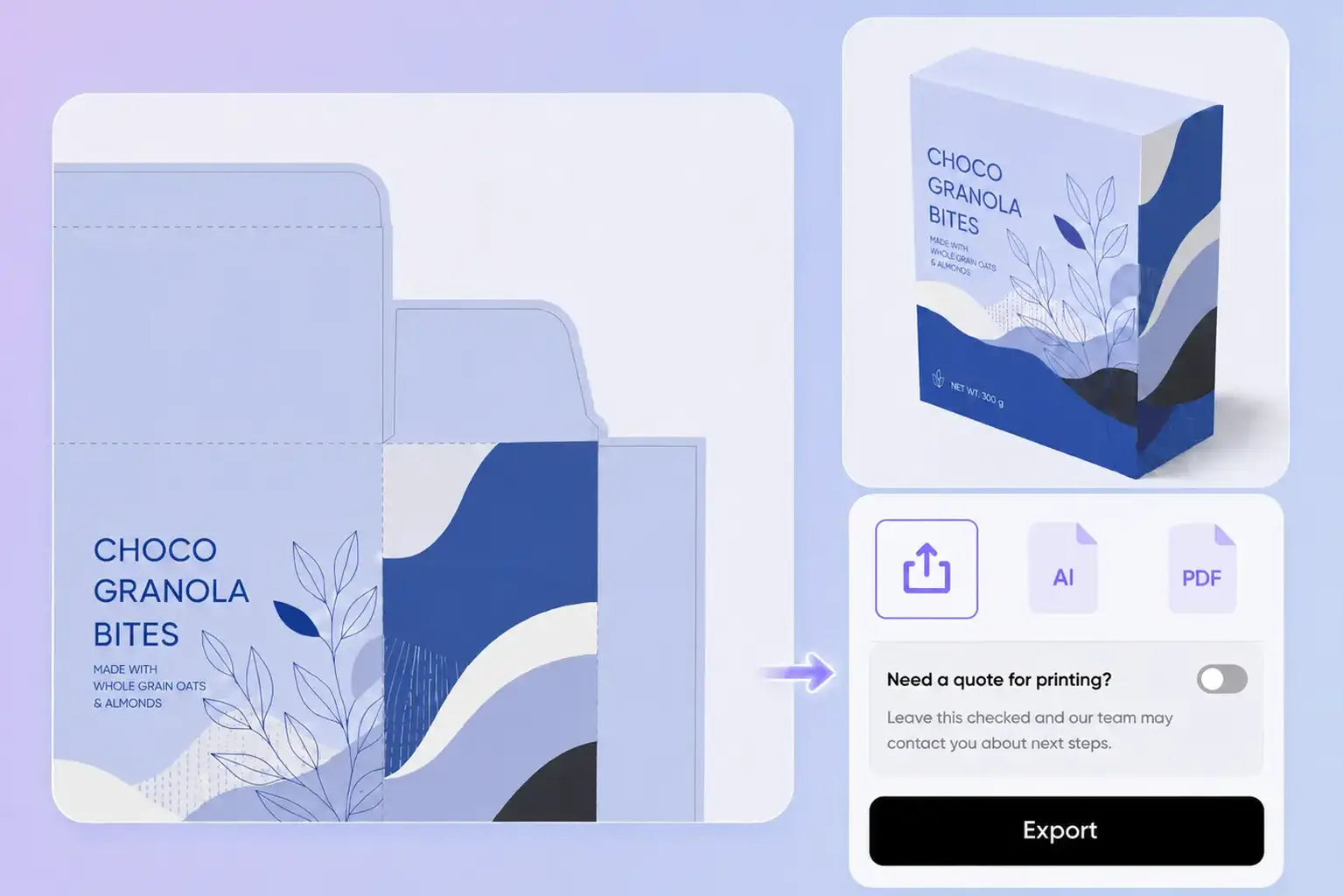
Send files your factory will accept
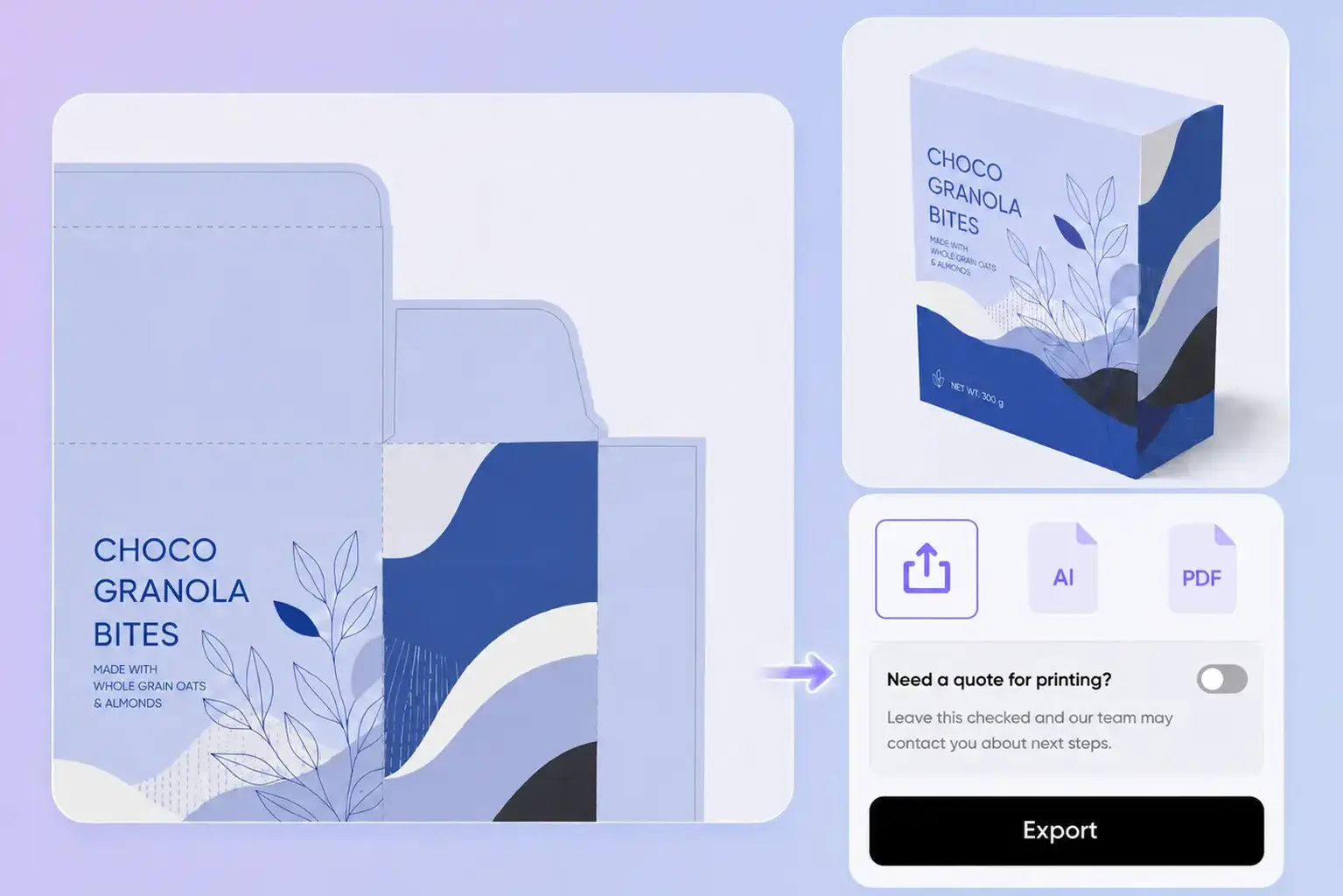
A flat packaging image is usually not enough for printing or sampling. Suppliers need to understand the package structure, dimensions, folds, cuts, glue areas, and bleed. Packify helps you prepare a clearer dieline file for printer review, manufacturer communication, and pre-production checks.
Start from the packaging reference
You may not know the exact box code or template name behind a package. Maybe you only have a mockup, a supplier image, a product photo, or a real sample. Packify helps turn that reference into an editable dieline starting point, so you can begin with what you already have instead of searching through template libraries first.
Preview before editing
A packaging photo does not always show every flap, fold, tab, or opening detail. Packify suggests a matched dieline first and lets you review the layout before entering the editor. You can check the overall structure, adjust the size, and switch to another layout if the first option does not match the package you have in mind.
Edit design on the dieline
Packify keeps the dieline and packaging artwork in one editor. After the structure is generated, you can adjust logos, images, text, shapes, colors, and layer placement directly on the unfolded layout. This makes it easier to check how the design fits each panel before export.
Send files your factory will accept
A flat packaging image is usually not enough for printing or sampling. Suppliers need to understand the package structure, dimensions, folds, cuts, glue areas, and bleed. Packify helps you prepare a clearer dieline file for printer review, manufacturer communication, and pre-production checks.
Proven impact, in our customer's words


The AI-powered packaging design tool is a game-changer. It's fast, intuitive, making it an essential tool for any forward-thinking design team.ved.
March 26, 2025


The results are so amazing that I don't think it's just for inspiration... I'd say artificial intelligence outperforms most designers; the key is to come up with the perfect prompt. Great contribution! Thank you 😊.
March 18, 2025


The AI-powered packaging design tool is a game-changer. It's fast, intuitive, making it an essential tool for any forward-thinking design team.
March 18, 2025


We’re a tiny skincare shop. Packify.ai turned my scribbles into clean mockups and a printable dieline by Monday. Fewer back-and-forths, consistent branding, a nd our product page conversions moved.
March 18, 2025


The AI-powered packaging design tool is a game-changer. It's fast, intuitive, making it an essential tool for any forward-thinking design team.
March 26, 2025


The results are so amazing that I don't think it's just for inspiration... I'd say artificial intelligence outperforms most designers; the key is to come up with the perfect prompt. Great contribution! Thank you 😊
March 18, 2025


Congrats! Packify.ai, an AI packaging designer, enables easy, creative design and offers AI-driven product photography for e-commerce through simple chatting.
April 2, 2025


We’re a tiny skincare shop. Packify.ai turned my scribbles into clean mockups and a printable dieline by Monday. Fewer back-and-forths, consistent branding, a nd our product page conversions moved.
May 9, 2025
You asked,
we answered
You asked, we answered
What is a dieline?
A dieline is the flat blueprint of your box before it gets folded. It marks every cut line, fold line, and glue tab, so the printer knows exactly where to cut and where to crease. Packify builds the dieline straight from your design, so the artwork and the cutting layout always line up.
Do I need design skills to create a dieline?
No. You do not need Illustrator or any design software. Describe your box in plain text, or upload a packaging image, and the Packify custom dieline generator handles the technical work. Cut lines, fold marks, glue tabs, and bleed all come generated for you.
What packaging types does Packify support for dielines?
Packify supports common packaging formats such as boxes, food packaging, pouches, sachets, bags, cans, jars, tubes, cups, bowls, apparel packaging, device packaging, and printed layouts.
Will my printer or factory accept this dieline?
Packify helps you create an editable dieline for print preparation, sampling, and supplier review. You can use it to test the package layout, check the scale, and prepare a clearer file before production. For commercial printing, your printer or factory may still need to confirm the final file format, material, color setup, and production requirements.
Can I upload a packaging image and turn it into a dieline?
Yes. Upload a packaging image or photo, whether a mockup, a sketch, or a supplier sample, and Packify reads the structure to build a matching dieline. The AI finds the panel edges, the fold points, and the glue zones from your image.
How much does a dieline cost on Packify?
You can start generating dielines for free. Credits are used based on how much you generate and export. Check your account balance before you generate, or upgrade for more credits anytime. For full details on plans and credit packages, see our pricing page.
Create an editable dieline from any packaging idea