
Candy packaging design
Explore packaging ideas for candy and design your own chocolate bar packaging with Packify. Get seasonal artwork tailored to your brand.
Trusted by industry-leading businesses


Turn your product brief into a sweet packaging design
Wrappers, mixed-flavor packs, chocolate boxes, and Halloween editions need distinct layouts for names, flavors, and branding. Add product details, references, style, and colors, Packify turns your packaging ideas for candy into designs you can refine without starting from scratch in design software.
How to create confectionery packaging design?
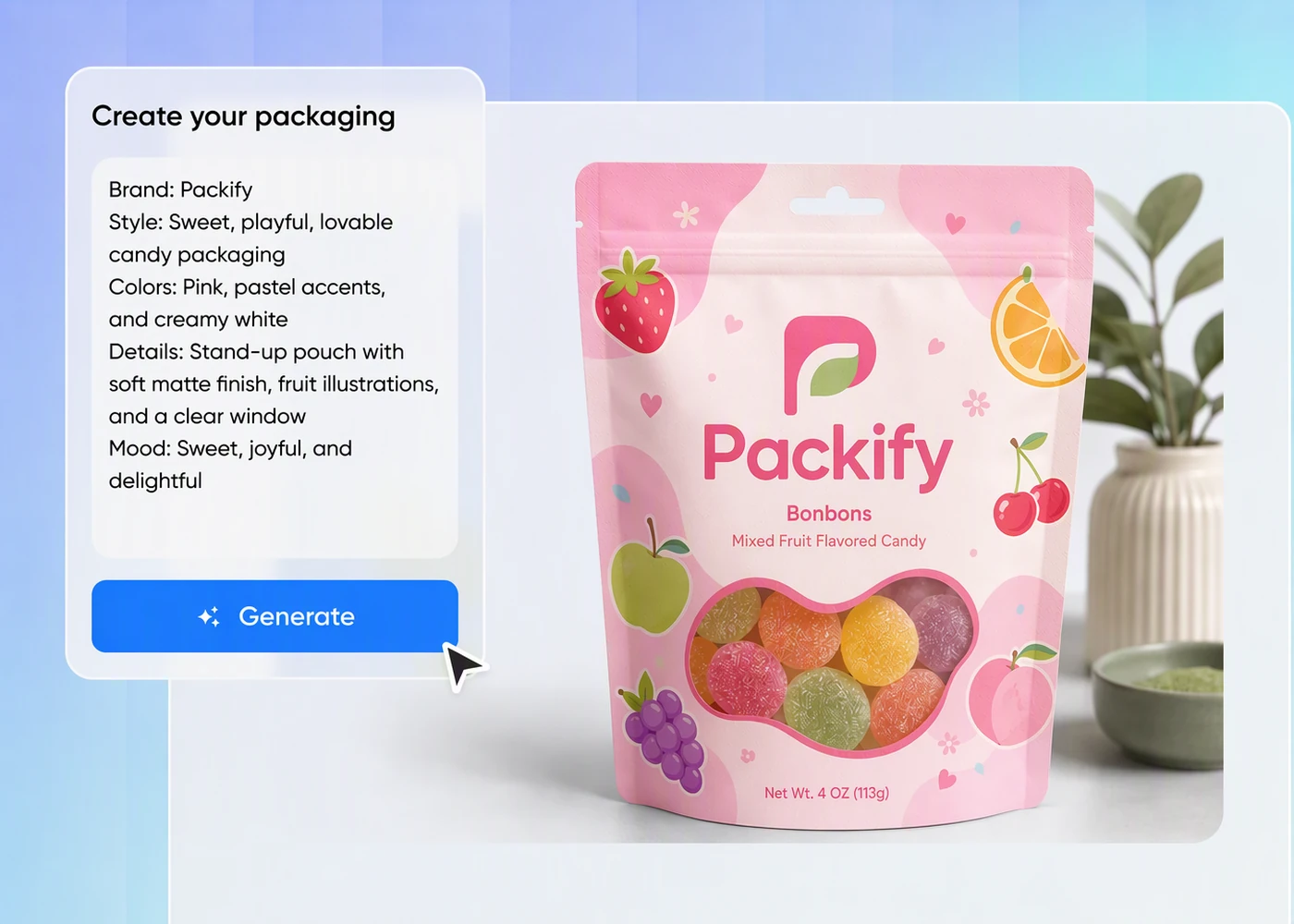
Step 1: Add your product and brand
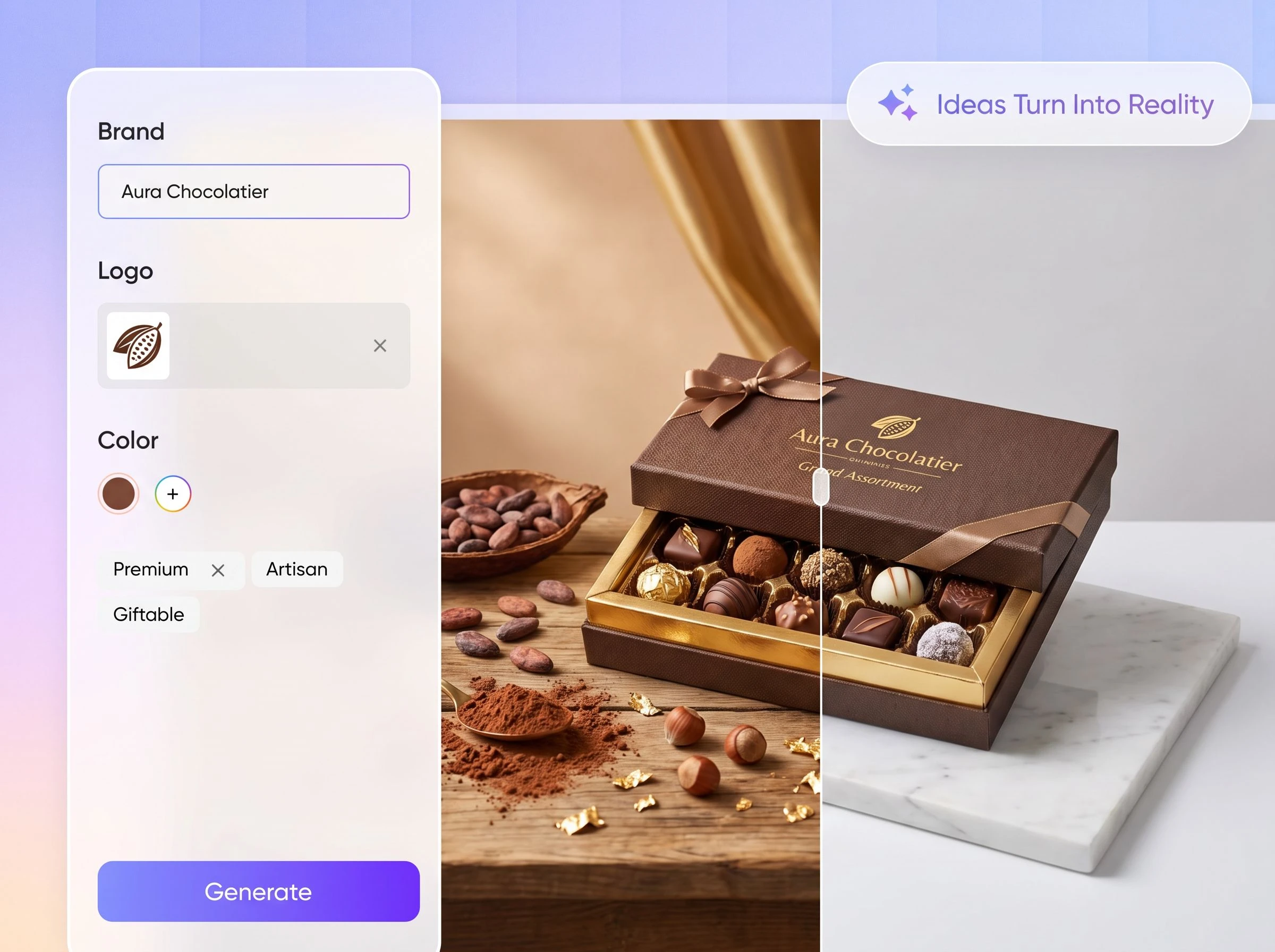
Enter your product and brand names, upload your logo and current packaging image, then type candy packaging in the Packaging field.
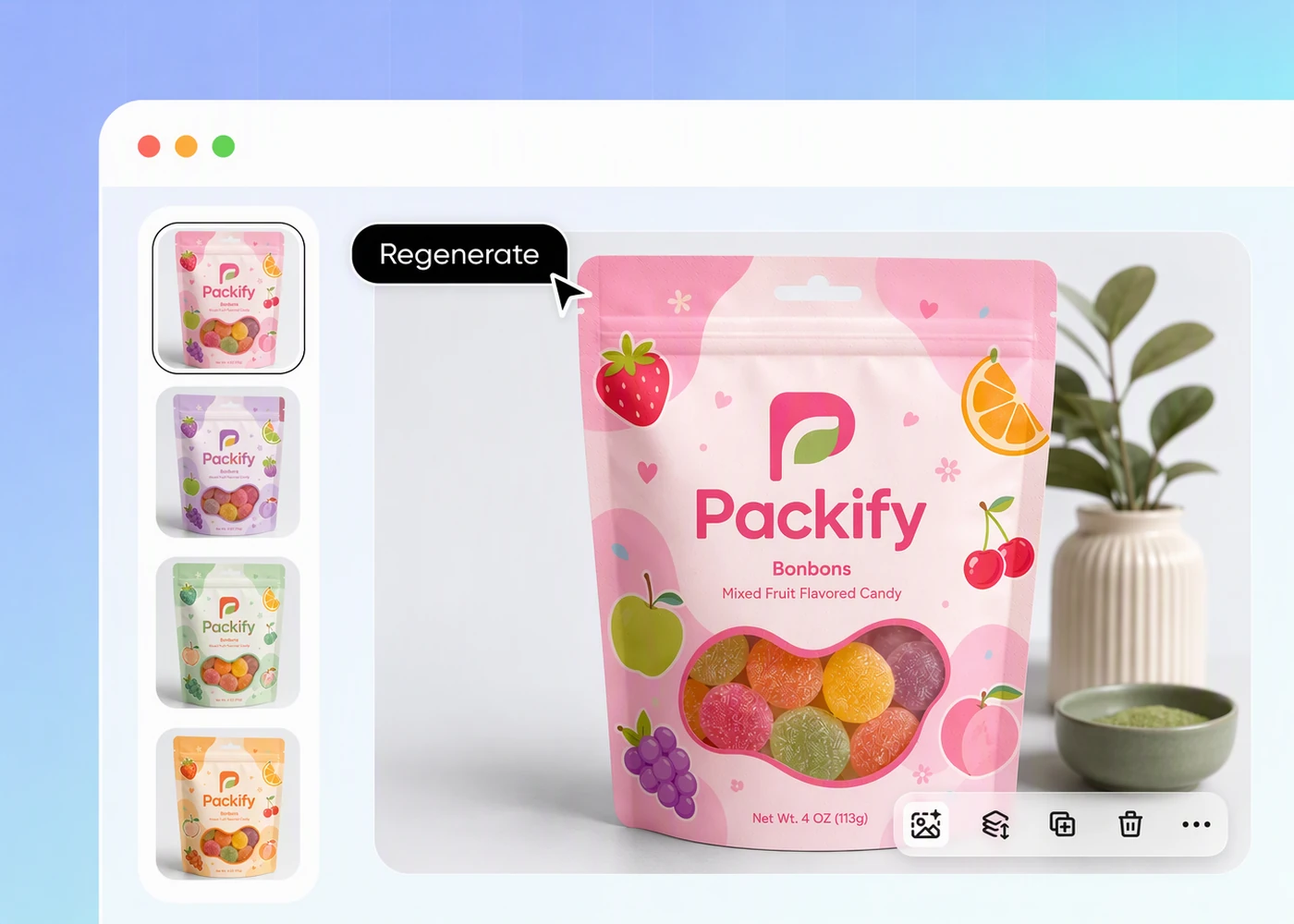
Step 2: Set your direction and generate
Add design elements, choose a style and colors, then include pumpkins, ghosts, bats, or seasonal colors for a Halloween edition.
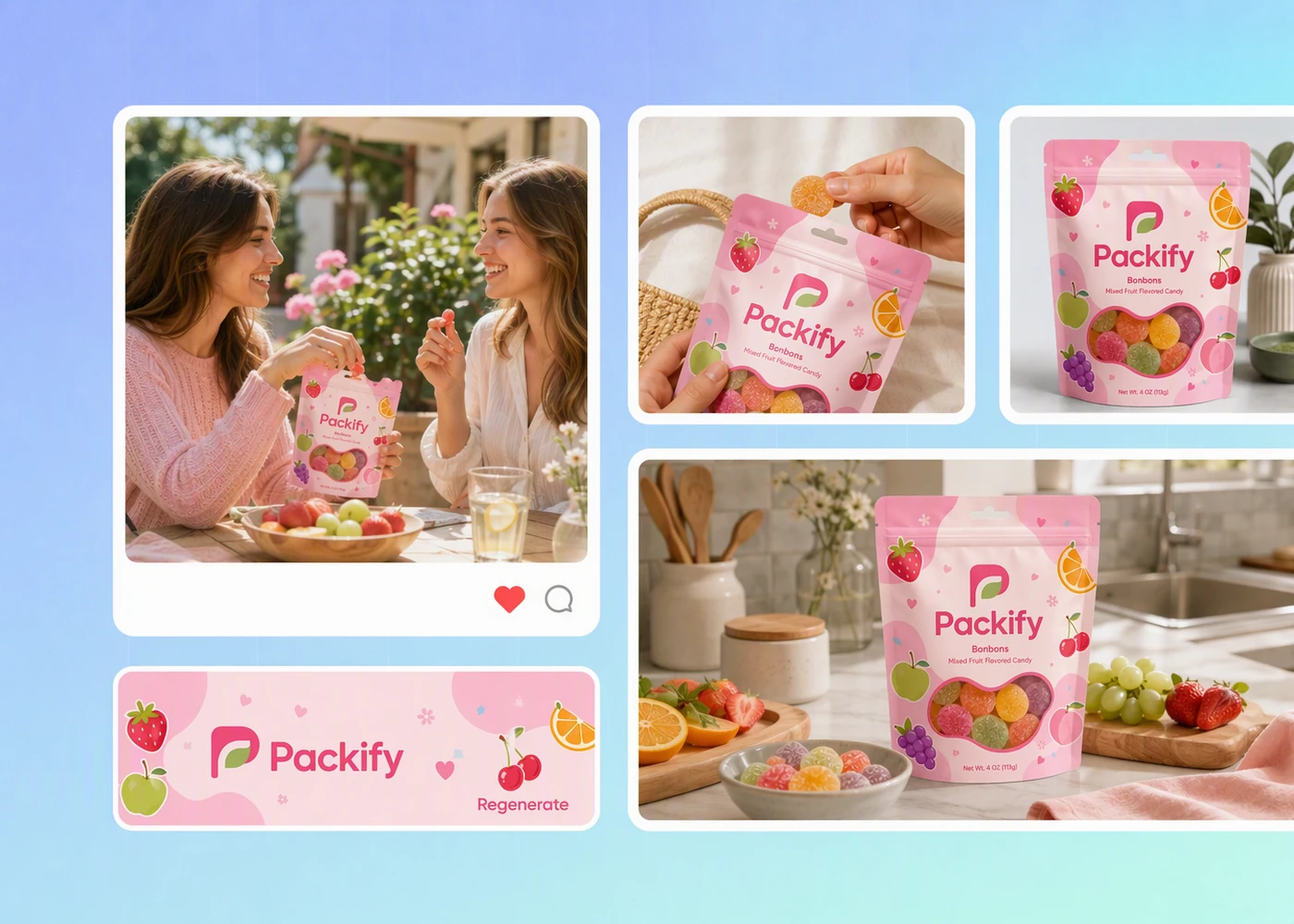
Step 3: Refine, export, and download
Open Use in Chat to adjust graphics, colors, and layouts, then export a dieline or download images for e-commerce and social media.

Step 1: Add your product and brand
Enter your product and brand names, upload your logo and current packaging image, then type candy packaging in the Packaging field.
Step 2: Set your direction and generate
Add design elements, choose a style and colors, then include pumpkins, ghosts, bats, or seasonal colors for a Halloween edition.
Step 3: Refine, export, and download
Open Use in Chat to adjust graphics, colors, and layouts, then export a dieline or download images for e-commerce and social media.
Why choose Packify for candy packaging design?
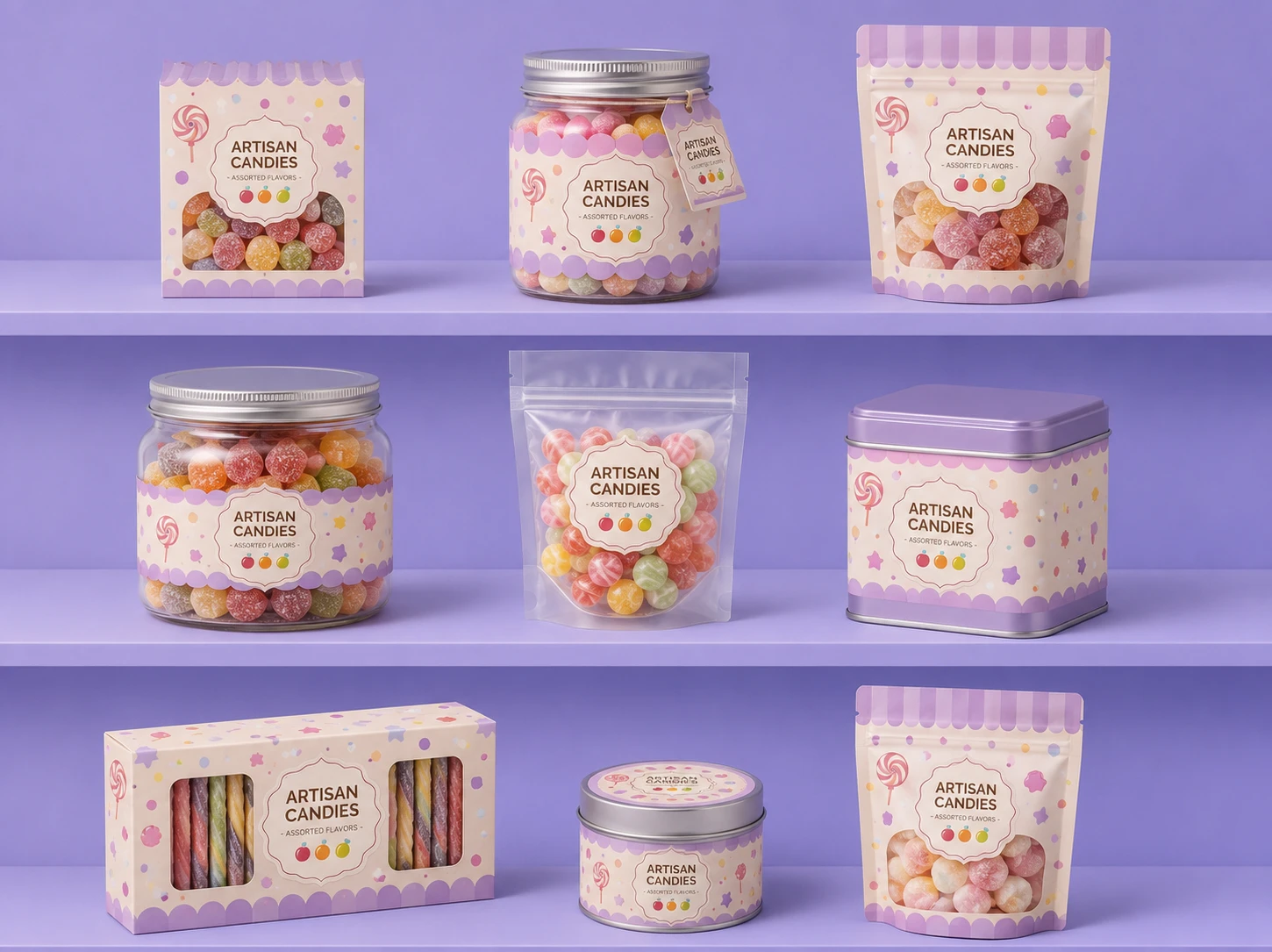
Keep flavor packaging consistent
Packify can help keep multiple flavor designs on-brand in two ways. Upload your logo and current packaging image as visual references, or set up a Brand Kit with your logo, brand colors, and brand description so each generation uses the same core brand information.
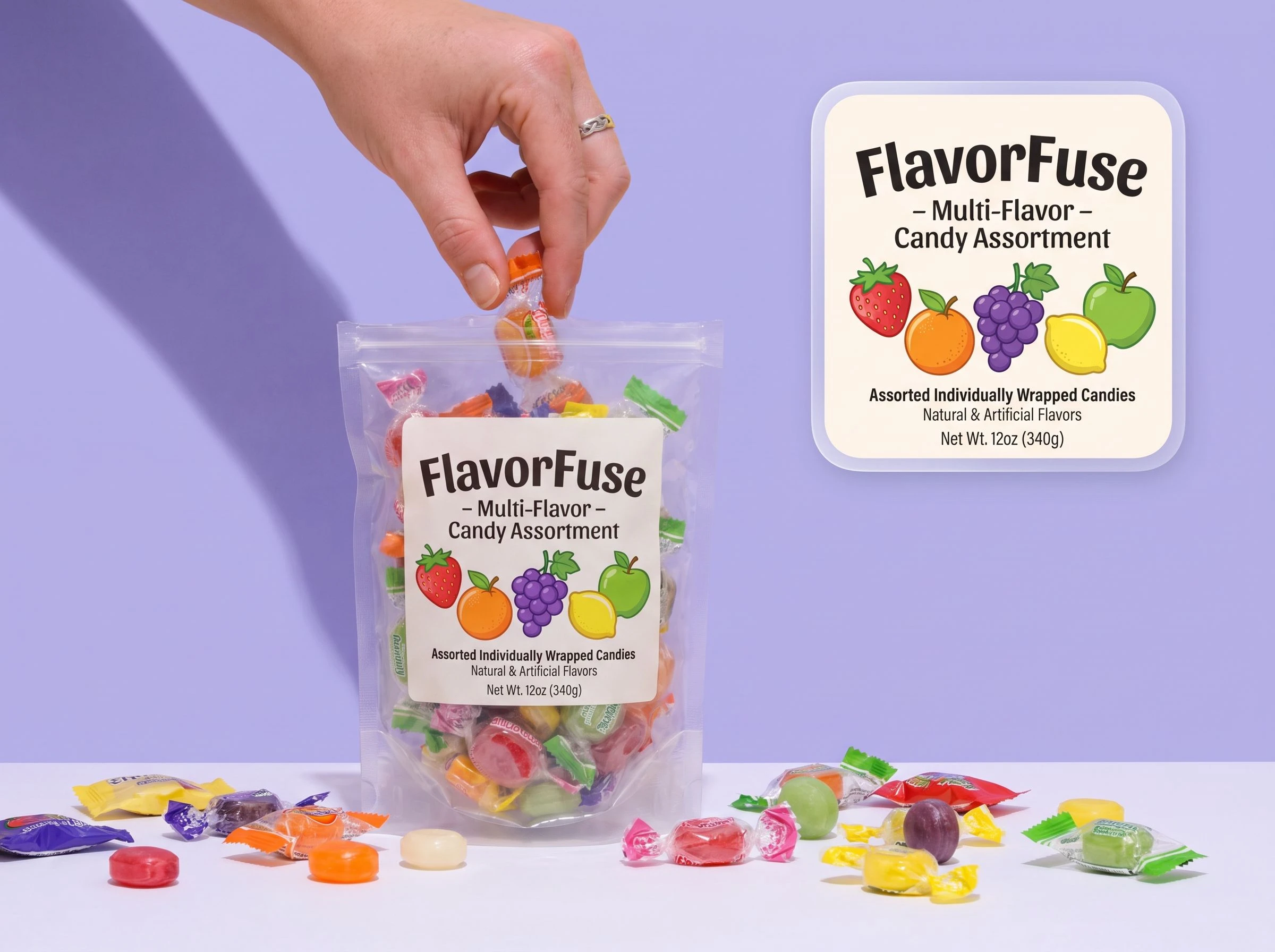
Make each flavor easy to spot
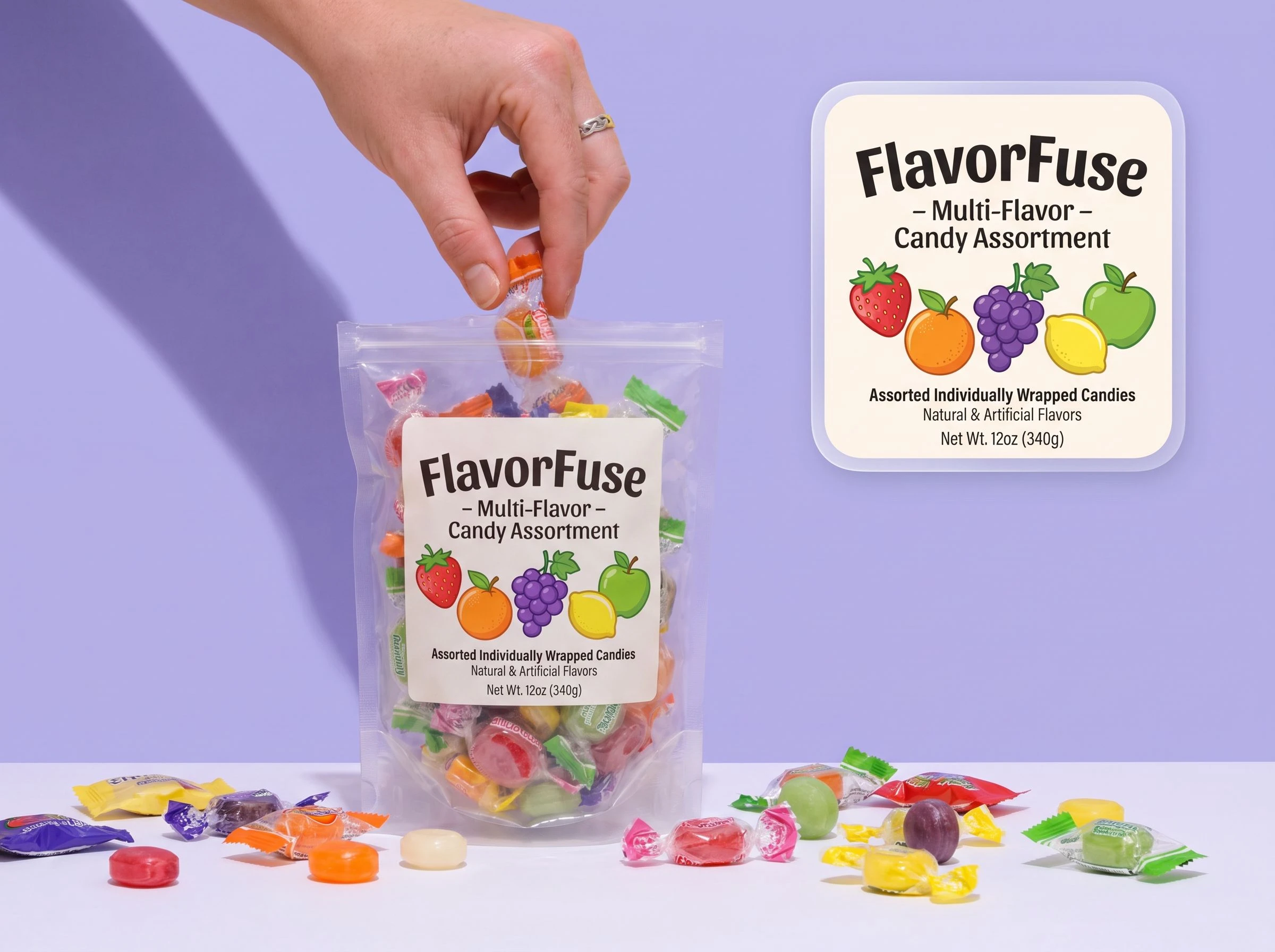
Candy shoppers often recognize a flavor through color, ingredient cues, and the product name. Add those details to your brief, and Packify generates packaging directions that help each flavor stay distinct across wrappers, pouches, boxes, jars, and buckets.
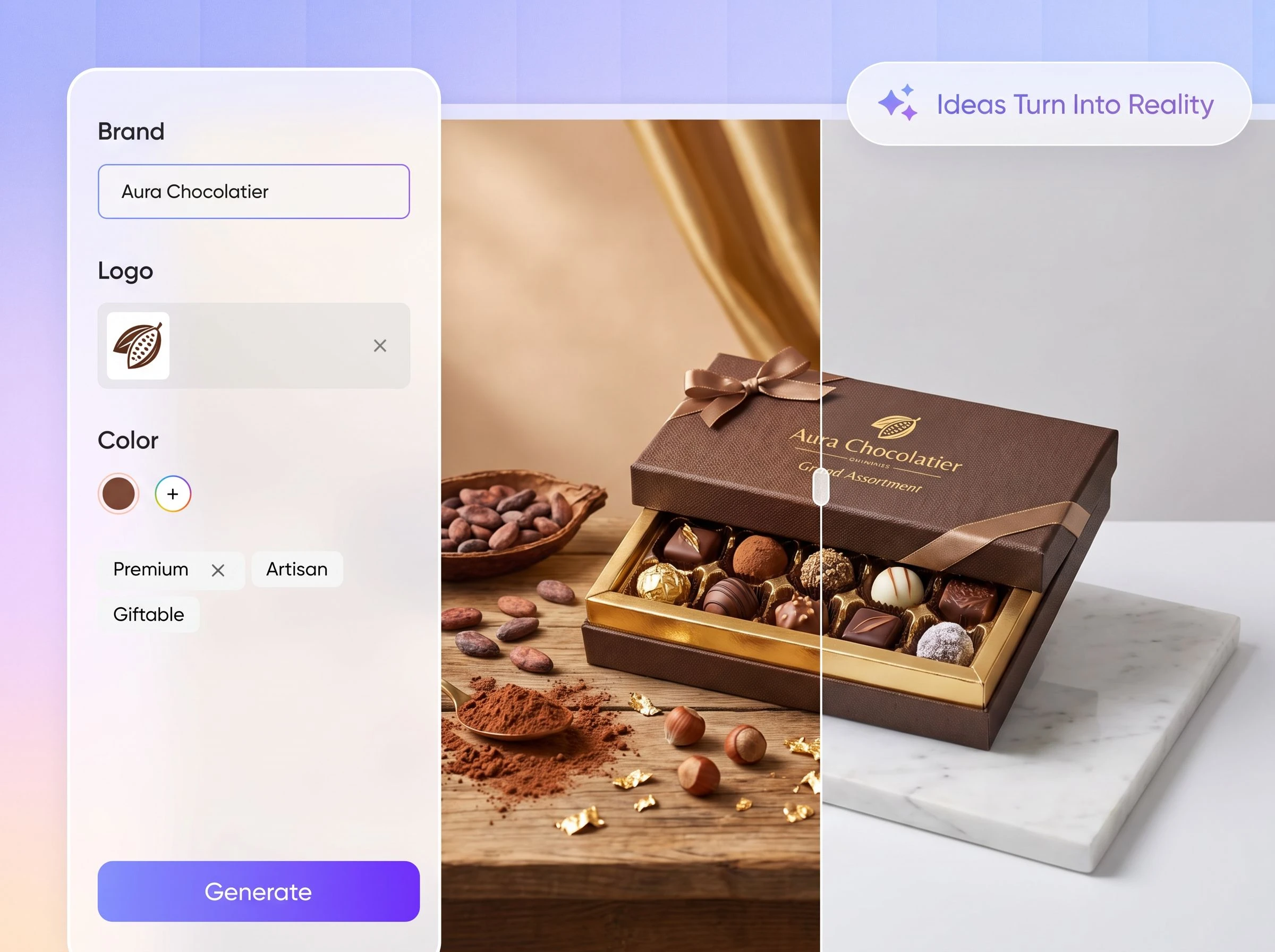
Match each candy packaging format
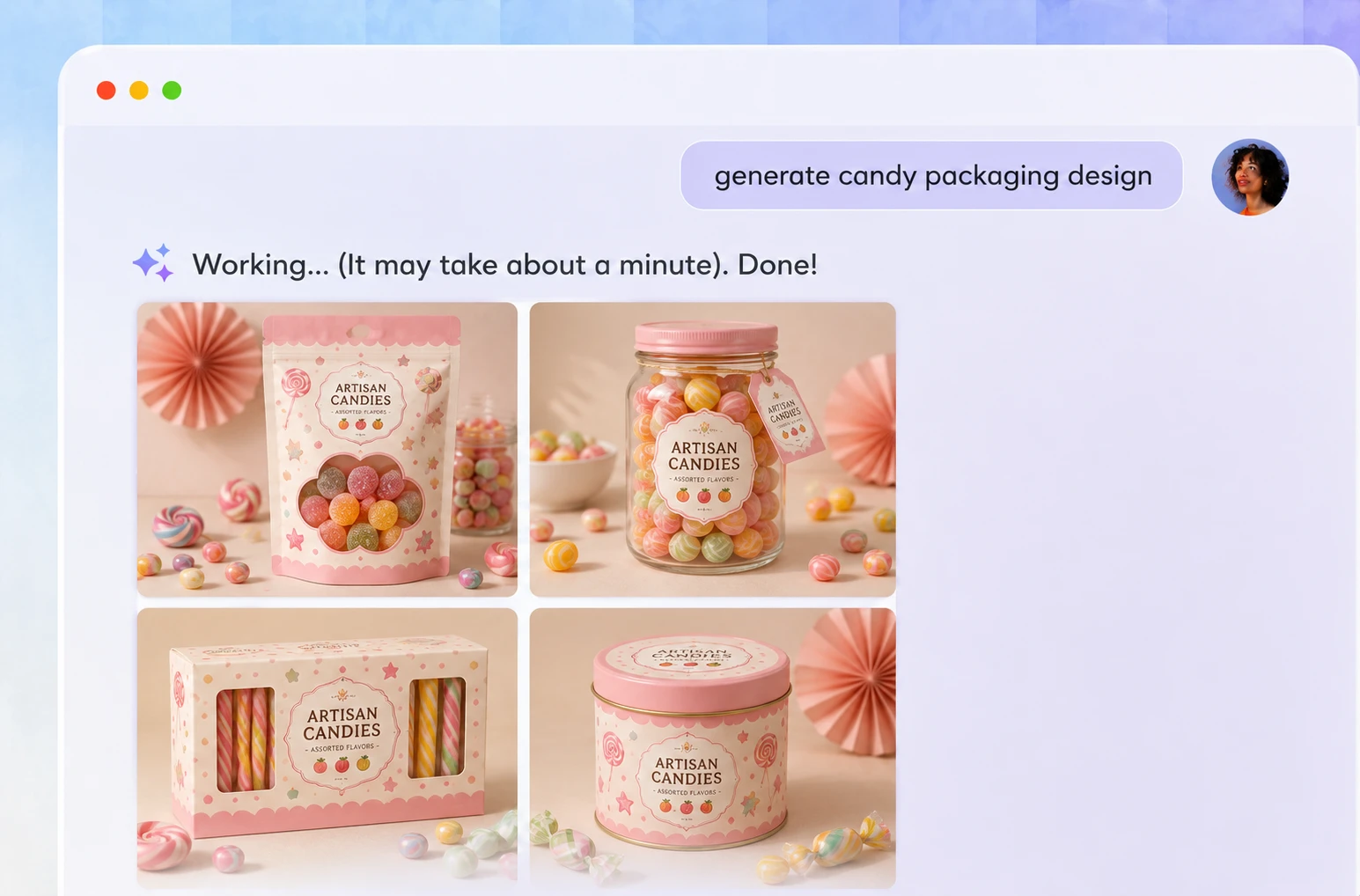
Individual wrappers, twist wraps, sachets, chocolate boxes, candy jars, and buckets all need different layouts. Enter candy packaging first, then choose a supported format after generating the mockup so the design can move into dieline preparation.
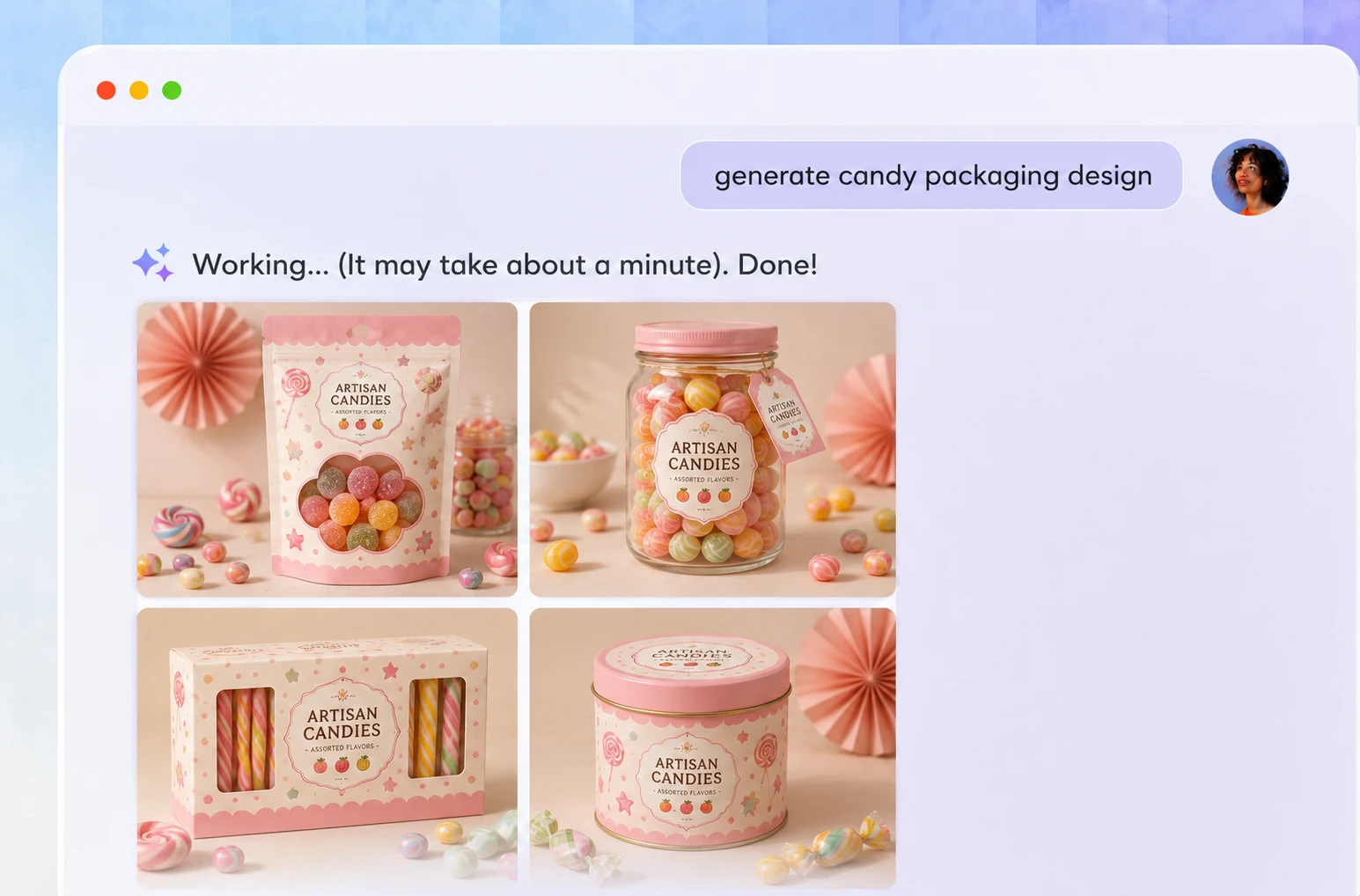
Compare more design directions
One concept is rarely enough for a new product or seasonal launch. Adjust Elements, Style, and Color to generate several candy packaging options, compare their graphics and layouts, and select the strongest direction for review and further refinement.
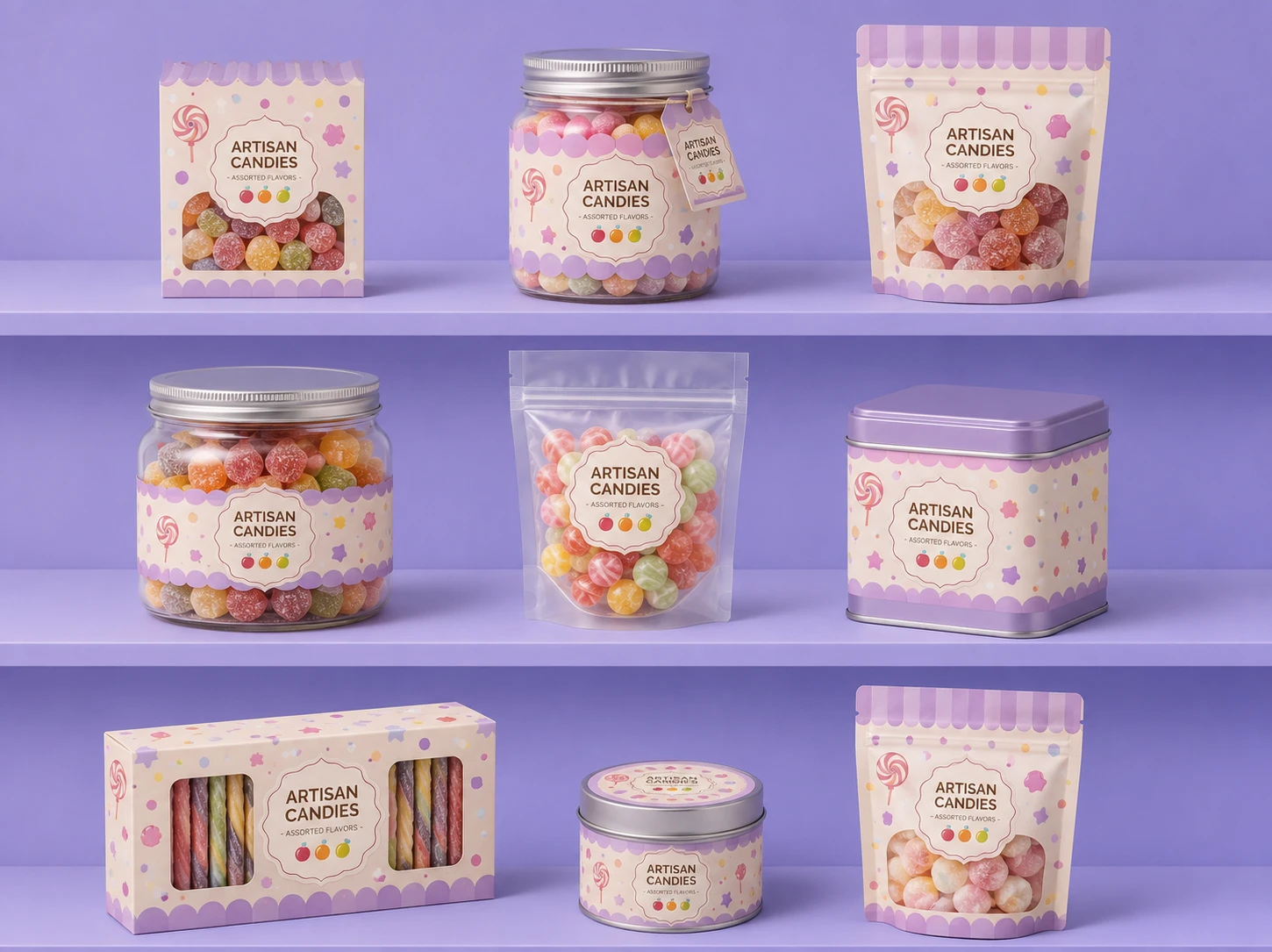
Keep flavor packaging consistent
Packify can help keep multiple flavor designs on-brand in two ways. Upload your logo and current packaging image as visual references, or set up a Brand Kit with your logo, brand colors, and brand description so each generation uses the same core brand information.
Make each flavor easy to spot
Candy shoppers often recognize a flavor through color, ingredient cues, and the product name. Add those details to your brief, and Packify generates packaging directions that help each flavor stay distinct across wrappers, pouches, boxes, jars, and buckets.
Match each candy packaging format
Individual wrappers, twist wraps, sachets, chocolate boxes, candy jars, and buckets all need different layouts. Enter candy packaging first, then choose a supported format after generating the mockup so the design can move into dieline preparation.
Compare more design directions
One concept is rarely enough for a new product or seasonal launch. Adjust Elements, Style, and Color to generate several candy packaging options, compare their graphics and layouts, and select the strongest direction for review and further refinement.
Proven impact, in our customer's words


The AI-powered packaging design tool is a game-changer. It's fast, intuitive, making it an essential tool for any forward-thinking design team.ved.
March 26, 2025


The results are so amazing that I don't think it's just for inspiration... I'd say artificial intelligence outperforms most designers; the key is to come up with the perfect prompt. Great contribution! Thank you 😊.
March 18, 2025


The AI-powered packaging design tool is a game-changer. It's fast, intuitive, making it an essential tool for any forward-thinking design team.
March 18, 2025


We’re a tiny skincare shop. Packify.ai turned my scribbles into clean mockups and a printable dieline by Monday. Fewer back-and-forths, consistent branding, and our product page conversions moved.
March 18, 2025


The AI-powered packaging design tool is a game-changer. It's fast, intuitive, making it an essential tool for any forward-thinking design team.
March 26, 2025


The results are so amazing that I don't think it's just for inspiration... I'd say artificial intelligence outperforms most designers; the key is to come up with the perfect prompt. Great contribution! Thank you 😊
March 18, 2025


Congrats! Packify.ai, an AI packaging designer, enables easy, creative design and offers AI-driven product photography for e-commerce through simple chatting.
April 2, 2025


We’re a tiny skincare shop. Packify.ai turned my scribbles into clean mockups and a printable dieline by Monday. Fewer back-and-forths, consistent branding, and our product page conversions moved.
May 9, 2025
You Asked,
We Answered
You Asked, We Answered
What types of candy packaging can Packify generate?
After generating your packaging mockup, click Export Dieline. In Choose Label, click More and search for candy to view the currently supported formats. Available options include individual candy wrappers, twist wraps, sachets, chocolate boxes, candy buckets, and candy jars. The list may change as more categories are added.
Can I design packaging for multiple candy flavors?
Yes. There are two ways to keep different flavor designs consistent. First, upload your logo and current packaging image so Packify can reference your existing visuals. Second, set up a Brand Kit with your logo, brand colors, and brand description so future generations use the same brand information.
How can I keep Halloween packaging on-brand?
Upload both your logo and current packaging image, then choose colors and a style that fit your brand. When adding pumpkins, ghosts, candy, or other seasonal elements, Packify uses your uploaded assets as visual references. You can continue adjusting the graphics, colors, and layout with Use in Chat.
Can I print the exported dieline directly?
Packify can export a dieline from your selected design. Before production, check the dimensions, materials, folds, sealing method, and file requirements with your printing supplier. Complete a physical proof and prepress review before starting a full production run.
Is Packify's candy packaging design generator free?
You can use free trial credits to explore candy packaging design. Check your remaining credits before generating. If you need more credits or advanced features, visit the Pricing Page. A free trial does not mean unlimited free use.
Can I use the generated candy packaging commercially?
Yes, subject to Packify's usage terms. You can use generated designs for e-commerce, retail packaging, marketing campaigns, and social media. AI-generated content does not include exclusive rights, so review all text, trademarks, brand elements, and similar designs before launch.
Finish your next candy package faster
