AI Packaging Mockup Generator
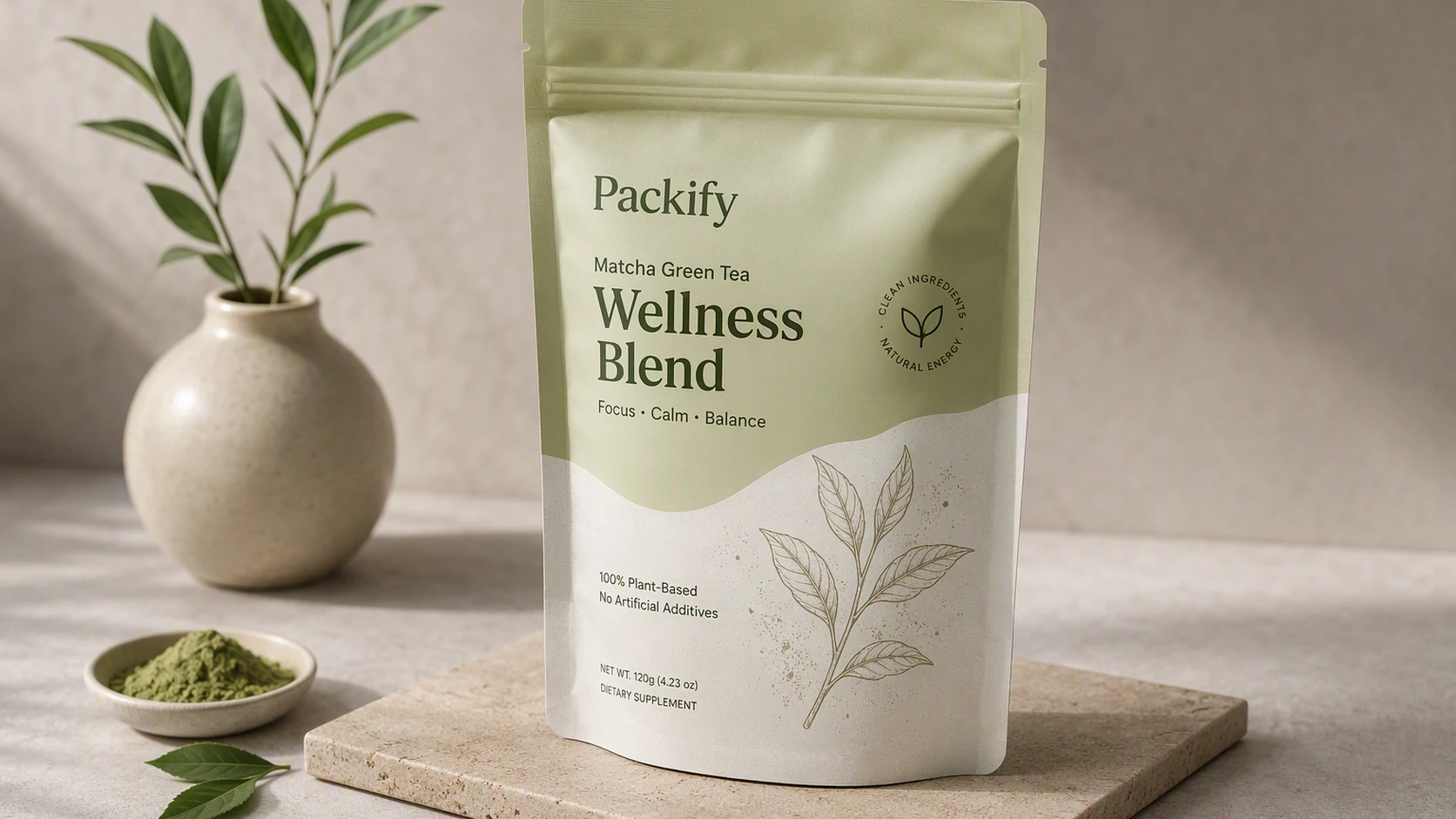
Describe your product, packaging format, and visual direction, or upload a logo and reference image. Packify generates the surface design and 3D presentation from the same input, then lets you move the approved concept into a dieline you can edit.

Trusted by industry-leading businesses


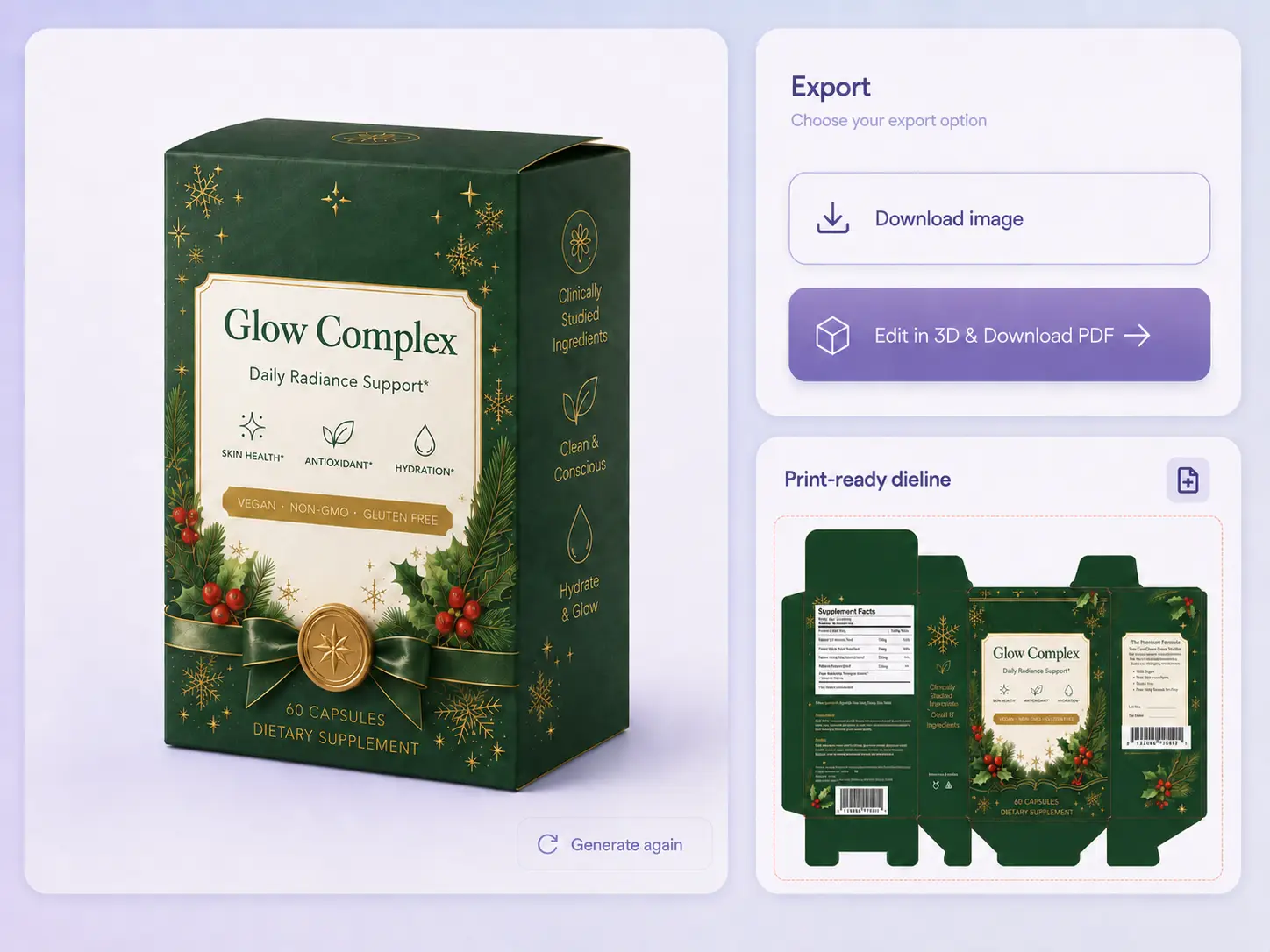
Connect Your Packaging Mockup to Production
Many mockup tools stop once the preview image is ready. After a packaging mockup is approved, however, production often starts again with a supplier dieline. Cut lines, fold lines, glue areas, bleed, safe areas, and panel placement all need careful handling.
Packify connects packaging design, mockup generation, 3D preview, and dieline creation. Teams can carry one approved direction forward instead of rebuilding the same design across separate files and tools.
How to Create a Packaging Mockup
Step 1: Share Your Product and Packaging Brief
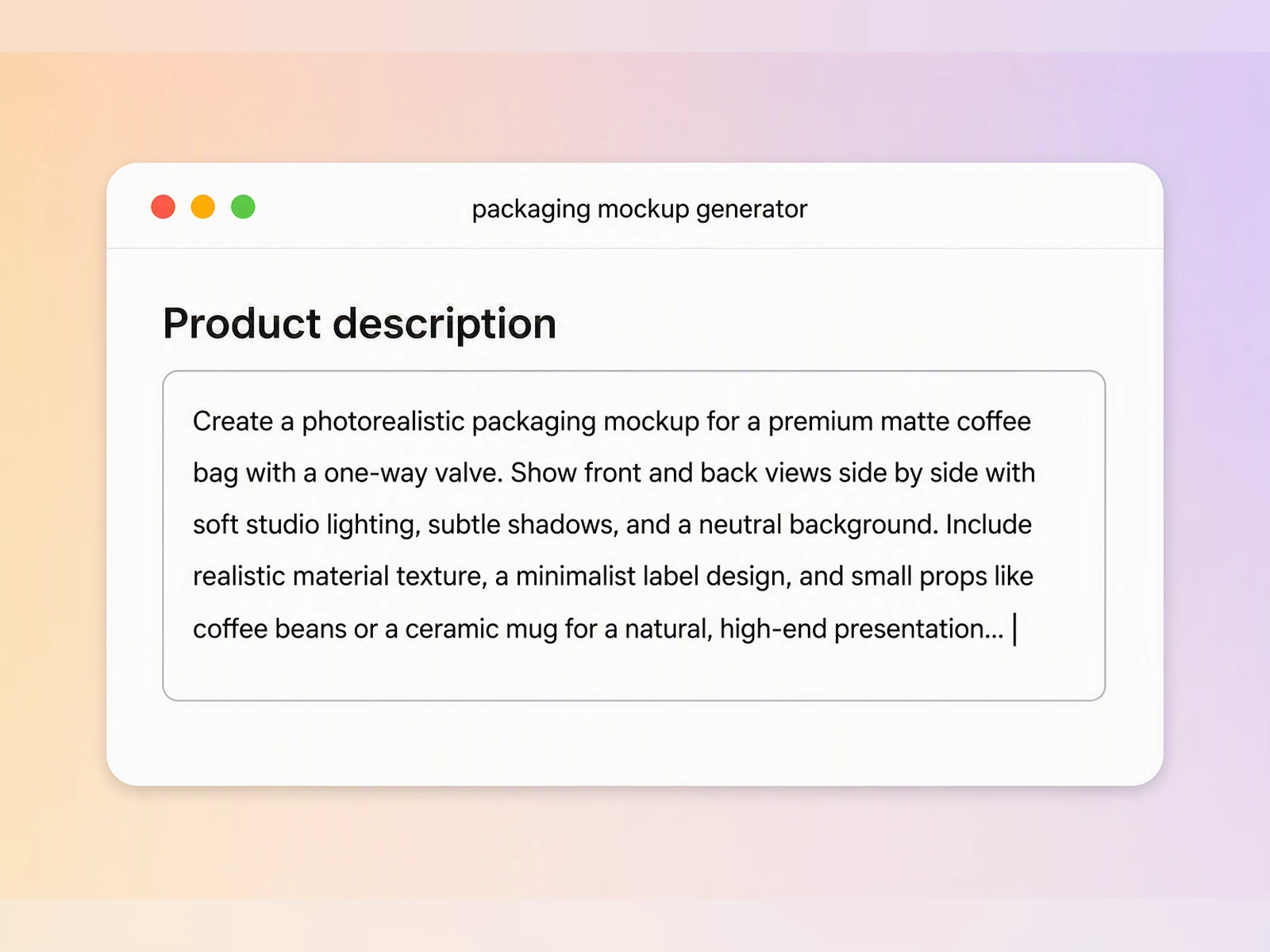
Enter your product, packaging type, dimensions, colors, and visual direction. Upload a logo, existing artwork, or reference image if available.
Step 2: Generate and Refine Your Mockup
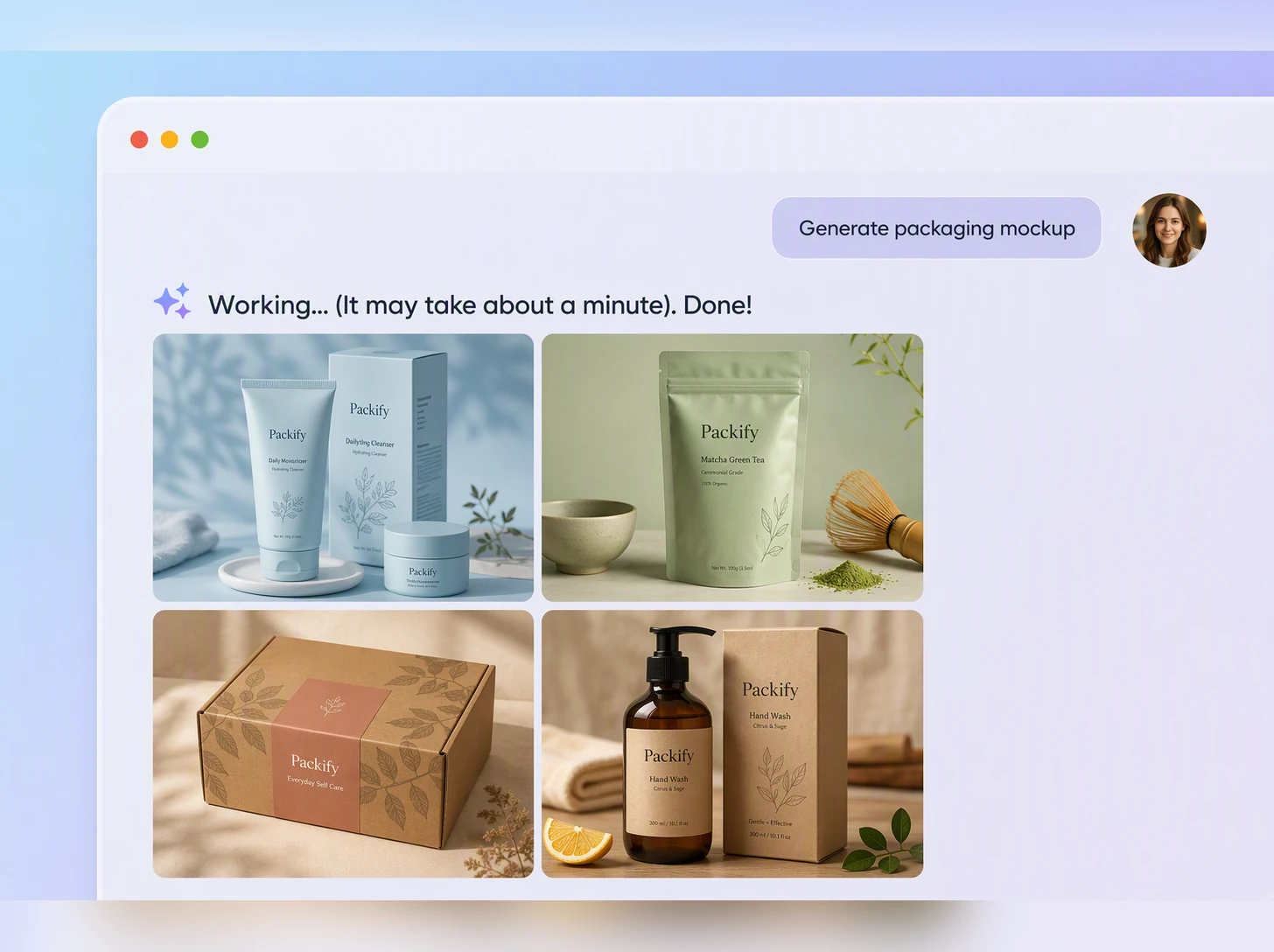
Create an AI packaging mockup, compare visual directions, and refine the graphics, colors, text hierarchy, or logo placement through prompts.
Step 3: Continue into an Editable Dieline
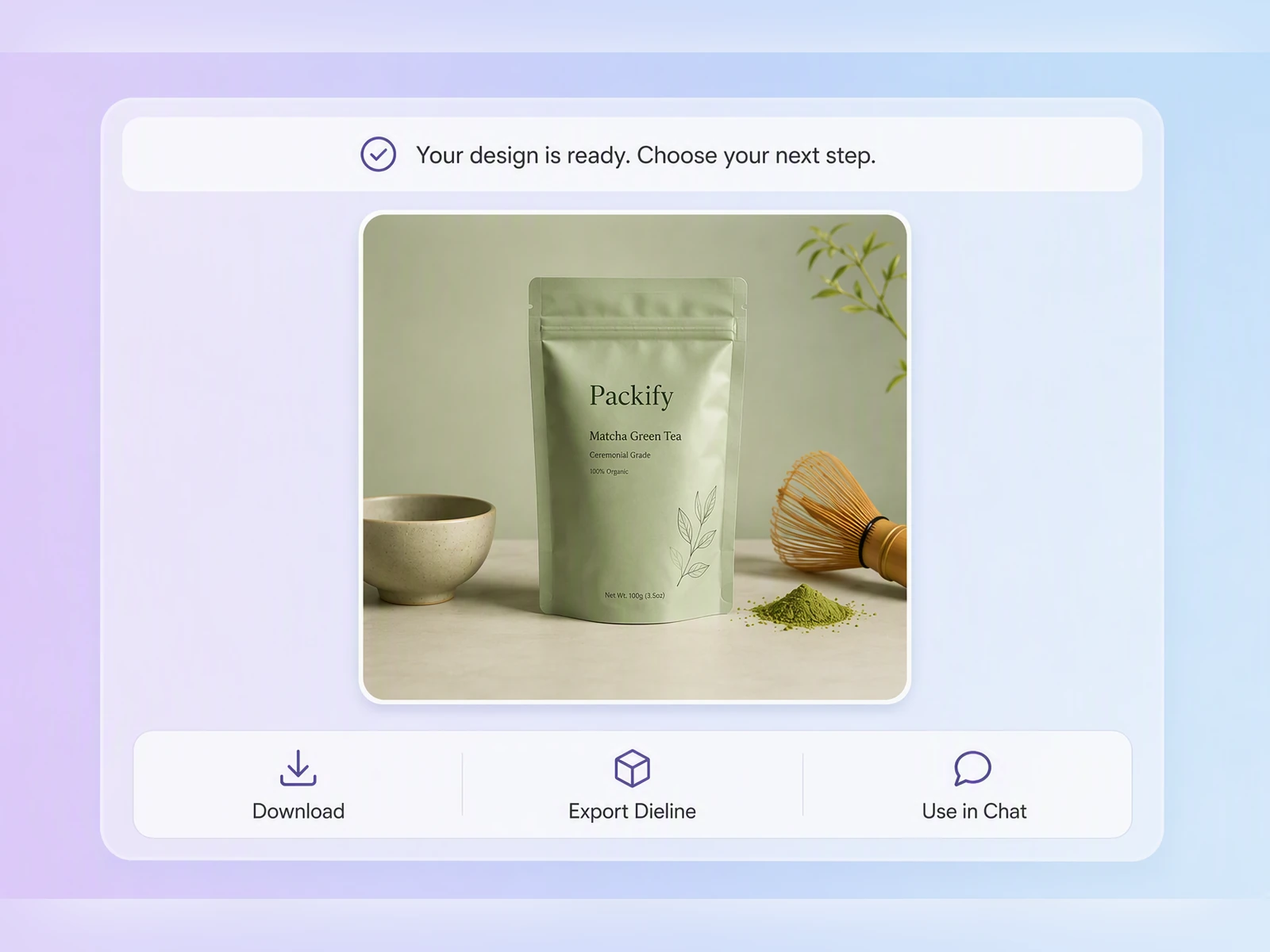
Confirm the mockup, then click Export Dieline to continue into a dieline. Enter actual dimensions, edit the design, and check artwork placement in 3D.

Step 1: Share Your Product and Packaging Brief
Enter your product, packaging type, dimensions, colors, and visual direction. Upload a logo, existing artwork, or reference image if available.
Step 2: Generate and Refine Your Mockup
Create an AI packaging mockup, compare visual directions, and refine the graphics, colors, text hierarchy, or logo placement through prompts.
Step 3: Continue into an Editable Dieline
Confirm the mockup, then click Export Dieline to continue into a dieline. Enter actual dimensions, edit the design, and check artwork placement in 3D.
Why Choose Packify
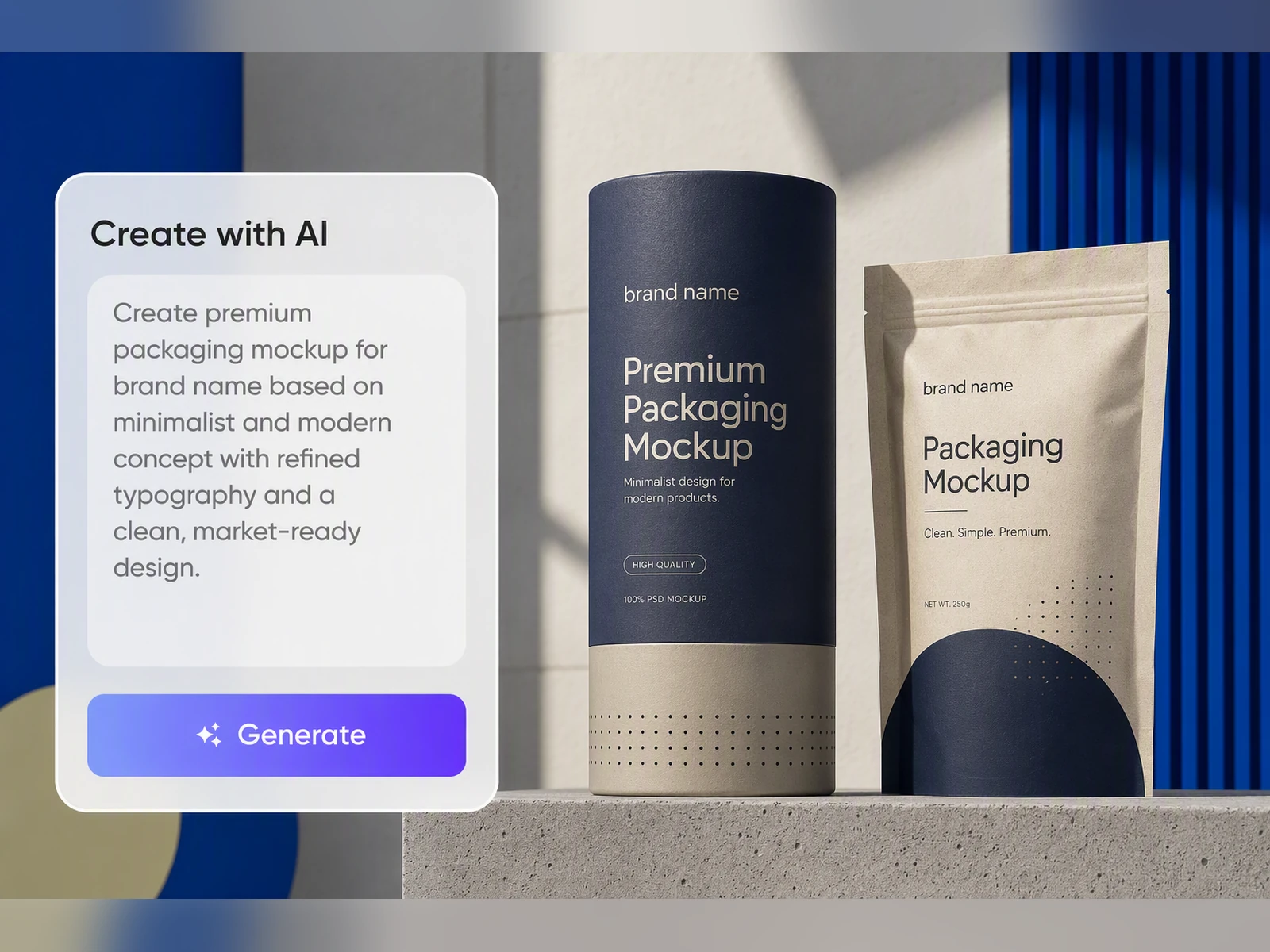
Review from One Shared Brief
Keep product information, logos, colors, references, and visual direction in one brief throughout the review process. Your team can discuss the same packaging direction from the first concept to the approved mockup, reducing scattered feedback, mismatched versions, and avoidable misunderstandings.
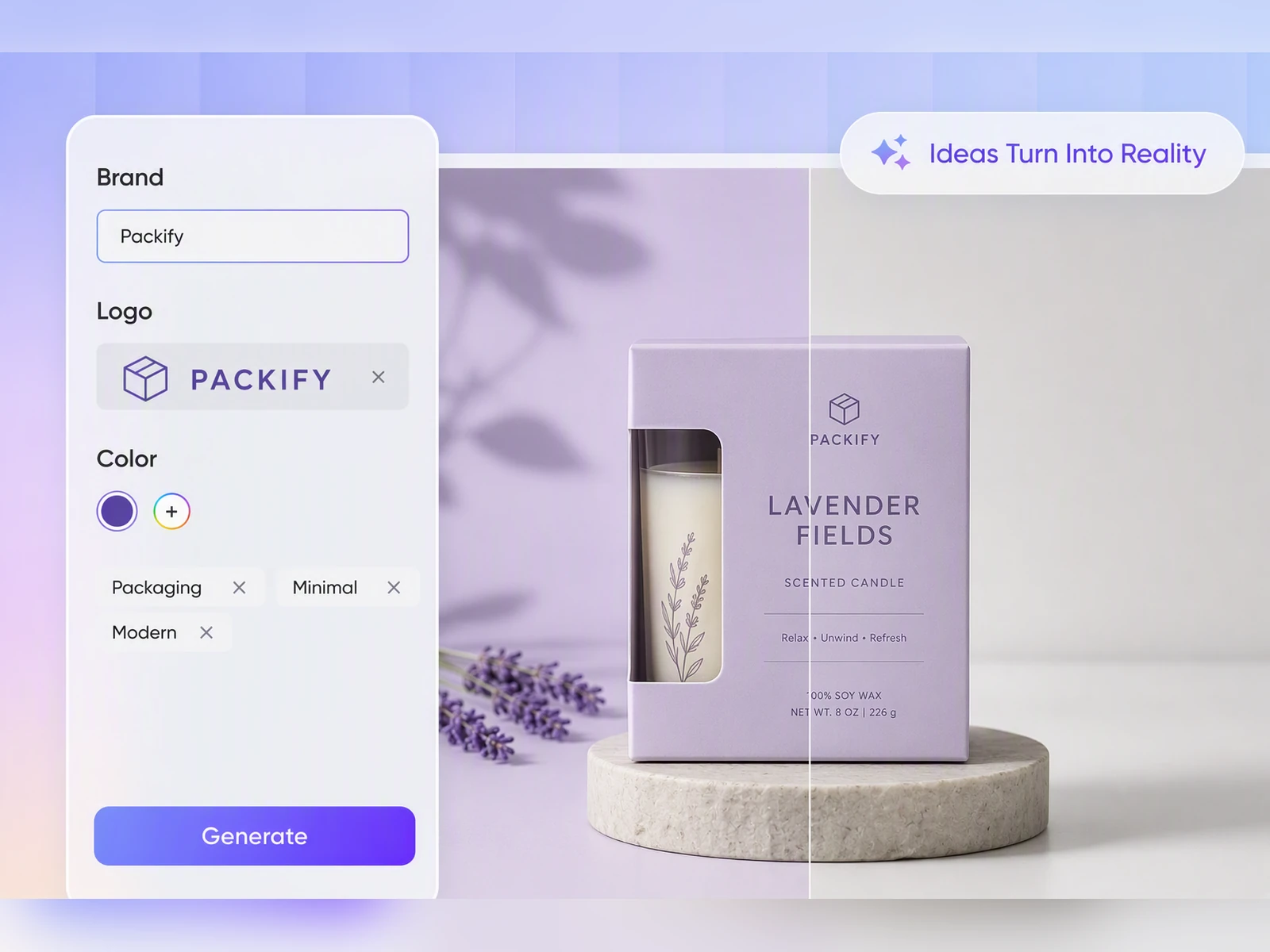
Reduce Rework Across Multiple Tools
Traditional packaging workflows often move between Illustrator, Photoshop, Blender or Dimension, and printer files. Packify connects design generation, mockup refinement, 3D preview, and dieline creation in one workflow, reducing repeated exports and the need to rebuild the same artwork across separate tools.
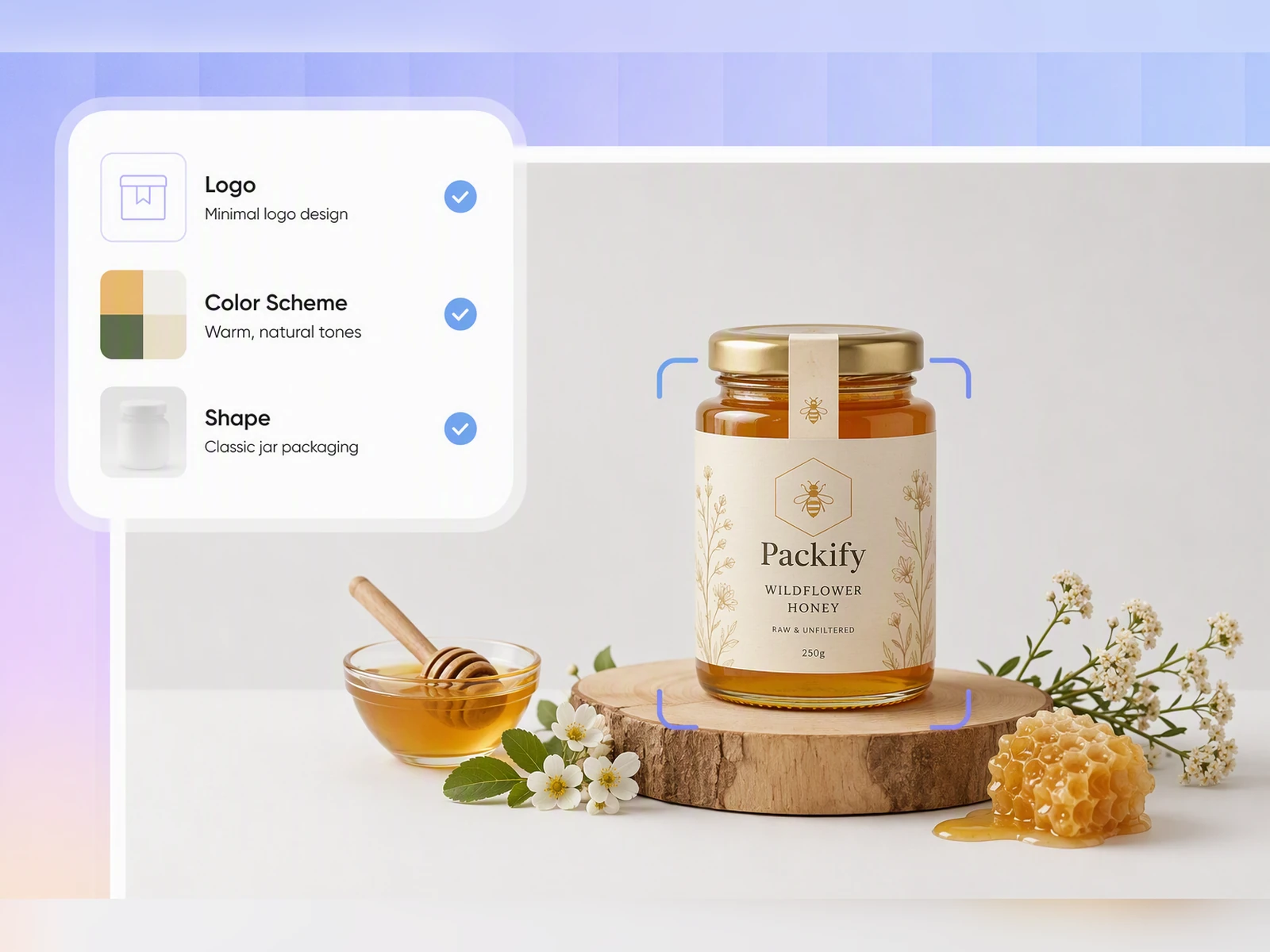
Check Your Design in 3D Before Printing
Before sending files to production, preview the design in 3D and check whether key artwork, text, and logos sit on the intended panels. Adjust the design while the packaging direction is still easy to change, then ask your printer to confirm the production requirements.
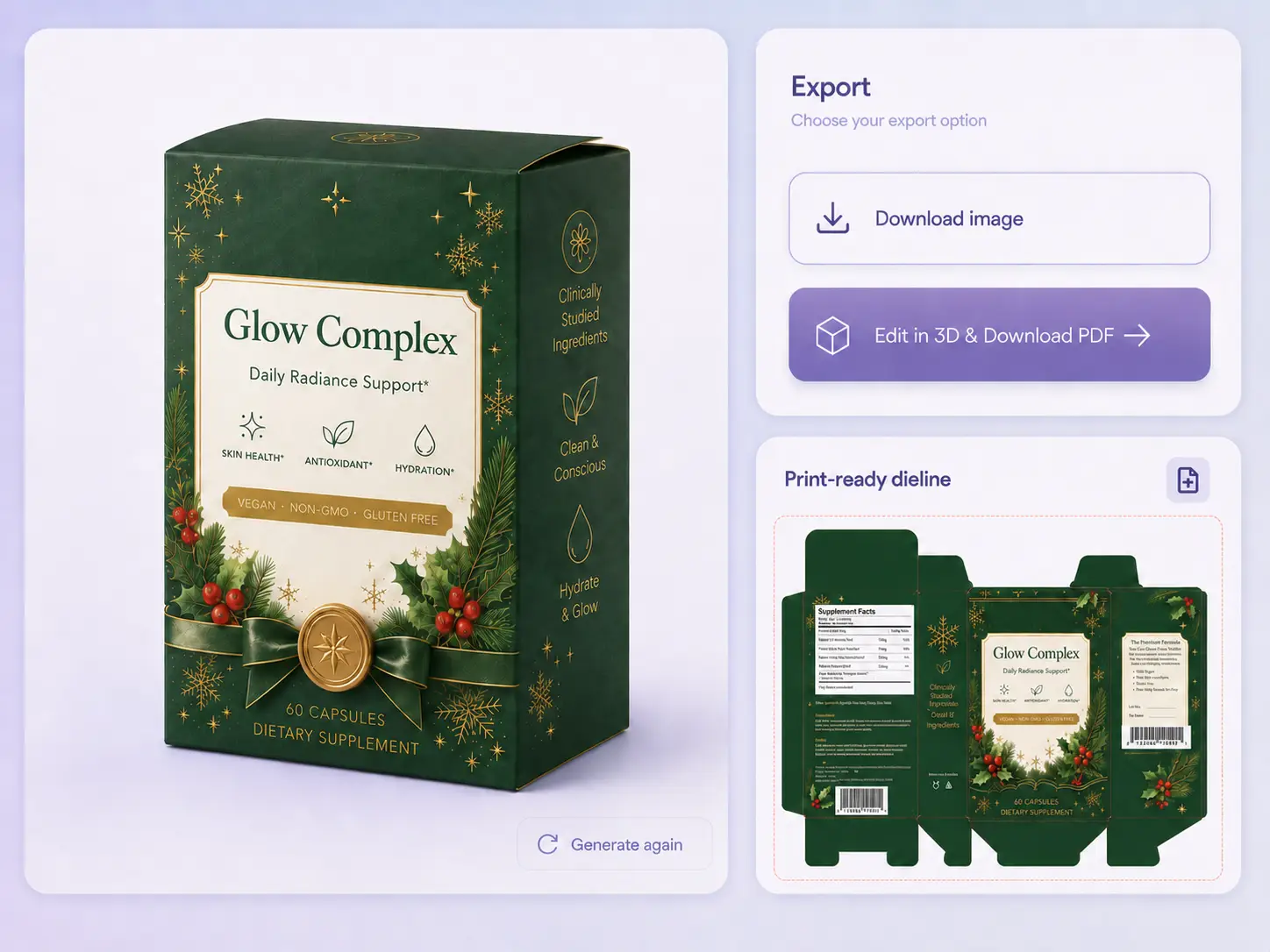
Connect Your Mockup to a Dieline
A polished packaging mockup is not a production file. With Packify, you can continue the approved direction into an editable dieline, set actual dimensions, refine the artwork, and hand it to your printer for final checks of manufacturing specifications.
Review from One Shared Brief
Keep product information, logos, colors, references, and visual direction in one brief throughout the review process. Your team can discuss the same packaging direction from the first concept to the approved mockup, reducing scattered feedback, mismatched versions, and avoidable misunderstandings.
Reduce Rework Across Multiple Tools
Traditional packaging workflows often move between Illustrator, Photoshop, Blender or Dimension, and printer files. Packify connects design generation, mockup refinement, 3D preview, and dieline creation in one workflow, reducing repeated exports and the need to rebuild the same artwork across separate tools.
Check Your Design in 3D Before Printing
Before sending files to production, preview the design in 3D and check whether key artwork, text, and logos sit on the intended panels. Adjust the design while the packaging direction is still easy to change, then ask your printer to confirm the production requirements.
Connect Your Mockup to a Dieline
A polished packaging mockup is not a production file. With Packify, you can continue the approved direction into an editable dieline, set actual dimensions, refine the artwork, and hand it to your printer for final checks of manufacturing specifications.
Proven impact, in our customer's words


The AI-powered packaging design tool is a game-changer. It's fast, intuitive, making it an essential tool for any forward-thinking design team.ved.
March 26, 2025


The results are so amazing that I don't think it's just for inspiration... I'd say artificial intelligence outperforms most designers; the key is to come up with the perfect prompt. Great contribution! Thank you 😊.
March 18, 2025


The AI-powered packaging design tool is a game-changer. It's fast, intuitive, making it an essential tool for any forward-thinking design team.
March 18, 2025


We’re a tiny skincare shop. Packify.ai turned my scribbles into clean mockups and a printable dieline by Monday. Fewer back-and-forths, consistent branding, a nd our product page conversions moved.
March 18, 2025


The AI-powered packaging design tool is a game-changer. It's fast, intuitive, making it an essential tool for any forward-thinking design team.
March 26, 2025


The results are so amazing that I don't think it's just for inspiration... I'd say artificial intelligence outperforms most designers; the key is to come up with the perfect prompt. Great contribution! Thank you 😊
March 18, 2025


Congrats! Packify.ai, an AI packaging designer, enables easy, creative design and offers AI-driven product photography for e-commerce through simple chatting.
April 2, 2025


We’re a tiny skincare shop. Packify.ai turned my scribbles into clean mockups and a printable dieline by Monday. Fewer back-and-forths, consistent branding, a nd our product page conversions moved.
May 9, 2025
You asked,
we answered
You asked, we answered
What is a packaging mockup?
A packaging mockup is a visual preview showing how graphics, colors, text, and branding may appear on a package. It helps teams review the design before production. A 3D mockup can also show how artwork is positioned across the package’s visible panels.
How to create a packaging mockup?
Start with the product, packaging type, dimensions, brand direction, and any available logo or artwork. A packaging mockup generator can turn that input into a visual concept. In Packify, you can refine the result, preview it in 3D, and continue into a dieline.
Where can I find free packaging mockup templates?
Free packaging mockup templates are commonly available from design marketplaces and mockup libraries, often as PSD files that require Photoshop. Packify takes a different approach: describe the packaging you need or upload a reference, then generate and refine a custom direction without starting from a fixed template.
Can I send a packaging mockup directly to a printer?
No. A packaging mockup is intended for visualization and review, not direct production. Before printing, continue the approved design into a dieline and confirm the dimensions, material, cut lines, fold lines, glue areas, bleed, safe area, and other production specifications with your printer.
Is there a free AI tool for packaging design?
Packify provides trial credits so you can test its AI packaging design workflow, including generating and refining a mockup. Free usage depends on your available credit balance, while continued access may require a paid plan. Check the Pricing Page for current credit allowances and plan details.
Can I use my AI packaging mockup commercially?
Commercial use depends on your Packify plan and the current terms. You are responsible for confirming rights to logos, trademarks, uploaded references, and other source materials. Because AI-generated content may not be exclusive, review the Terms of Use and validate every asset before commercial use.
Move from Packaging Idea to Production Preparation