Donut box template
Describe your donut box by capacity, donut size, and preferred look. Upload a reference image for inspiration, get a box design and 3D preview you can turn into a print-ready dieline.


Trusted by industry-leading businesses


Create a donut box template for your order
Packing one donut or a half-dozen? Describe the count, donut size, and topping height. Packify drafts box artwork for a 3D preview, then turns your design into a dieline. Check the fit with your printer before ordering.
How to make a donut box template with AI?

Step 1: Specify your donut order
Enter the donut count, approximate diameter and height, intended use, and finished dimensions you want for the box.

Step 2: Refine the box design
Review the artwork on the 3D box, then revise your description or edit the design before choosing a version.

Step 3: Check the dieline
Generate the dieline from your chosen design, confirm its dimensions with your printer, and test the box with a physical sample.

Step 1: Specify your donut order
Enter the donut count, approximate diameter and height, intended use, and finished dimensions you want for the box.
Step 2: Refine the box design
Review the artwork on the 3D box, then revise your description or edit the design before choosing a version.
Step 3: Check the dieline
Generate the dieline from your chosen design, confirm its dimensions with your printer, and test the box with a physical sample.
Why make your donut box template with Packify?

Size the box for the order
A half-dozen box may leave too little room when donuts have tall toppings or need a particular arrangement. Give Packify the count and approximate donut dimensions to draft a box concept.

Show your bakery name clearly
Your bakery name can look prominent in flat artwork but disappear when the box is closed or shown as a small listing image. Set your logo and colors in Brand Kit, then review their placement on Packify’s box mockup before selecting a design.
Get a dieline from your design
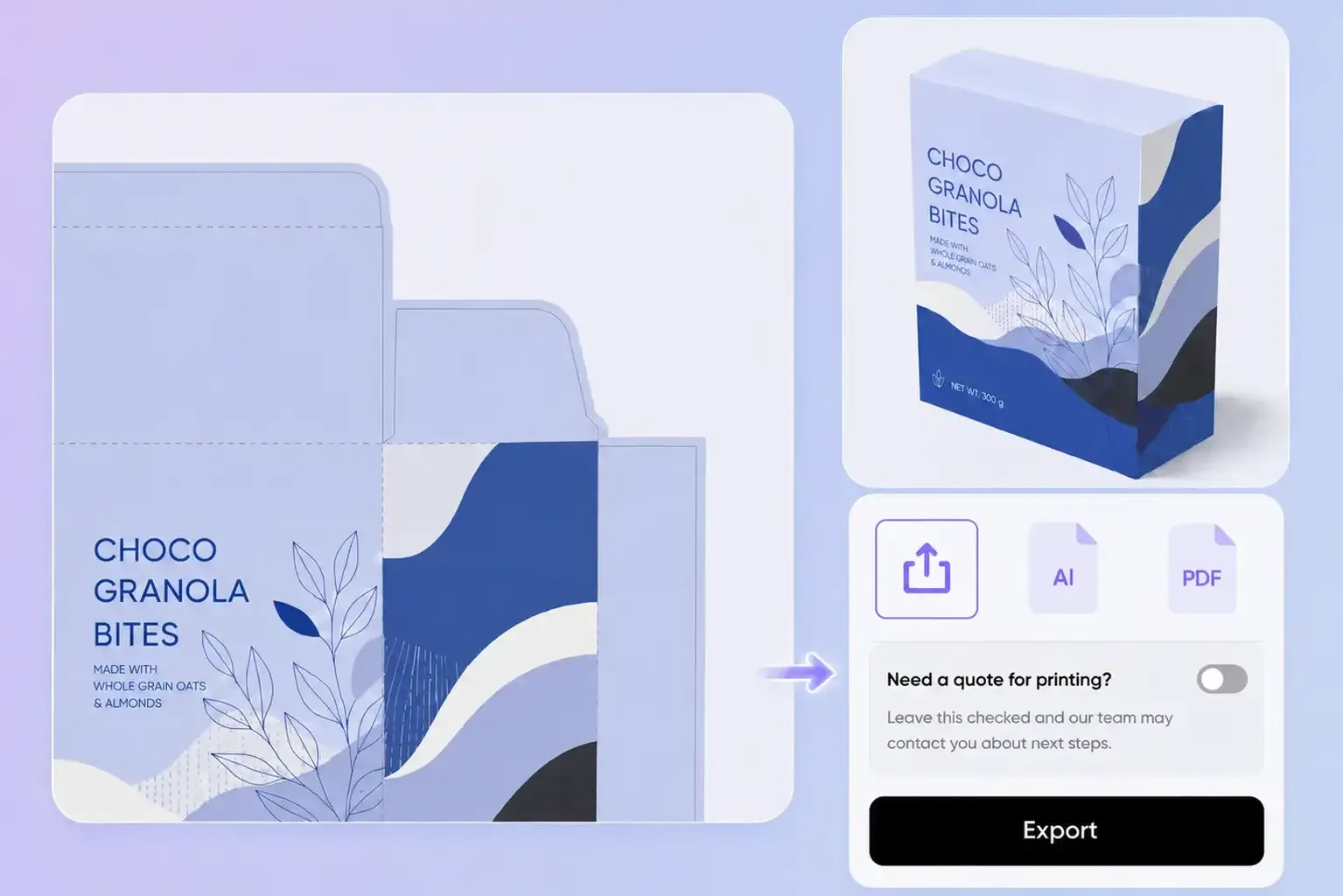
A concept alone cannot tell your printer where to cut and fold. Packify turns your chosen donut box design into a dieline so you can inspect the flat layout alongside the assembled view. Send the file to your printer for a production check.

Clarify what mini means
A mini donut box might hold edible mini donuts or serve as a miniature display piece. State its intended use and finished dimensions in your brief so Packify can draft a concept at the scale you requested.
Size the box for the order
A half-dozen box may leave too little room when donuts have tall toppings or need a particular arrangement. Give Packify the count and approximate donut dimensions to draft a box concept.
Show your bakery name clearly
Your bakery name can look prominent in flat artwork but disappear when the box is closed or shown as a small listing image. Set your logo and colors in Brand Kit, then review their placement on Packify’s box mockup before selecting a design.
Get a dieline from your design
A concept alone cannot tell your printer where to cut and fold. Packify turns your chosen donut box design into a dieline so you can inspect the flat layout alongside the assembled view. Send the file to your printer for a production check.
Clarify what mini means
A mini donut box might hold edible mini donuts or serve as a miniature display piece. State its intended use and finished dimensions in your brief so Packify can draft a concept at the scale you requested.
Proven impact, in our customer's words


The AI-powered packaging design tool is a game-changer. It's fast, intuitive, making it an essential tool for any forward-thinking design team.ved.
March 26, 2025


The results are so amazing that I don't think it's just for inspiration... I'd say artificial intelligence outperforms most designers; the key is to come up with the perfect prompt. Great contribution! Thank you 😊.
March 18, 2025


The AI-powered packaging design tool is a game-changer. It's fast, intuitive, making it an essential tool for any forward-thinking design team.
March 18, 2025


We’re a tiny skincare shop. Packify.ai turned my scribbles into clean mockups and a printable dieline by Monday. Fewer back-and-forths, consistent branding, and our product page conversions moved.
March 18, 2025


The AI-powered packaging design tool is a game-changer. It's fast, intuitive, making it an essential tool for any forward-thinking design team.
March 26, 2025


The results are so amazing that I don't think it's just for inspiration... I'd say artificial intelligence outperforms most designers; the key is to come up with the perfect prompt. Great contribution! Thank you 😊
March 18, 2025


Congrats! Packify.ai, an AI packaging designer, enables easy, creative design and offers AI-driven product photography for e-commerce through simple chatting.
April 2, 2025


We’re a tiny skincare shop. Packify.ai turned my scribbles into clean mockups and a printable dieline by Monday. Fewer back-and-forths, consistent branding, and our product page conversions moved.
May 9, 2025
You asked,
we answered
You asked, we answered
Can I change the size and layout of a donut box template?
Yes. You can adjust the box dimensions and rearrange elements on the dieline to fit your donut order.
Can a new donut shop use this without design software?
Yes. You can describe the box in text, inspect the 3D preview, and make simple design edits in Packify.
How much does a donut box template cost?
You can try creating a design with trial credits. Generation uses credits, so check your remaining balance before starting. See the Pricing Page for current plans and credit details.
Can I use my donut box design commercially?
Yes, you can use Packify designs for commercial projects if you follow the Terms of Use. AI-generated content is not exclusive, and Packify cannot guarantee that every output is cleared for commercial use. Review trademarks and similar visual elements before printing.
A donut box template for your next order.